What Is OpenClaw? Everything You Need to Know About the World's Most Starred AI Agent
OpenClaw is the open source AI agent with 280K+ GitHub stars. This guide covers what it is, how it works, its features, and why everyone is using it in 2026.

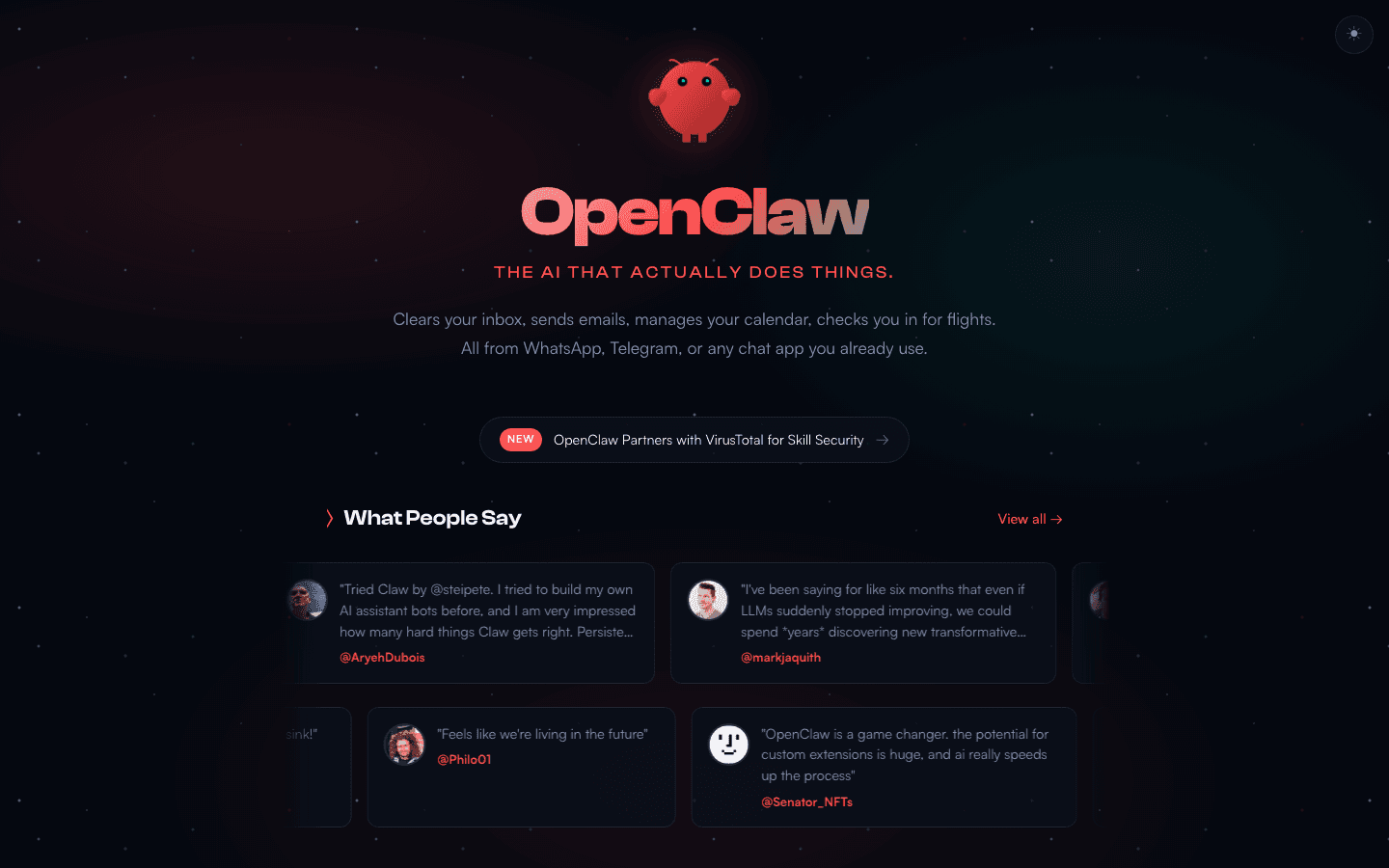
Table of Contents
OpenClaw is a free, MIT licensed AI agent that runs on your own machine, talks to you through WhatsApp, Telegram, Slack, Discord, iMessage and about a dozen other channels, and remembers what you told it last week. Peter Steinberger published it in November 2025 as Clawdbot; it now has more than 384,000 GitHub stars, which is more than React has collected in thirteen years, and it reached that inside its first four months. You bring your own model and pay only for API calls, so a personal assistant workload lands around $5 to $20 a month.
The part most write ups skip is that it has shipped three serious vulnerabilities in six months, and the worst one is not the one that made the news. CVE-2026-25253 scored 8.8 and was patched in January. CVE-2026-32922 scored 9.9, was disclosed on March 29, and affects every build before 2026.3.11, which means the version floor a lot of guides still quote leaves you exposed to a critical escalation. Run v2026.7.1, keep it in Docker bound to localhost, and audit skills before installing them: Snyk found security flaws in 36% of the 3,984 skills it scanned on ClawHub.
This post covers what OpenClaw is, how it works under the hood, and who's using it. If you're ready to set it up, see the step-by-step walkthrough in How to Install OpenClaw: Complete Setup Guide for Server and Mac.
The Short Answer
OpenClaw is a free, open source AI agent that runs on your own machine and connects to messaging platforms like WhatsApp, Telegram, Slack, Discord, and iMessage. You send it a message, and it actually does things, searches the web, reads and writes files, executes code, manages your calendar, sends emails, rather than just talking about doing them.
The name is a nod to the lobster 🦞 mascot and its open source roots. The tagline on the official site says it plainly: "The AI that actually does things." That's the whole pitch, and it's what separates OpenClaw from the generation of conversational chatbots that came before it.
It's model agnostic. You can connect it to Claude, GPT-4o, DeepSeek, Gemini, or run a local model through Ollama. The software is MIT licensed and costs nothing. You pay only for the API calls to whichever model you choose.
As of July 2026, OpenClaw has more than 384,000 GitHub stars. React, for comparison, has around 246,000 after thirteen years. OpenClaw passed that inside its first four months. It's the fastest growing open source project in recorded history, and the developer community's reaction ranges from genuine excitement to productive paranoia about what it means to give an AI agent this much access to your life.
There's a good reason for both reactions. The excitement is warranted because OpenClaw does something that no previous tool in this category managed at this level of accessibility: it gives a non-trivial AI agent to anyone willing to spend an afternoon on setup. The wariness is also warranted because an agent with filesystem access, shell execution, and connections to your email and messaging accounts is a meaningful attack surface. We'll get to both sides of that honestly.
How OpenClaw Came to Exist
Peter Steinberger and the Project That Started in One Hour
Peter Steinberger (@steipete) is an Austrian software developer based in Vienna. He founded PSPDFKit, a PDF rendering SDK that became the standard library for PDF functionality on iOS. The company was later rebranded as Apryse and acquired by Insight Partners for an estimated $100 million. After the acquisition, Steinberger stepped back from day-to-day operations and did what a lot of founders do after a big exit: he started coding for fun again.
He'd spent years building SDK infrastructure for other developers. After the exit, he was free to build whatever seemed interesting. In November 2025, that meant experimenting with the Anthropic API. The idea was simple: connect Claude to WhatsApp so he could chat with an AI without opening another browser tab. He built the first version in about an hour. It worked well enough that he put it on GitHub under the name Clawdbot: a play on "Claude" and the claw motif he'd picked for the mascot.
It sat quietly for a few weeks. A few hundred developers found it, starred it, played with it. Nothing extraordinary. Then, in mid-January 2026, something shifted. Developers started sharing it more seriously. The repository showed up on Hacker News. Someone posted it on Reddit's r/LocalLLaMA. The star count started climbing in a way that didn't look like a normal growth curve. It looked more like a compound interest graph going exponential.
By late January 2026, OpenClaw was accumulating 20,000 GitHub stars in a single day. Developers were tweeting that it felt like an iPhone moment for personal AI. Someone called it "the closest thing to JARVIS we've actually seen." Jensen Huang would later describe it as "the operating system for personal AI."
The Triple Rebrand: Clawdbot to Moltbot to OpenClaw
On January 27, 2026, Anthropic reached out with trademark concerns. The visual and phonetic similarity between "Clawd" (the underlying assistant name Steinberger had been using) and "Claude" was close enough that Anthropic had a legitimate basis to push back. Steinberger was public about it and complied immediately. He wasn't defensive. He understood that building something on top of a vendor's API using a confusingly similar name was something that was always going to get flagged eventually.
He renamed the project Moltbot the same day, keeping the lobster theme. Lobsters molt to grow, shedding their old shell for a new one. The name felt biologically appropriate given what had just happened. But in the chaos of simultaneously updating the GitHub organization, the npm package name, and the X handle, a 10-second gap was all it took. Crypto scammers grabbed the abandoned @clawdbot handle before Steinberger could secure it. Within minutes, fake $CLAWD tokens had launched on Solana, using the old Clawdbot imagery and announcing a token sale.
The fake tokens hit a $16 million market cap before crashing to zero within hours. Thousands of confused users followed impersonation accounts, thinking the crypto launch was somehow connected to the real project. It was a mess that Steinberger handled with considerable transparency, posting a detailed account of what happened and how to recognize legitimate project communications going forward.
Three days later, on January 30, he renamed the project again. He said Moltbot "never quite rolled off the tongue." The new name: OpenClaw. It combined two things the maintainers wanted to signal going forward: the project's open source commitment and continuity with the original claw motif, without leaning on any AI vendor's branding. The Reddit community immediately dubbed it the "fastest triple rebrand in open source history."
60,000 Stars in 72 Hours and a Path to OpenAI
The final rename coincided with a viral wave that's genuinely hard to describe in terms of normal software growth. 60,000 GitHub stars arrived in 72 hours. Two million visitors hit the site in a single week. OpenClaw overtook React in total GitHub stars, a project that had been accumulating stars for over a decade, in a matter of months. That comparison lands differently when you sit with it for a moment: one of the most loved open source projects in history, built over ten years by a massive Facebook team and community, overtaken in GitHub stars by a weekend project from a single developer in Vienna.
The community reaction was unusual too. It wasn't just enthusiasm. Hundreds of developers were actively contributing. The ClawHub skill marketplace materialized almost spontaneously, with thousands of community-built skills appearing within weeks. Regional meetups started organizing in over 30 cities. The project had a momentum that felt less like software adoption and more like a cultural moment.
On February 14, 2026, Sam Altman reportedly reached out personally. Steinberger joined OpenAI as VP of Consumer Engineering the same day. Before leaving, he transferred OpenClaw to an independent open source foundation with community maintainers, protecting the project's open source nature and ensuring it would continue without him. The MIT license stayed. The lobster stayed.
The community, now numbering in the hundreds of thousands of active users, keeps building on it. Steinberger posts occasionally about what the community has created, and you can hear real pride in those posts. He built something in an hour that turned into a cultural moment for an entire industry.
What OpenClaw Actually Does
It's a Gateway, Not a Chatbot
The cleanest way to understand OpenClaw is to stop thinking of it as a chatbot and start thinking of it as a gateway. A chatbot responds to messages. A gateway routes messages to an AI agent that has access to tools, memory, and the ability to take actions in the real world.
When you send OpenClaw a WhatsApp message saying "remind me to follow up with Sarah on Thursday and check if her email from last week needs a reply," it doesn't just acknowledge that request. It sets the reminder, searches your email for messages from Sarah, summarizes what's there, and lets you know what it found. All of that happens before you've put your phone back in your pocket.
The software runs locally on your machine or a server you control. Nothing routes through a third-party cloud. Your messages don't leave your infrastructure. The only external calls it makes are to whichever LLM API you've configured, and even then, you can run a local model through Ollama if you want complete air gap. The configuration sits at ~/.openclaw/openclaw.json. The memory files live in your workspace directory. You own all of it.
What It Can Actually Do Day to Day
The task list is broad. Here's what people are actually using it for in practice:
- Managing email: reading inboxes, summarizing threads, drafting and sending replies
- Calendar management: scheduling meetings, checking for conflicts, sending invites
- Web search and research: browsing pages, extracting structured data, summarizing content
- File management: reading, writing, organizing files on your local filesystem
- Code execution: running scripts, checking build logs, automating repetitive dev tasks
- API calls: hitting external services based on natural language instructions
- Reminders and follow-ups: proactive check-ins driven by the scheduled heartbeat
- Data extraction: pulling structured information from PDFs, emails, and web pages
- Browser control: filling forms, clicking through websites, automating browser-based workflows
- Notifications: alerting you on WhatsApp or Telegram when specific conditions are met
The key word in all of this is "actually." These aren't things it talks about doing. It does them. The agentic loop is real: it takes an action, observes the result, and takes the next action based on what it found. A single message from you can trigger 10 or 20 internal steps before you see a reply. You asked one question. It asked the web three questions, read two files, checked your calendar, and synthesized the answer.
The Local-First Design and Why It Matters
The decision to make OpenClaw local-first is not just a privacy feature. It's a design philosophy that shapes every aspect of how the tool works.
Commercial AI assistants like Siri, Alexa, and Google Assistant route everything through vendor servers. That model made sense when the models were small and the server-side processing was necessary. It made less sense when models became capable enough to run locally on consumer hardware, and it makes even less sense when you consider what kind of access an assistant with agency actually needs to be useful.
An agent that can read your email, manage your calendar, execute code, and access your files is a deeply privileged piece of software. The question of where that data lives and who can access it is not abstract. Local-first means your data stays on hardware you control. If OpenClaw's servers were to be breached (there are no OpenClaw servers), your conversation history and assistant context aren't exposed. If the project were acquired by a company with different values, your data doesn't go with it.
For businesses, this translates directly to compliance. An agent processing confidential customer information, internal contracts, or patient data needs to operate within defined boundaries. Local-first provides that boundary. NemoClaw, NVIDIA's enterprise distribution of OpenClaw, was built specifically because businesses needed that guarantee backed by enterprise-grade tooling.
The Architecture Explained Simply
The Gateway Process
OpenClaw runs as a single process called the Gateway. It's the central coordinator for everything: it holds all the messaging channel sessions, routes incoming messages to the appropriate agent, manages authentication, enforces access controls, and serves the web-based Control UI.
By default, the Gateway listens on port 18789. The Control UI lives at http://127.0.0.1:18789/. WebSocket connections for real-time message streaming come in on the same port. One Gateway process handles multiple channels simultaneously: one WhatsApp session, one Telegram bot, one Slack workspace, one Discord server, all running concurrently through a single process.
The Gateway is what you see when you open the Control UI: a web interface for managing conversations, configuring channels, inspecting agent sessions, and adjusting settings. Most experienced users configure everything in the JSON config file directly, but the Control UI is helpful for getting started and debugging channel connections.
How a Message Flows Through the System
Here's the simplified version of what happens when you send OpenClaw a message over WhatsApp:
- Your message arrives on a connected channel
- The Gateway receives it and looks up which agent handles that channel and sender
- It assembles the agent's context: SOUL.md, MEMORY.md, daily logs, workspace files, relevant skill instructions, recent conversation history
- That context goes to the configured LLM API along with your message
- The LLM responds, potentially requesting tool calls (web search, file read, exec, API calls)
- The Gateway executes each tool call, feeds results back to the LLM, and the agentic loop continues
- Once the agent reaches a final response, it goes back to you on the same channel
Step 6 is where the interesting work happens. The number of internal tool calls between your message and the agent's response can be large. The agent reads a file, finds something relevant, makes a follow-up web search, checks a calendar, composes a draft, reviews the draft against style preferences stored in MEMORY.md, and then sends you a response that looks like a single reply. All of that internal work is invisible unless you look at the Control UI logs.
The key architectural insight is that the Gateway is the only process holding the messaging sessions. One WhatsApp session per host, full stop. All agents share that single channel connection through routing logic, which is how multi-agent support works without each agent needing its own WhatsApp number or Telegram bot.
The Memory System: Plain Markdown, Surprisingly Powerful
OpenClaw's memory is not a database. It's plain markdown files stored in the agent workspace. This is an unusual design choice, and it's worth spending a moment on because it's both more powerful and more different from expectations than most people realize.
There are two tiers of memory:
Daily logs (memory/YYYY-MM-DD.md): Append-only notes from each session. At startup, the agent reads today's and yesterday's entries. These are for working context: things that are relevant in the short term but don't need to persist indefinitely. "We were working on the budget model Tuesday" or "user wants shorter responses this week" or "the API credentials were updated, new ones in TOOLS.md."
Long-term memory (MEMORY.md): Curated persistent information. Preferences, important facts, ongoing projects, recurring instructions. This file gets loaded at the start of every private session. The documentation is direct about how it works: "If you want something to stick, ask the bot to write it" to MEMORY.md.
What I find genuinely elegant about this design is that memory is inspectable and editable by the user at any time. You can open MEMORY.md in a text editor, read exactly what your agent knows about you, edit it, remove things, add things. There's no magic black box. The agent's persistent knowledge is a markdown file you can read and modify directly.
When a session approaches the context window limit, OpenClaw triggers an automatic memory flush: a silent agentic turn that tells the model to preserve important information to disk before compaction happens. The agent writes key notes to MEMORY.md and daily logs, replies NO_REPLY (which you never see), and then context compaction proceeds safely. This is what enables long-running agent relationships without knowledge degrading as conversation history gets trimmed.
For power users who want more sophisticated retrieval, OpenClaw also supports vector-based semantic search across memory files using embedding providers including OpenAI, Gemini, Voyage, Mistral, or local GGUF models via Ollama. Combined with optional BM25 hybrid matching and MMR re-ranking with temporal decay, you can ask the agent to "find what we discussed about the API rate limits three weeks ago" and it will search semantically rather than scanning files linearly.
SOUL.md and the Workspace Identity System
Every OpenClaw workspace can contain a set of identity files that collectively define who the agent is. The most important is SOUL.md.
SOUL.md defines your agent's personality, values, communication style, tone, and behavioral constraints. It's the first file injected into the agent's context at the start of every session. Think of it as the character sheet: without it, your agent is a raw language model that responds differently every session with no consistent identity. With a well-written SOUL.md, your agent has a voice that stays consistent across hundreds of sessions.
The other workspace identity files work together with SOUL.md:
- AGENTS.md: Defines what the agent does and how: the most detailed behavioral spec for complex agents with multi-step workflows
- USER.md: Information about you that the agent should always know: preferences, background, how you like things done
- TOOLS.md: Which tools the agent has access to and any tool-specific instructions
- HEARTBEAT.md: The scheduled task checklist the agent runs through on each heartbeat tick
This workspace-file approach to agent identity is one of the things that makes OpenClaw feel different from configuring a bot through a UI. Your agent's identity is a set of text files you can version-control, back up, share, and iterate on. You can have different workspace setups for different agents, a personal assistant, a coding agent, a research agent, and switch between them without touching global config.
Skills and ClawHub
Skills are how you extend what OpenClaw can do. Each skill is a directory containing a SKILL.md file with metadata and instructions for tool usage. The design is deliberately token-efficient: instead of injecting all available skill instructions into every prompt, OpenClaw lists skills as metadata and lets the agent read individual skills on demand when they're relevant: similar to how a developer looks up documentation when they need it rather than memorizing everything upfront.
ClawHub is the community marketplace for skills, accessible at clawhub.com or directly from OpenClaw via the plugin commands. As of late February 2026 it hosted more than 13,700 community-built skills, and it has kept growing since. Categories span developer tools, productivity apps, communication integrations, smart home control, data processing, and AI model management. Installing a skill is one command:
openclaw plugins install clawhub:<skill-name>Skills can be bundled with OpenClaw itself, installed globally (available to all agents), or stored in a specific workspace directory (available only to that agent). Workspace-level skills take precedence over global ones, which means you can override default behavior for specific use cases without touching the main config.
Beyond native skills, OpenClaw also supports MCP (Model Context Protocol): Anthropic's standard for connecting tools to AI models. Any MCP-compatible server works as an OpenClaw plugin. If something works with Claude Desktop, Cursor, or VS Code via MCP, it works with OpenClaw without modification. The practical benefit is access to a large ecosystem of existing tool integrations without waiting for native OpenClaw skills to be built. The distinction to understand: MCP servers provide tool capabilities, skills provide workflow logic on top of those capabilities.
The Heartbeat: Proactive Rather Than Reactive
The heartbeat is one of the features that most surprises new users once they see it working. It's the mechanism that makes OpenClaw proactive rather than purely reactive.
By default, OpenClaw fires a scheduled agent turn every 30 minutes. On Anthropic OAuth, it's every hour. On each heartbeat tick, the agent reads HEARTBEAT.md: a checklist of tasks it should check on proactively. It decides whether anything needs attention right now. If yes, it acts and potentially sends you a message. If no, it replies HEARTBEAT_OK, which the Gateway detects and suppresses. You never see heartbeats where nothing was urgent.
The configuration options give you real control over how heartbeats behave:
- Active hours: Restrict heartbeats to your working hours (say, 8:00 to 22:00 in your timezone) so alerts don't arrive at 3am
- isolatedSession: Run each heartbeat in a fresh context rather than the main conversation session, reducing token usage from ~100K tokens per run to 2-5K
- lightContext: Inject only HEARTBEAT.md rather than all workspace files, for maximum cost efficiency on routine checks
- target: Route heartbeat alerts to a specific channel (WhatsApp) while normal conversations happen on a different one (Telegram)
- model override: Use a cheaper model for heartbeat checks and a more capable one for interactive conversations
A typical HEARTBEAT.md for a personal assistant might look like this:
# Heartbeat checklist
- Quick scan: anything urgent in email or messages?
- Check for calendar events today that need prep
- Follow up on any open action items from yesterday's notes
Keep it concise. Long heartbeat checklists mean expensive, slow ticks. The most effective setups have 3-5 items that take 30-60 seconds to check. If the file contains only whitespace and headers, OpenClaw skips the run entirely to save API costs.
This is what makes the experience feel like working with an assistant rather than using a tool. You're not just querying it when you think to. It's watching for things on your behalf and interrupting you only when something actually needs your attention.
Every Channel OpenClaw Supports
OpenClaw's channel support is genuinely extensive. The full list as of early 2026 includes WhatsApp, Telegram, Slack, Discord, Signal, iMessage (via BlueBubbles), Email, Matrix, Mattermost, Nextcloud Talk, Microsoft Teams, Google Chat, IRC, Nostr, Feishu, LINE, Synology Chat, Tlon, Twitch, Zalo, and a built-in web chat UI. Most deployments use one or two. Here are the ones that matter most in practice:
One of the most popular integrations, especially for non-technical users. You connect a WhatsApp number or WhatsApp Business account and the agent responds directly in your existing WhatsApp conversations. Setup involves scanning a QR code to link the account, similar to WhatsApp Web. The familiar interface is a big part of why this channel resonates with non-developers: there's nothing new to learn. You're just messaging the same number you already have.
Telegram
Clean integration via the Telegram Bot API. You create a bot token through BotFather, configure it in OpenClaw, and the bot is live. Telegram's developer-friendly API makes this one of the easier channels to set up and the fastest to debug when something goes wrong. Most people use Telegram for initial testing before committing to a more permanent WhatsApp or Slack setup. The bot can respond to direct messages, group chats (with mention requirements), and channels.
Slack
Popular for team deployments. You create a Slack app with the appropriate bot scopes, install it to your workspace, and configure the bot token in OpenClaw. The agent can respond to direct messages or @mentions in channels. Useful for shared team assistants, departmental bots, or workflow integrations where the agent needs to interact with multiple team members in a shared context.
Discord
Common in developer communities and among younger users already living on Discord. OpenClaw connects as a Discord bot via a bot token. You can configure it to respond to direct messages only, or to respond in specific channels when mentioned. The mention requirement setting prevents the bot from responding to every message in a busy server.
Signal
The privacy-focused choice. Signal's end-to-end encryption means message contents are encrypted in transit between you and Signal's servers, but since OpenClaw processes messages locally (or via your LLM API), the content still gets processed somewhere. The practical privacy benefit for Signal users is that Signal itself never stores plaintext message history in a form that could be subpoenaed or breached. For people with strong privacy requirements, the Signal plus local Ollama combination means the message never leaves your infrastructure at all.
iMessage via BlueBubbles
iMessage support requires BlueBubbles, an open source macOS server project that provides API access to your iMessage account. It's more involved to configure than the other channels since you need BlueBubbles running on a Mac to relay messages. Once set up, it works reliably. If you're on macOS and already use iMessage as your primary messaging platform, this integration means you can message your agent at the same number you give everyone else.
Matrix
The federated, open source messaging protocol. Matrix support matters for organizations running their own communication infrastructure. If your company runs a Synapse Matrix server, you can integrate OpenClaw without depending on any commercial platform. The Matrix integration is also relevant for privacy-conscious deployments where you want full control over the messaging layer in addition to the AI layer.
Email integration works via IMAP and SMTP, typically configured as a skill rather than a first-class channel. The agent can read incoming messages, summarize threads, draft replies, and send them. The inbox management use case is where this gets genuinely powerful: an agent with a heartbeat, email access, and a clear understanding of your priorities can transform email from a reactive chore into something the agent handles with occasional human review.
The Tools System
Built-in Capabilities
Tools are what give OpenClaw its agency. Without tools, the agent generates text. With tools, it takes actions. OpenClaw ships with several built-in tools and the architecture makes it straightforward to add more via skills or MCP plugins.
The built-in capabilities include web browsing and search, reading and writing files on the local filesystem, executing shell commands, making HTTP API calls to external services, and managing workspace files including MEMORY.md and the daily log files. The browser control capability is particularly useful: the agent can navigate to a URL, interact with page elements, fill forms, extract data from pages without APIs, and return results: without you having to open a browser yourself.
The file system access is double-edged. It's what makes the agent genuinely useful for reading documents, writing reports, organizing files, and running code. It's also why the security model matters so much in production deployments. An agent with unrestricted filesystem access is trusting in a way that requires thought about what you're installing and what prompt injections might attempt.
The Exec Tool and Its Three Security Modes
The exec tool lets the agent execute shell commands on the host machine. It's the most powerful and the most sensitive capability in OpenClaw's toolbox. The team built three security modes to match different risk tolerances:
No restrictions (default): The agent can run any command the OpenClaw process has permission to run. This is the most capable configuration and the most dangerous for production use with external input. On a personal dev machine where you control what's installed and trust your own inputs, it's workable. For anything processing untrusted external data, it's not the right choice.
Allowlist mode: You define a list of allowed executables in the config. The agent can only invoke commands on that list. Everything else is blocked. This significantly reduces the attack surface for both prompt injection attacks and malicious skills. A common allowlist for a coding assistant might include git, node, python3, npm, and a few project-specific tools: and nothing else.
Sandboxed mode: Full sandbox isolation using the OS-level sandbox primitives. On macOS, OpenClaw can use sandbox-exec with a profile that restricts file access, network calls, and system calls. On Linux, firejail or bubblewrap provide equivalent isolation. A declarative YAML policy file controls what the sandboxed process can access: specific directories, specific network endpoints, specific system operations. This is the right choice for any production deployment that handles external user input or sensitive data.
Running without exec restrictions on a machine that also runs the OpenClaw Control UI in a browser creates the exact attack surface that CVE-2026-25253 exploited. If you browse the web with the Control UI open, use sandboxed mode or at minimum the allowlist. The installation guide covers the recommended production security config in detail.
MCP: The Cross-Tool Ecosystem
Model Context Protocol (MCP) is an open standard for connecting tools to AI models, originally developed at Anthropic. OpenClaw's native support for MCP means that the large and growing ecosystem of MCP servers built for Claude Desktop, Cursor, VS Code, and other MCP hosts also works with OpenClaw without modification.
This is practically significant. If someone built an MCP server for Notion, Linear, Figma, or any other tool you use, you can plug it into OpenClaw without waiting for a native OpenClaw skill. The protocol handles the tool discovery and invocation layer; OpenClaw handles the agentic loop and the messaging channel integration on top.
The way to think about the relationship between MCP and skills: MCP servers provide capabilities (here are functions you can call), skills provide workflow logic (here's when and how to use those functions to accomplish specific tasks). For the best results, you find or build an MCP server for the tool you want to integrate, then create a lightweight skill that tells the agent how to use it effectively for your specific workflows.
Multi-Agent Support
Running Multiple Agents from One Gateway
A single OpenClaw Gateway can run multiple agents simultaneously. Each agent has its own workspace directory, its own SOUL.md, its own memory, and its own set of skills. The Gateway routes incoming messages to the correct agent based on which channel and account the message arrived on.
A common setup is a personal assistant agent for WhatsApp and a dedicated coding agent for a Slack engineering channel. Different personalities, different tool access, different memory files: but sharing a single Gateway process and a single configuration file. The Gateway abstracts away the complexity of managing multiple channel connections, and each agent just sees its own conversation context.
Agents can be as simple or as complex as the use case requires. A personal assistant might have a rich SOUL.md, a detailed USER.md, and a comprehensive HEARTBEAT.md. A narrow automation agent for a specific workflow might have no SOUL.md at all, just a minimal AGENTS.md defining the task it handles and the tools it uses. Minimizing context for simple agents keeps token costs low.
Session Scoping with dmScope
The session.dmScope setting controls how direct messages get grouped into sessions. Getting this right is important for deployments with multiple users, and it's something that trips people up more than most configuration options.
There are four modes:
- main (original default): All direct messages share a single main session. Every sender, every channel: same conversation history. Good for single-user personal assistants where you're always the one sending messages and you want continuity across channels.
- per-peer: Sessions isolated by sender ID across all channels. The same person messaging you on WhatsApp and Telegram shares a session. Different people get different sessions.
- per-channel-peer: Sessions isolated by both channel and sender. The same person on WhatsApp and Telegram gets separate sessions. This became the default in v2026.2.26 after context leakage between users was identified as a common deployment problem.
- per-account-channel-peer: Maximum isolation, by account, channel, and sender. For multi-account setups where several WhatsApp numbers or Telegram bots feed into the same Gateway.
If you're running a customer-facing deployment where multiple different people message your agent, per-channel-peer is the right default. Without it, Person A's context can end up visible in Person B's session: the kind of behavior that produces confused, embarrassing, or sensitive data leakage in production.
Orchestrator and Worker Agent Patterns
More advanced deployments use a hierarchical agent pattern: an orchestrator agent receives high-level instructions and breaks them into subtasks, then delegates each to specialized worker agents. The Gateway handles routing between them via structured session keys. Sub-agents run with session keys formatted as agent:<agentId>:subagent:<uuid>, keeping their execution isolated from the main conversation thread.
Worker agents in this pattern can be deliberately minimal: no SOUL.md, no personal memory, just the tools and AGENTS.md they need for their specific task. A research orchestrator might spin up a worker to search for a document, another worker to extract specific fields from what it found, and a third to format the output: each with a small, task-focused context. The orchestrator assembles the results and responds to the user. Token costs stay manageable because each worker carries only what it needs.
This pattern is still relatively advanced territory for OpenClaw deployments, but the community has published detailed write-ups on it and the architecture supports it well. For complex automation workflows that would otherwise require custom code, it's a practical path.
Who Is Actually Using OpenClaw
Individual Power Users
The most common configuration is still a personal assistant running on a home server or Mac mini. People use it to manage email, stay on top of their calendar, do research while they're cooking dinner, get a morning briefing over WhatsApp, and handle the repetitive communication tasks that eat up hours each week.
What you hear repeatedly from this group is that it changes how they think about tasks. Instead of "I need to block time to go through my inbox," it becomes "I'll ask my agent to handle triage and surface anything that actually needs me." The cognitive overhead of task management drops noticeably once you have a capable agent watching for things on your behalf.
The heartbeat is where a lot of the personal use case value comes from. Once you have a well-configured HEARTBEAT.md running every 30 minutes during working hours, you stop actively managing your attention to email and messages and start getting interrupted only when something genuinely needs you. That's a different relationship with your inbox than most people have ever experienced.
Small Businesses and Freelancers
Small teams use OpenClaw for customer support triage, lead qualification, appointment booking, and follow-up sequences. A freelancer might configure an agent to handle initial project inquiries: ask qualifying questions over WhatsApp, collect project details, check calendar availability, and draft a proposal for the human to review and send. Time-to-response drops from hours to minutes. The client never knows the initial triage was automated.
The ability to connect to existing messaging channels matters enormously here. Customers don't need to download a new app or visit a special URL. They message you on WhatsApp, which they already use every day, and the agent handles the first stage of the conversation. The technology is invisible to the end user.
For solopreneur operators running services businesses, the agent effectively extends capacity. A single person with a well-configured OpenClaw deployment can handle the communication volume of a team of two or three without the overhead of hiring or managing people. The agent handles routine, the person handles judgment.
Developers and Automation Engineers
Developers use OpenClaw as a coding assistant that lives in their messaging apps and has actual access to their development environment. It runs code, checks build output, pushes commits, monitors logs, and sends alerts over channels they're already watching throughout the day. The integration with GitHub via skills means the agent can triage issues, check PR status, and run CI workflows triggered by a simple text message while you're away from the desk.
A common pattern is a monitoring bot that watches for specific events, a server going down, a deployment completing, a Stripe payment arriving, a cron job failing, and proactively messages the developer. The heartbeat plus event-driven skills make this straightforward without writing custom monitoring infrastructure. You define the check in HEARTBEAT.md, install the relevant skills, and the agent handles the rest.
Another developer use case that comes up frequently in the community: a coding agent configured with extensive access to a codebase that can explain code, run tests, make small edits, and answer questions about architecture: all over Telegram. Essentially a context-aware technical assistant that lives in your messaging app and has read/write access to your project directory.
Enterprise: NemoClaw by NVIDIA
NVIDIA announced NemoClaw at GTC 2026 in March of 2026, as the conference's headline software announcement. It's an enterprise-focused distribution that installs on top of OpenClaw in a single command, adding the security, governance, and audit capabilities that production enterprise environments require before they can trust an autonomous agent with real data.
NemoClaw includes several components OpenClaw doesn't ship with by default. OpenShell is an open source security runtime that isolates each agent in a configurable sandbox with YAML-defined policies controlling file access, network connections, and API calls. The policy file is declarative and version-controllable, which satisfies security teams who need to audit and approve what an agent can touch. It ships with a default deny-all policy for network egress except explicitly listed endpoints.
The privacy router architecture is the other notable addition. It keeps sensitive data local while routing specific queries that require higher capability to frontier cloud models: only when the local model isn't sufficient. This is the architectural pattern that organizations in regulated industries need: sensitive data never leaves the on-premises environment, and the LLM call logs are auditable.
Jensen Huang's framing at the GTC keynote was blunt: "For the CEOs, the question is, what's your OpenClaw strategy?" Launch partners include Box, Cisco, Atlassian, Salesforce, SAP, and CrowdStrike. Use cases include automated security incident response, contract lifecycle management, invoice extraction, and client onboarding. NemoClaw is in early preview as of March 2026, available for experimentation but not yet production-ready. NVIDIA is offering it free to the OpenClaw community, with enterprise support contracts available through the partner program.
Four Real World Examples
Here are concrete deployment patterns shared publicly in the community:
Property management firm: An agent connected to WhatsApp handles tenant inquiries: troubleshooting common issues, logging maintenance requests, checking contractor availability, and escalating anything that requires human judgment. The team reported going from spending around 3 hours per day on WhatsApp to about 20 minutes handling exceptions the agent flagged as needing human review.
Solo software consultant: An agent managing inbound client communication across WhatsApp and email. It reads new messages, determines urgency, drafts replies for the consultant to approve with a single tap, and tracks open action items in a markdown file updated automatically. The consultant described it as finally being able to take weekends without the anxiety of an accumulating inbox.
E-commerce operator: An agent connected to Slack monitors for Shopify webhook events, runs reports on demand ("how are orders looking today?"), and handles the nightly operations summary. The heartbeat fires at 7am with a daily digest of orders, issues, and key metrics pulled directly from the Shopify and shipping APIs. The operator described it as having a daily briefing prepared every morning before they're fully awake.
Legal operations team: Multiple agents with specialized skills for contract clause extraction, regulatory research, and precedent search. An orchestrator agent routes incoming documents to the appropriate specialist, with output reviewed by a paralegal rather than a senior attorney for initial triage. The team reported cutting first-pass review time substantially, with attorneys spending time only on the matters that genuinely require attorney-level judgment.
How OpenClaw Compares to Alternatives
vs. LangChain and LangGraph
LangChain gives you a framework to build agents. OpenClaw gives you a running agent. If you want to construct a custom AI system from first principles, define exactly how memory works, how tools get selected, how state persists across turns, LangChain gives you that control at the cost of writing significant code. You're assembling primitives, not configuring a system.
OpenClaw's approach is opinionated. The memory system, the messaging architecture, the heartbeat scheduling, the skill loading pattern: these are deliberate design choices you work within. For the vast majority of use cases, those choices are correct and you get to a working deployment much faster than writing it yourself. For unusual architectural requirements, custom memory backends, non-standard orchestration patterns, specific compliance needs around how context is stored, LangChain's flexibility becomes genuinely valuable.
The realistic comparison: OpenClaw gets you 80% of what you'd build with LangChain in 10% of the time, with production-grade channel integrations you'd spend weeks building from scratch. LangChain gets you the remaining 20% if you need it.
vs. Commercial Platforms (Intercom AI, Zendesk AI)
Commercial AI support platforms typically charge per resolution, per conversation, or per seat. At meaningful volume, that compounds quickly. OpenClaw's cost model is the API calls you make to your chosen LLM, nothing else. For a small team handling 1,000 conversations per month, OpenClaw with Claude Haiku costs roughly $5-20 depending on average message length. A comparable commercial platform for the same volume typically runs $200-500.
The data ownership difference is equally significant. Commercial platforms store your conversations on their infrastructure. OpenClaw stores them where you run it. For businesses handling anything sensitive, medical information, legal matters, financial data, personal communications, that distinction is not optional to care about.
What commercial platforms offer that OpenClaw doesn't: vendor SLAs, managed infrastructure, support contracts, and native integrations with enterprise software. If your business requires guaranteed uptime with contractual remedies and you don't have engineering resources to run your own infrastructure, a commercial platform may be worth the cost.
vs. AutoGPT and BabyAGI
AutoGPT and BabyAGI were interesting research demonstrations from 2023 that showed the concept of autonomous agents. They generated a lot of excitement and were genuinely not ready for production use. They hallucinated task lists, got stuck in reasoning loops, had no durable memory architecture, and required constant supervision to avoid going in circles.
The comparison with OpenClaw is stark. OpenClaw has a durable memory system designed around real session management. The heartbeat is configurable and cost-efficient. The messaging channel integration provides a natural interface that doesn't require watching a terminal. The security model, while it went through painful real-world testing, has been actively hardened. The community is large, active, and fixing real problems in real deployments every week.
AutoGPT and BabyAGI demonstrated that agentic AI was possible. OpenClaw demonstrates that it's practical.
vs. CrewAI
CrewAI is built for structured task pipelines. You define a crew of agents with assigned roles, and a task orchestration layer handles assignment, sequencing, and coordination. It's excellent for workflows with defined inputs, branching logic, and predictable outputs.
OpenClaw is built around persistent personal agents and messaging channel integration. The heartbeat, the SOUL.md identity system, the conversation memory, the multi-channel inbox: these are design choices that solve the personal agent problem, not the task pipeline problem. CrewAI doesn't have a heartbeat because it doesn't need one; it processes tasks when you hand it tasks.
They're genuinely complementary rather than competing. A practical combination: use CrewAI for the orchestration layer in a complex processing workflow, with OpenClaw as the user-facing interface that receives requests over WhatsApp and returns results when the crew finishes.
What OpenClaw Is Not Good For
Being honest about limitations is more useful than pretending they don't exist.
If you need a structured workflow with precisely defined inputs, deterministic branching logic, and predictable outputs with auditability at every step, an automated data pipeline, a regulated document processing workflow, a financial reconciliation process, a proper orchestration framework or workflow engine is a better fit than a natural language agent.
If you need guaranteed uptime with SLAs and vendor support contracts for incident response, OpenClaw's community-maintained nature means you're responsible for your own operations. There's no one to call at 2am when something breaks in production.
If you're deploying in a context with strict regulatory requirements and limited security engineering resources, the current security posture requires careful attention. The vulnerabilities that surfaced in early 2026 have been patched, but the ClawHub skill marketplace has limited security review and requires manual diligence before installing community content.
And if you want something that just works out of the box with zero configuration, the setup complexity is real. The initial installation is not difficult, but getting a production deployment right, channels configured, Docker isolation set up, security hardened, SOUL.md written, heartbeat tuned, takes a dedicated afternoon at minimum.
The Security Situation
CVE-2026-25253: The RCE Vulnerability Explained
OpenClaw's early growth came with a security incident that's worth understanding in detail, both because it affected a significant number of deployments and because the nature of the vulnerability reveals something important about the category of risk that local-first AI agents introduce.
CVE-2026-25253 was a remote code execution vulnerability with a CVSS score of 8.8: classified as high severity. The core issue was a logic error in how the Control UI handled a URL parameter. The application accepted a gatewayUrl parameter from the browser's query string, in the function applySettingsFromUrl() inside ui/src/ui/app-settings.ts, and applied it without validation or user confirmation. OpenClaw assumed that anything connecting from localhost was trusted, without accounting for the fact that malicious JavaScript on any webpage you visit can also originate WebSocket connections to your localhost.
The attack chain worked like this. A developer visited an attacker-controlled webpage while the OpenClaw Control UI was open in another tab. JavaScript on the attacker's page silently opened a WebSocket connection to ws://127.0.0.1:18789. Because the gateway trusted it as a local connection, it responded normally. The JavaScript stole the authentication token from the handshake. Using that token, it sent three API requests: first, exec.approvals.set to disable the user confirmation prompts that would otherwise require a click to proceed; second, a request to route command execution to the host machine rather than any Docker sandbox; third, node.invoke with arbitrary shell commands. Full remote code execution with one click on a malicious link, no extensions required, no suspicious file downloads.
By the time public disclosure happened on February 3, 2026, SecurityScorecard's STRIKE team had identified more than 135,000 OpenClaw instances exposed on the public internet across 82 countries. Around 15,200 of those were directly vulnerable to remote code execution, roughly 35% of the deployments they could observe.
The maintainers patched it fast. Version 2026.1.29 landed January 29, less than 24 hours after the initial report. The first fix added a confirmation prompt when gatewayUrl changes, which blocked the fully silent one-click exploitation. Subsequent updates added stringent origin validation controls that properly distinguish localhost connections from browser-originated localhost connections.
ClawJacked: The Follow-Up Disclosure
Oasis Security disclosed a second vulnerability class in February 2026, codenamed ClawJacked. It was related to the same general category, insufficient validation of requests originating from the local network, but required no installed extension, no marketplace plugin, and no specific user behavior beyond running a standard OpenClaw installation as documented. The disclosure was handled responsibly, giving the maintainers time to prepare a fix before publication.
The patch arrived in version 2026.2.25. Version v2026.2.26, released March 1, 2026, includes the ClawJacked fix, hardened session management, and HTTP security headers including HSTS.
CVE-2026-32922: The One That Raised the Version Floor
A third and more severe issue landed on March 29, 2026. CVE-2026-32922 is a privilege escalation flaw scoring 9.9 on CVSS 3.1, materially worse than the 8.8 of the January RCE. A single API call escalates to admin and executes code on every connected node. Everything before 2026.3.11 is affected.
This matters if you read an earlier version of this article, or any other guide written between March 1 and March 29, and concluded that v2026.2.26 was a safe floor. It is not. v2026.2.26 predates the fix and is vulnerable to a critical escalation. The floor is 2026.3.11, and the honest advice is to run the current release, which is v2026.7.1 as of July 2026. If you are on anything older, update before doing anything else on this page.
The ClawHub Skill Marketplace Problem
Separate from the gateway vulnerabilities, researchers identified a significant security issue in ClawHub. A coordinated campaign called ClawHavoc seeded 335 malicious skills into the marketplace, masquerading as legitimate utilities while delivering trojan payloads designed to capture API keys, credentials, and cryptocurrency wallet data. A broader Snyk study scanning 3,984 ClawHub skills found that 36% contained some form of security flaw, 1,467 skills in total, with 534 rated critical. The flaws ranged from prompt injection to unsafe data handling.
As of March 2026, ClawHub has no mandatory security review process for submitted skills. OpenClaw does maintain a VirusTotal partnership for scanning skills on request, but it's not an automated requirement for publication. This is a known gap the foundation is working to address, but there's no timeline for a comprehensive mandatory review process yet.
The practical implication: treat ClawHub like you'd treat any open source package repository. Read the source code before installing anything you haven't verified. Check the author's history, star count, recent activity, and whether the skill's code matches its stated purpose. Verified skills from well-known contributors are generally safe. Newly published skills from unknown accounts claiming to do something unusually powerful warrant extra scrutiny.
Current Security Posture and What to Do
If you're on v2026.2.26, the known critical vulnerabilities are patched. The security checklist for a production deployment in order of impact:
- Update to v2026.2.26 or later
- Run in Docker with network isolation: this is the single most impactful security measure
- Bind the gateway to 127.0.0.1 and block port 18789 at the firewall: no external exposure
- Enable authentication (older versions had it disabled by default)
- Rotate authentication tokens and credentials if you were running a vulnerable version while browsing untrusted sites
- Audit installed skills and remove anything you don't recognize or haven't reviewed
- Use a dedicated browser profile for OpenClaw's Control UI, separate from your everyday browsing
The Docker requirement isn't bureaucratic caution. It's the practical lesson from CVE-2026-25253: when the CVE exploited the sandbox escape from Docker to host, it required additional steps that were blocked in properly isolated Docker deployments. Not impossible to exploit, but significantly harder. Defense in depth matters.
Getting Started
The quickest way to try OpenClaw is the npx one-liner. It downloads and runs the latest version without a permanent install:
npx @openclaw/openclaw@latestThis gives you the Control UI at http://127.0.0.1:18789/ and lets you explore configuration without committing to a full install. It's useful for understanding the interface and testing a basic channel connection. It's not enough for production use.
For anything real: a server deployment, a production multi-channel setup, proper Docker isolation, Nginx with SSL and a domain name, automatic restart on failure, channel setup for WhatsApp and Telegram, SOUL.md configuration for a persistent agent identity: you need the full installation walkthrough. Node 24 is recommended; Node 22.16+ LTS is also supported. You'll need an API key from your chosen model provider.
For getting started, a small current model such as Claude Haiku 4.5 gives a good balance of speed, capability, and cost for everyday assistant tasks. It is fast and cheap enough that the API bill stays well under $20/month for a typical personal assistant workload. Check your provider's current rate card before committing, because the small model tier has been repriced repeatedly. For heavier reasoning, complex research, technical analysis, multi-step planning, Claude Sonnet or GPT-4o is worth the higher per-token cost. If you want full local operation with no external API calls, Mistral 7B or Llama 3.1 8B via Ollama is the starting point; expect capability to be more limited on complex tasks.
The complete setup guide is here: How to Install OpenClaw: Complete Setup Guide for Server and Mac. It covers VPS and Mac mini M4 deployment options, Docker setup with network isolation, Nginx configuration with Let's Encrypt SSL, WhatsApp and Telegram channel configuration, security hardening checklist, and SOUL.md setup to give your agent a persistent identity from day one.
FAQ
Is OpenClaw free?
Yes, completely. The software is MIT licensed and costs nothing. There's no OpenClaw subscription, no per-message fee, no premium tier. You pay only for the API calls to whichever language model you connect it to. On a small current model such as Claude Haiku 4.5, a typical personal assistant workload, a few dozen messages a day plus heartbeat ticks, runs roughly $5 to $20 per month depending on how much you use it. If you run a local model through Ollama, even that cost disappears, though you'll need hardware capable of running the model adequately.
Do I need coding skills to use OpenClaw?
For basic personal use, a WhatsApp or Telegram assistant for yourself, you need to be comfortable editing a JSON config file and running a few commands in a terminal. That's roughly the technical bar. You don't need to write any code to connect channels, configure memory, install skills from ClawHub, or set up a heartbeat. For a production server deployment with Docker, Nginx, and SSL, the bar is higher: you should be comfortable with SSH, basic Linux command line navigation, and the concept of running a server. The installation guide walks through all of it step by step, so you don't need to know it all upfront: but you need to be comfortable following technical instructions precisely.
Which AI model should I use with OpenClaw?
It depends heavily on what you're doing. For everyday assistant tasks, inbox management, calendar, web search, quick questions, Claude Haiku 3.5 or GPT-4o mini is excellent: fast, cheap, and more than capable for routine work. For complex reasoning, multi-step research, technical analysis, or coding assistance where quality matters more than cost, Claude Sonnet or GPT-4o is the right call. DeepSeek has become popular in the community for technical tasks and is significantly cheaper than the Anthropic and OpenAI offerings for comparable capability on certain task types. If you want zero external API calls and full local operation, Ollama with Mistral 7B or Llama 3.1 8B works, with the caveat that reasoning quality on complex tasks is meaningfully lower than frontier models.
Is OpenClaw safe? What about my private messages?
Your messages are not stored by OpenClaw: there are no OpenClaw servers. Everything lives on the machine you run it on. The only external transmission is the message content going to your chosen LLM API as part of a normal API call, the same as using Claude.ai or ChatGPT directly. The CVE-2026-25253 vulnerability was serious, but it's been patched in v2026.1.29 and all subsequent versions. The current stable version (v2026.2.26) addresses all known critical vulnerabilities. The practical security requirements for a safe deployment: run it in Docker, bind to localhost, block port 18789 at the firewall, audit your installed skills before running them, and keep the software updated.
Can OpenClaw replace my customer support team?
It can handle a substantial portion of routine tier 1 volume: FAQ answers, order status lookups, appointment booking, basic troubleshooting steps, escalation routing to the right team. What it can't reliably replace is the judgment, emotional nuance, and relationship continuity that humans provide for complex situations. The realistic model is AI handling 60-80% of inbound volume without human intervention, with humans handling the remainder that requires genuine judgment. That reallocation, humans focusing on higher-value interactions rather than repetitive triage, is where the practical value of the deployment sits. Plan for it as a force multiplier for your team, not a replacement for it.
What's the difference between OpenClaw and a chatbot?
A chatbot responds to messages with text. An agent like OpenClaw responds with actions. The difference is the tool layer and the agentic loop underneath it. OpenClaw can search the web, read and write files on the host filesystem, execute code, call external APIs, and chain multiple steps together before generating a response. A chatbot tells you what time your flight lands. OpenClaw finds the flight in your email, checks the airline's website for current delay status, cross-references your calendar, and tells you whether you need to leave now. OpenClaw also has persistent memory across sessions, a scheduled heartbeat for proactive monitoring, and a configurable identity in SOUL.md that stays consistent across thousands of interactions.
Does OpenClaw work on mobile?
The agent itself runs on a server or desktop machine. You interact with it through messaging apps you already have on your phone: WhatsApp, Telegram, iMessage, Signal. So yes, you absolutely use it on mobile; you're just using it through the apps already on your phone rather than a dedicated OpenClaw app. There are also iOS and Android companion apps for pairing mobile nodes with a desktop Gateway, enabling features like camera access and on-device context. But the core use case, sending a message from your phone and having your agent take action, works through any connected channel with no extra apps to install.
How many messages can OpenClaw handle?
For personal use, throughput is almost never the bottleneck. A single Gateway on modest hardware handles hundreds of concurrent sessions without performance issues. The practical constraint for high-volume deployments is LLM API rate limits, not OpenClaw's architecture. If you're running a customer-facing deployment with significant traffic, the standard approach is multiple Gateway instances with load balancing between them. The Gateway is designed as a single process by default, but horizontal scaling patterns are well-documented in the community for production multi-instance setups.
What happened to the original creator?
Peter Steinberger joined OpenAI as VP of Consumer Engineering on February 14, 2026, after the project's viral growth attracted Sam Altman's attention. Before leaving, he transferred OpenClaw to an independent open source foundation with community maintainers to ensure the project would continue under open governance. He's no longer involved in day-to-day development. The MIT license is unchanged, the foundation structure protects the open source nature of the project, and the community has grown substantially since the transition. Steinberger has said publicly that watching what the community has built on top of it is one of the things he's most proud of.
What is NemoClaw?
NemoClaw is NVIDIA's enterprise-focused distribution of OpenClaw, announced at GTC 2026 in March. It installs on top of a standard OpenClaw instance with a single command and adds OpenShell (a declarative sandbox runtime with YAML policy controls for file access, network calls, and API permissions), a privacy router that keeps sensitive data on-premises while routing only specific queries to cloud models, and integration with NVIDIA Nemotron open models for fully local inference. Launch partners include Cisco, Atlassian, Salesforce, SAP, and CrowdStrike. It's in early preview as of March 2026 and not yet recommended for production use. NVIDIA is offering it free to the OpenClaw community, with enterprise support available through partner agreements.
If you want to figure out whether OpenClaw or any other AI agent platform fits your business, the AI Agent Readiness Assessment helps you work through that. And if you want help with the deployment itself, get in touch.
Published
March 24, 2026
Category
OpenClaw
Jahanzaib Ahmed
AI Systems Engineer & Founder
AI Systems Engineer with 126 production systems shipped. I run AgenticMode AI (AI agents, RAG systems, voice AI) and ECOM PANDA (ecommerce agency). I build AI that works in the real world for businesses across home services, healthcare, ecommerce, SaaS, and real estate.
Related articles

OpenClaw's Security Crisis: What 346,000 Stars and 135,000 Exposed Instances Teach Us About AI Agent Security
OpenClaw, the fastest-growing open source AI agent with 346,000 GitHub stars, triggered the first major AI agent security crisis of 2026. Nine CVEs in four days, 135,000 exposed instances, and 12% of the skill marketplace compromised. Here is what happened and how to stay safe.
NewsTrends & InsightsOpenClaw
How to Install OpenClaw in 2026: Complete Setup Guide for Every Method
Step-by-step OpenClaw installation guide covering Railway one-click, DigitalOcean, Docker VPS, and local Mac setup. Real commands, security hardening, and troubleshooting included.
How toOpenClawOpenClaw
How to Set Up LangGraph Studio and Debug an Agent on Your Own Machine
A tested walkthrough of LangGraph Studio in its current browser form: install the CLI, run langgraph dev, fix the Chrome and Safari connection errors, then inspect, fork and pause a live agent run.
How toAI AgentsLangGraph