I Tested Flowise, Dify, and n8n Across 30+ Client Deployments. Here Is My Verdict.
After deploying AI agents for 30+ clients, I break down exactly when Flowise, Dify, or n8n wins, with real deployment examples and a decision framework you can use today.

Table of Contents
Pick on who maintains it, not on feature count. Flowise is the fastest route from idea to a working LangChain or LlamaIndex agent, which suits a solo developer and quick prototypes. Dify is the one to choose when non technical colleagues need to manage the apps, knowledge bases and prompts without touching code. n8n wins when the agent needs scheduling, triggers, retries, and connections into hundreds of external services.
All three are free to self host, so the money question only arrives at scale, where their cloud pricing diverges sharply. That is also why the maintenance question decides it: the tool that a developer loves and nobody else can operate becomes a liability the week that developer is on leave, and the tool your ops lead can edit will outlive three rounds of tooling fashion.
Three clients came to me last month with almost the same question. One wanted a customer support chatbot trained on 800 pages of product docs. One was building an internal knowledge tool for a 40-person team. The third needed a fully automated lead qualification workflow that could pull from Salesforce, score leads with GPT-4o, and fire Slack messages.
All three asked me: "Which open-source AI agent builder should we use?"
The answer was different for each of them. One got Flowise. One got Dify. One got n8n. And each was the right call.
I've been building AI systems professionally since before most of these tools existed. I've deployed production AI agents across healthcare, legal, ecommerce, and logistics. Over the past year I've touched Flowise, Dify, and n8n on real client projects: not just demo accounts. Here is everything I've learned about when each one wins and when it will slow you down.
Why These Three Specifically
There are dozens of AI agent builder platforms in 2026. I picked these three because they represent genuinely different philosophies, they're all production-grade open-source projects, and they all have enough real-world usage that I can speak to how they behave under pressure.
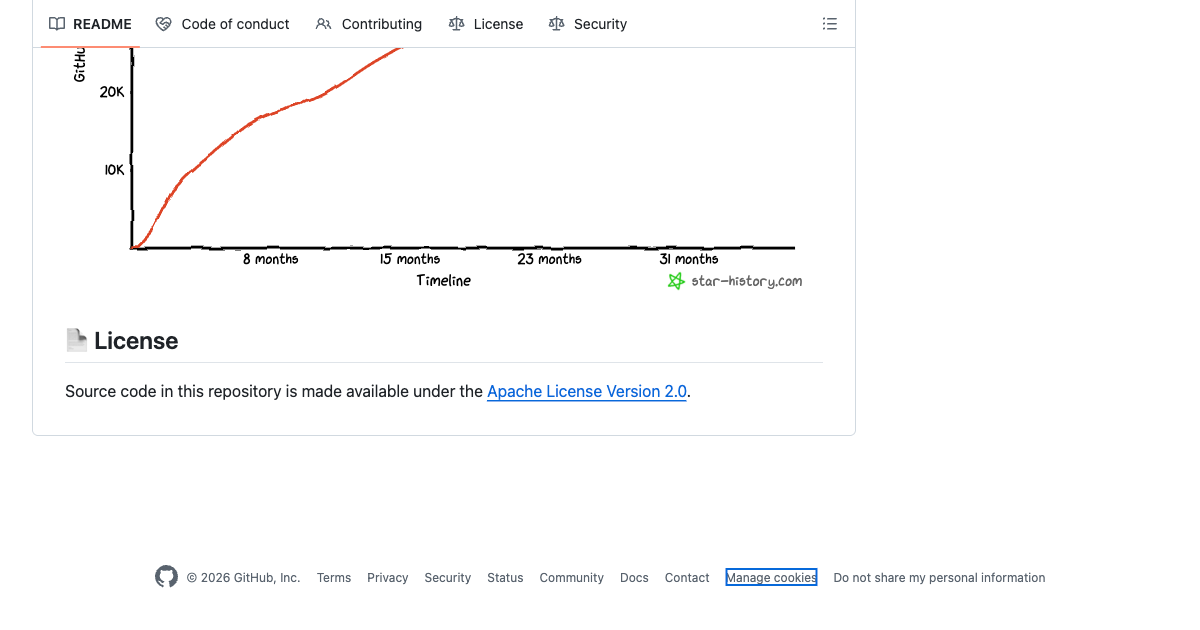
n8n has 182,000+ GitHub stars and has been in active development for seven years. Flowise has 51,000+ stars and hit product-market fit fast by wrapping LangChain in a visual interface. Dify crossed 106,000 stars, faster growth than either of the others, by building something closer to a full LLMOps product than a tool.
They also cover three different use cases that come up constantly in real deployments: building conversational AI chains, managing team AI products, and orchestrating multi-step automation workflows with AI in the mix.
If you want to understand when to reach for agents versus simpler automation, I wrote a full breakdown at When to Use AI Agents vs Automation. That decision comes before the tool choice. This post assumes you already know you need an agent.
Flowise: The LangChain Visual Studio
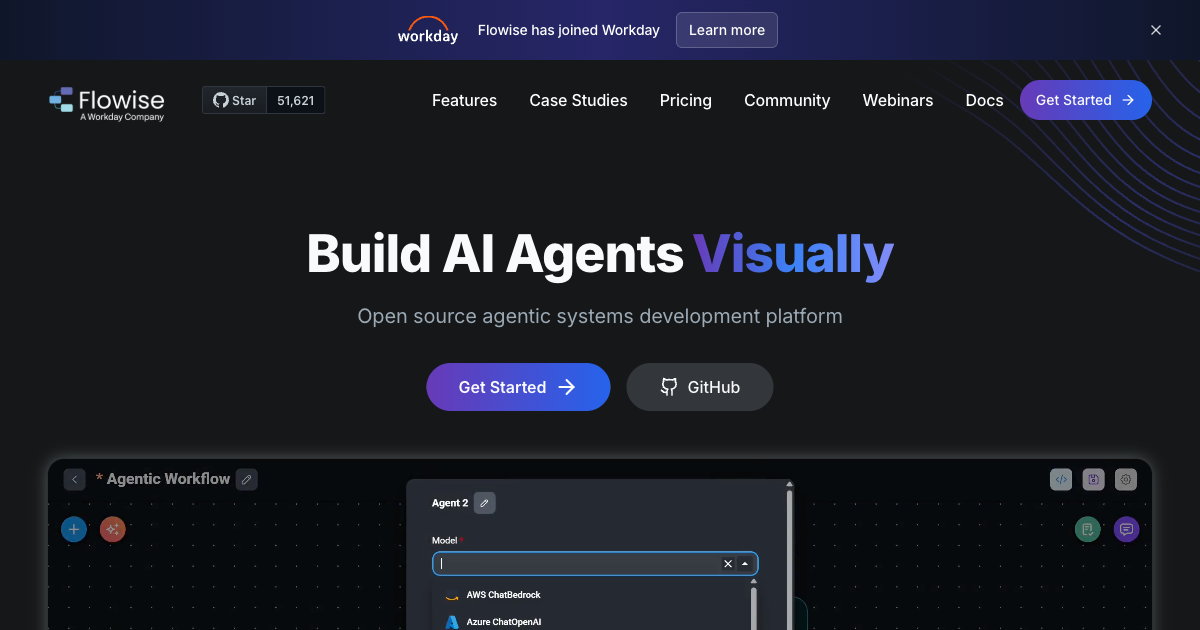
Flowise is what happens when you take LangChain's component model and give it a visual canvas. Every chain, agent, vector store, memory module, and tool is a node. You drag them onto the canvas, connect them, and test in the same screen. When tuning prompts and retrieval chunks, that tight feedback loop matters more than people admit.
The mental model is: one flow equals one agent or chain. You can build multi-agent systems by wiring flows together, but the primary unit is a flow. This maps directly onto how LangChain works underneath, which is why Flowise feels natural the moment you've spent any time with LangChain in code.
What Flowise Actually Gets Right
The short feedback loop during prototyping is Flowise's strongest card. I can add a new retrieval strategy, test it immediately in the chat interface below the canvas, see the retrieved chunks, adjust chunk size, and test again. No redeploy. No rebuild. For the first week on a RAG project, this saves hours.
Setup is also genuinely fast. On a 1 GB RAM VPS (the kind you'd spin up on Hetzner for $4 a month), Flowise runs without drama. Docker install is three commands. There is no database migration step, no required Redis instance, no Postgres cluster. For solo developers and small agencies who want to self-host without DevOps overhead, this matters.
The component library is also rich. Flowise ships with direct integrations for Pinecone, Qdrant, Weaviate, Chroma, pgvector, and a dozen other vector stores. It supports every major LLM provider. Switching from OpenAI to Claude to Bedrock is one node swap in the canvas, not a code change.
For the client building a customer support chatbot, I chose Flowise because: the developer maintaining it knew LangChain, the flows stayed simple, and the self-hosted option on a $12/month VPS was all they needed for the traffic volume.
Where Flowise Falls Short
Flowise is not where you want to be when your agent needs to respond to a webhook from Stripe, run on a schedule every Tuesday, retry on failure, and log results to a database. The tool was designed for conversational pipelines, not operational automation. You'll find yourself writing glue code outside Flowise to handle the workflow triggers, and at that point you're wondering why you didn't just use n8n.
The enterprise features (RBAC, SSO, audit logs) exist in the cloud version but they cost more. On the free self-hosted version, access control is all-or-nothing. That's fine for a solo developer. It's a problem if three product managers need read access and two engineers need write access.
Observability is also thinner than I'd like. I can see inputs and outputs in the test interface, but tracking production usage, error rates, and latency across deployed flows requires connecting an external observability tool. The n8n execution log is better out of the box.
Flowise Pricing
- Self-hosted: Free, MIT license
- Starter cloud: $35/month: unlimited flows, 10,000 predictions/month
- Pro cloud: $65/month: 50,000 predictions/month, 10 GB storage
For production workloads above 10,000 predictions a month, self-hosting is the clear move on cost. The cloud plan is mostly useful if you don't want to manage infrastructure at all.
Dify: The Team-Friendly AI Product Builder
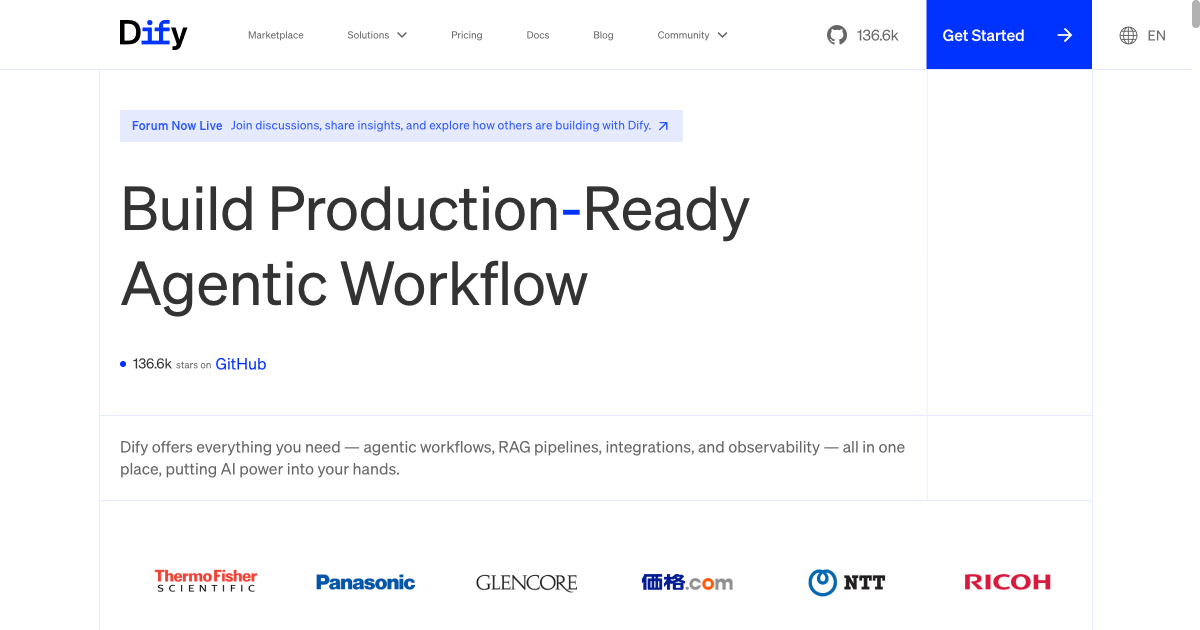
Dify feels different from the moment you log in. It doesn't look like a developer tool. The dashboard has dedicated sections for Apps, Knowledge, Tools, and Settings. The UI was clearly designed for people who aren't developers: product managers, content teams, operations staff who need to manage AI applications without filing a Jira ticket every time a prompt needs updating.
That design philosophy shapes everything about the platform. Dify is less a tool for building agents and more a tool for shipping AI products that real teams can operate independently.
What Dify Actually Gets Right
The knowledge base management in Dify is the best I've seen in this category. You get hybrid search out of the box (keyword plus vector retrieval), multi-retrieval strategies, custom chunking rules, automatic re-ranking, and a visual UI for browsing your indexed documents. For a team that's adding, updating, and removing content regularly, this is a serious advantage over Flowise's simpler retrieval setup.
Dify also treats AI apps as first-class products. You can publish a chatbot as a standalone web app in one click. You get a widget embed snippet for adding it to any website. You get an API endpoint for connecting to external systems. Compare this to Flowise where exposing a flow as a web app requires additional configuration or a custom frontend.
For the client building an internal knowledge tool, I chose Dify because the 40-person team had three people who understood AI and 37 who didn't. With Dify, the three engineers could set up the knowledge base and workflows. The other 37 could search, give feedback, and update prompt instructions from the UI without touching the configuration underneath. That is hard to replicate in Flowise without a lot of custom work.
Dify also has the most comprehensive LLM support of the three. Every major model, every major provider, including AWS Bedrock, Azure OpenAI, Anthropic, Groq, Ollama for local models, and a dozen others. Switching providers is a settings change, not a deployment.
Where Dify Falls Short
Infrastructure is Dify's biggest friction point. The minimum recommended setup is 4 GB RAM. On a real production deploy with meaningful traffic, 8 GB is more realistic. That's a $20 to $40/month VPS instead of the $4 to $6 tier where Flowise runs fine. For small teams and solo developers, this adds up over a year.
The workflow canvas, while powerful, has limitations that bite you when building complex agentic systems. Data structure support is shallow. When you need deeply nested object definitions or complex input/output schemas, Dify forces workarounds that you wouldn't need in n8n or even in Flowise with a code node. A few clients have hit this ceiling and needed to move logic outside Dify.
Debugging is also less sophisticated than n8n. You can trace execution steps, but you can't freeze a step's output and test the downstream flow without re-running the whole thing. On anything with expensive LLM calls in the middle, this gets frustrating fast.
Dify Pricing
- Self-hosted: Free, open-source (Apache 2.0)
- Pro cloud: $59/month: team access, priority support, advanced analytics
- Enterprise: Custom pricing: single tenant, SAML/SSO, SLA
Like Flowise, the self-hosted version is the value move for most teams. The cloud plan makes sense for companies who want someone else to manage updates and uptime.
n8n: The Automation Platform That Grew Up and Added AI
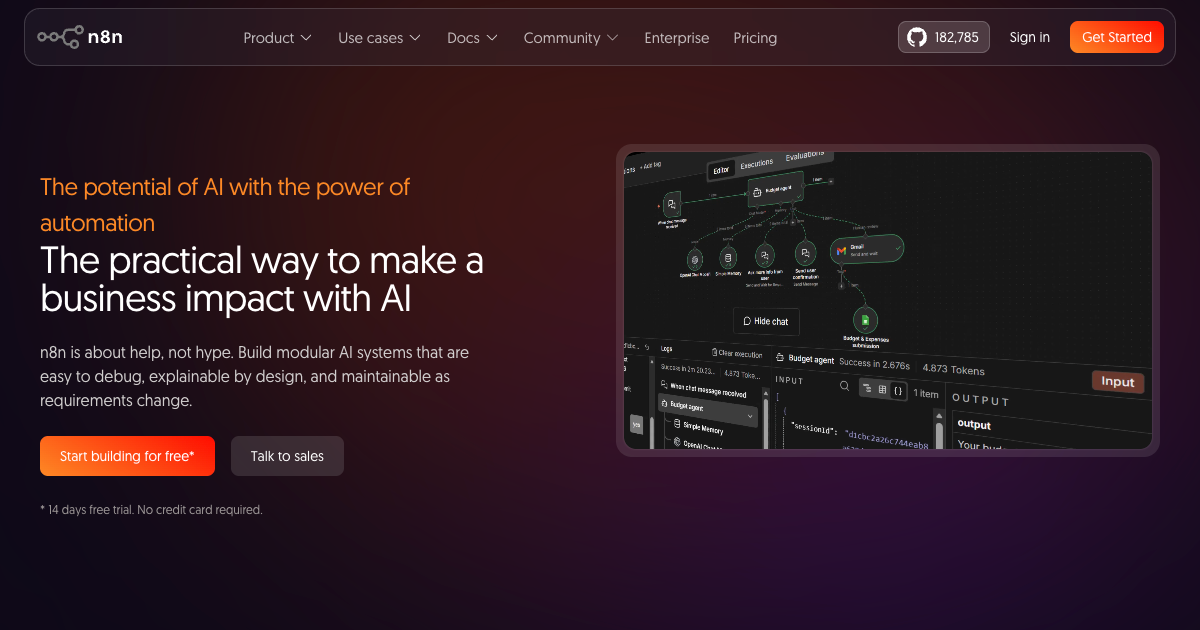
n8n started as a workflow automation tool. Zapier but self-hosted, more powerful, and developer-friendly. It's been doing that job well for seven years and has 182,000+ GitHub stars to show for it. In 2024 and 2025, n8n added native LangChain integration, 70+ AI-specific nodes, and the ability to build full AI agents directly in the workflow canvas.
The result is something neither Flowise nor Dify can match: an AI agent that is also a fully operational workflow. Your agent can call GPT-4o, pull from a vector database, query a Postgres table, post to Slack, update a Salesforce record, retry on failure, and run on a schedule. All from one canvas. All with logs, error handling, and retry policies that have been battle-tested for years.
I covered n8n's workflow architecture in detail in my post on n8n AI Agent Workflows. This section focuses specifically on how it compares to Flowise and Dify when the job is building an AI agent.
What n8n Actually Gets Right
The debugging experience in n8n is genuinely better than the competition. The "pin output" feature lets you freeze any node's output during testing. You run the workflow once, pin the expensive LLM response, then keep tweaking the downstream logic without calling the API again. On a complex flow with a $0.02 LLM call in the middle, this saves real money over a day of development and eliminates the frustration of waiting for API responses on every test run.
The integration breadth is also in a different category. n8n has 400+ native connectors covering every major SaaS tool, database, cloud service, and API. Flowise and Dify have integrations too, but they're primarily LLM and vector store integrations. If your agent needs to touch Salesforce, HubSpot, QuickBooks, or your company's custom REST API, n8n's connector library saves weeks of custom code.
For the third client (the lead qualification workflow), n8n was the only reasonable choice. The agent needed to: trigger on a new Salesforce lead, call GPT-4o to score the lead against criteria, query a PostgreSQL table for historical conversion data, write the score back to Salesforce, and send a Slack message to the right rep. That is five external systems. In n8n, that workflow took two days to build. In Flowise, I'd have been writing custom code nodes for three of those integrations.
Where n8n Falls Short
The learning curve is real. Flowise's node-based UI is self-explanatory. Dify's dashboard is designed for non-technical users. n8n sits closer to a low-code development environment, and someone who has never automated workflows before will need time: I typically budget about 20 hours for a new developer to get comfortable. That's not a problem for technical teams but it rules n8n out for deployments where non-technical users need to manage things independently.
n8n is also less AI-native in its DNA. The AI nodes are powerful and well-integrated, but the mental model is still "automation workflow with AI steps" not "AI agent that happens to connect to other tools." For complex agentic reasoning patterns (multi-step reflection, tool use with dynamic planning, advanced RAG strategies), Flowise or a code-based approach often gives more control.
Memory management is also less mature in n8n than in Flowise. You can persist memory across sessions, but the setup requires more configuration than Flowise's built-in memory modules.
n8n Pricing
- Self-hosted Community: Free, fair-code license
- Cloud Starter: From €24/month: 5,000 workflow executions/month
- Cloud Pro: From €60/month: 50,000 executions/month, custom variables
- Enterprise: Custom: SSO, on-prem, custom execution limits
n8n's pricing model is per-workflow execution rather than per action, which tends to be cheaper than Zapier for high-volume workflows. Self-hosted is free with fair-code terms (you can use it commercially but can't sell it as a hosted service).
Head-to-Head Comparison
| Flowise | Dify | n8n | |
|---|---|---|---|
| Primary use case | LLM chains and RAG agents | Team AI products and chatbots | Automation workflows with AI steps |
| GitHub stars | 51,000+ | 106,000+ | 182,000+ |
| Learning curve | Low (developer-friendly) | Very low (non-technical) | Medium (20+ hours) |
| Minimum RAM (self-hosted) | ~1 GB | 4 GB (8 GB recommended) | 300 MB |
| Integration breadth | LLMs + vector stores | LLMs + knowledge + publishing | 400+ SaaS + LLMs |
| RAG quality | Good (LangChain native) | Best (hybrid search, re-ranking) | Good (via LangChain nodes) |
| Scheduling and triggers | Limited | Limited | Full (cron, webhooks, events) |
| Team collaboration | Basic (cloud) | Strong (built for teams) | Good (enterprise tier) |
| Non-technical users | Not ideal | Best in class | Not ideal |
| Self-hosted free tier | Yes (MIT) | Yes (Apache 2.0) | Yes (fair-code) |
| Cloud base price | $35/month | $59/month | €24/month |
My Decision Framework After 30+ Deployments
I've stopped trying to pick a "best" tool in the abstract. The right answer always depends on who is building it, who is maintaining it, and what the agent actually needs to do. Here is how I make the call in practice.
Choose Flowise when
- You or your developer knows LangChain and wants to skip the framework boilerplate
- The use case is primarily conversational: a chatbot, RAG assistant, or document Q&A tool
- You need to prototype and iterate fast before committing to production infrastructure
- You're deploying on minimal infrastructure (a small VPS or a $7/month cloud server)
- The team is one or two technical people who will own the whole thing
Choose Dify when
- You need non-technical teammates to manage prompts, knowledge bases, or agent configurations without developer help
- The end product is a standalone AI app that needs a shareable URL, an embed widget, or a published API
- Your RAG requirements are complex: hybrid retrieval, frequent content updates, multiple knowledge sources
- You're building for a team of 5+ people who all need different levels of access
- You want a polished UI that stakeholders can actually look at and feel confident about
Choose n8n when
- Your agent needs to connect to Salesforce, HubSpot, Slack, Postgres, or any combination of 400+ external systems
- The workflow needs to run on a schedule, trigger on a webhook, or react to events from other systems
- Reliability matters: you need retries, error branches, and execution logs that production systems depend on
- You already have n8n running for other automations and want to add AI without another platform to manage
- The team is technical and comfortable with a workflow-first mental model
Can You Use All Three Together?
Yes, and sometimes the right answer is to use two of them. I've run n8n as the orchestration layer and called a Flowise API endpoint from within an n8n workflow: n8n handles the trigger, scheduling, and external system integration while Flowise handles the LLM reasoning and retrieval. The separation works well when the AI part is complex enough to benefit from Flowise's visual chain builder but needs n8n's operational reliability around it.
I haven't combined Dify with the others in production, but you could. Dify exposes a clean API that any external system can call. If your team uses Dify for internal AI apps but you want n8n to trigger certain workflows, the API makes that straightforward.
If you're unsure whether your use case even needs agents at all, or whether simpler automation would serve better, take the AI Readiness Assessment I built. It gives you a scored breakdown of whether your process complexity justifies agents or whether n8n-style automation gets you 80% of the value at 20% of the cost.
A Note on Infrastructure Before You Commit
One thing most comparison articles skip: the self-hosted versions of all three tools require real maintenance. Security patches. Docker updates. Monitoring. Backup policies. If you're a solo developer or a small team without a DevOps person, "free self-hosted" can turn into a significant ongoing time cost.
My general rule: if the AI system is core to the business and people will rely on it daily, pay for cloud hosting or allocate engineering time for proper self-hosted maintenance. Don't put a production customer support chatbot on a $5 VPS with no monitoring and call it done. I've seen that go wrong.
If you want to skip the infrastructure decision entirely and have someone handle the deployment, configuration, and maintenance, that's what my AI implementation packages cover. Flowise, Dify, and n8n deployments included.
n8n's GitHub community reached 182,000+ stars across a 7-year development history, with 70+ AI-specific nodes added in 2024 to 2025. Source: n8n GitHub. Dify crossed 106,000 stars on GitHub with an Apache 2.0 license. Source: Dify GitHub. Flowise reached 51,000+ stars with MIT license. Source: Flowise GitHub. Dify's minimum recommended RAM is 4 GB versus Flowise's 1 GB and n8n's 300 MB. Source: Dify Docs.
Frequently Asked Questions
Is Flowise better than n8n for AI agents?
It depends on what your agent needs to do. Flowise is better for pure LLM and RAG pipelines where the whole job is conversational AI. n8n is better when your agent also needs to connect to external systems, run on a schedule, or handle complex error logic. Many production deployments use both: Flowise for the AI reasoning layer and n8n for the orchestration and triggers around it.
Can Dify replace n8n for workflow automation?
Not really. Dify's workflow feature handles AI-centric flows well, but it doesn't have n8n's depth in non-AI integrations, scheduling, retry logic, or execution monitoring. If your automations are mostly AI steps (prompts, knowledge retrieval, LLM decisions), Dify can cover them. If they involve Salesforce, databases, webhooks, or multi-step business logic, n8n is the stronger tool.
Is Flowise production-ready in 2026?
Yes, with caveats. Flowise is production-ready for conversational AI applications: customer support bots, document Q&A tools, and internal knowledge assistants. The cloud version adds RBAC and SSO for team environments. Where it's less mature is operational tooling: execution logs, retry policies, and monitoring are thinner than n8n. For high-reliability production use, pair Flowise with an external monitoring layer or consider n8n if reliability is the primary concern.
What is the cheapest way to self-host these tools?
All three are free to self-host. On infrastructure, n8n is the lightest at 300 MB RAM, so a $4 to $6/month VPS on Hetzner or DigitalOcean works. Flowise runs well on a 1 GB instance at roughly the same price. Dify needs at least 4 GB RAM, so expect $14 to $20/month for the VPS. Total cost of ownership also includes your time for maintenance, so factor that in if you're comparing self-hosted to cloud plans.
Does Dify support AWS Bedrock models?
Yes. Dify supports AWS Bedrock as a model provider, including Claude models via Bedrock. You configure it under Settings by adding your AWS credentials and selecting the Bedrock region and model. This makes Dify a good fit for organizations that are already standardized on AWS infrastructure and want to keep AI workloads within their AWS environment.
Which AI agent builder is best for beginners?
Dify has the lowest barrier to entry if you mean non-technical users. The UI is intuitive, the knowledge base setup is guided, and you can have a working chatbot in under an hour without writing any code. For developers who are new to AI agents, Flowise is the better starting point because the visual LangChain canvas makes agent architecture visible and teachable. n8n has the steepest learning curve of the three but the best payoff once you're comfortable with it.
How does n8n compare to Flowise for RAG applications?
Flowise has a slight edge for RAG-specific work because it was built around LangChain and LlamaIndex from the start. The RAG configuration options in Flowise, chunk size, overlap, retrieval strategy, reranking, are more visually accessible. n8n can build excellent RAG workflows using its AI nodes, but the setup is more manual. For a team whose primary deliverable is a RAG-powered assistant, I usually start with Flowise and move to n8n only if the workflow complexity demands it.
Should I use OpenClaw alongside one of these builders?
They serve different layers. Flowise, Dify, and n8n are builders: they're where you construct and configure the agent logic visually. OpenClaw (by Peter Steinberger) is a deployed AI coding agent. I've used n8n to trigger OpenClaw tasks, and I've built Flowise-based assistants that provide knowledge support alongside OpenClaw deployments. They don't compete; they stack. If you're deploying OpenClaw for technical work and want a separate customer-facing or internal knowledge bot, Dify or Flowise is where that second layer lives.
If you want a full picture of how these tools fit into a broader AI system design, or want help choosing and deploying the right one for your specific use case, reach out directly. I help companies go from tool confusion to working production deployments.
Published
April 7, 2026
Category
Implementation
Jahanzaib Ahmed
AI Systems Engineer & Founder
AI Systems Engineer with 126 production systems shipped. I run AgenticMode AI (AI agents, RAG systems, voice AI) and ECOM PANDA (ecommerce agency). I build AI that works in the real world for businesses across home services, healthcare, ecommerce, SaaS, and real estate.
Related articles
I Compared Make.com and n8n Across 20+ Client Deployments. Here Is My Verdict.
A practitioner's comparison of Make.com and n8n for AI agent workflows, built on two years of client deployments. Covers pricing, AI capabilities, self-hosting, and a four-question decision framework.
GuideImplementationMake.com
How to Connect Claude to n8n's MCP Server Without Exposing Every Workflow
Connect Claude to your n8n instance through n8n's own MCP server, then scope what it can see, test workflows with pinned data before any live run, and let it build workflows you still publish yourself.
How toAI Agentsn8n
GPT-6.1 Sol Halves the Cache Rate and Leaves Every Other Price Alone
OpenAI's GPT-6.1 Sol keeps GPT-6 Sol's $2 input and $10 output prices and cuts only cached input. Here is what that saves on real agent loops, and why Chat Completions users cannot just swap the model name.
NewsImplementationOpenAI