5 AI Automations Every Small Business Should Deploy Before 2027
Five proven AI automations that pay for themselves within months: AI receptionist, lead scoring, RAG chatbot, automated reporting, and AI onboarding. Real ROI numbers for businesses with 5 to 50 employees.


Table of Contents
Five automations account for most of the time a small business can realistically get back: inbound call handling, lead follow up, invoice and document processing, appointment scheduling, and customer support triage. Together they run 10 to 20 hours a week for a business of 5 to 50 people, and the revenue they recapture is usually larger than the hours suggest, because the leak is missed calls and slow follow up rather than labour cost.
The market has already moved: Salesforce's SMB Trends Report puts 75% of small businesses experimenting with AI and 91% of those using it reporting revenue growth. Zendesk found 69% of consumers now prefer AI for a quick issue and 75% still want a human for a complicated one, which is the whole design brief in one sentence. None of these five needs a technical team to start.
Why Small Businesses Need AI Automations Before 2027
75% of small businesses are already experimenting with AI, and 91% of those using it report revenue growth. That's according to Salesforce's 2025 SMB Trends Report, which surveyed 3,350 SMB leaders. Yet most owners with 5 to 50 employees still rely on manual processes for answering phones, scoring leads, and onboarding customers. The gap between AI adopters and everyone else is widening fast.
This isn't about chasing trends or buying software you won't use. It's about deploying five specific automations that pay for themselves within months. Each one targets a measurable bottleneck: missed calls, slow lead response, repetitive support tickets, manual data entry, and customer drop off during onboarding.
The businesses already running these systems are recapturing revenue, freeing up staff, and scaling without adding headcount. Here's exactly what to deploy, who it's for, what it costs, and the ROI you can expect.
1. How Does an AI Receptionist Capture Revenue You're Currently Losing?
Missed calls cost small businesses an estimated $100,000 or more per year in lost revenue, based on data from Invoca's call tracking research (2023) showing that 62% of calls to small businesses go unanswered. An AI voice agent answers every call, 24 hours a day, 7 days a week. It books appointments, qualifies leads, and routes urgent requests to the right person. No hold music. No voicemail black holes.
What It Actually Does
An AI receptionist is a voice agent that picks up the phone when your team can't. It holds natural conversations, not robotic menu trees. It asks qualifying questions, captures caller information, checks your calendar for availability, and books appointments directly into your scheduling system.
When a caller needs a human, the agent transfers them intelligently. It knows the difference between a new lead asking about pricing and an existing customer with an urgent issue. After hours, it handles the full interaction and sends your team a summary before the next morning.
Who Should Deploy This First
Service businesses benefit the most. HVAC companies, dental practices, legal firms, insurance agencies, and real estate teams all share the same problem: phones ring when staff are busy or the office is closed. A single missed call from a homeowner with a broken furnace can mean $5,000 in lost work.
If you're running any business where inbound calls drive revenue, this is your highest ROI starting point.
Real World ROI
Consider a dental practice receiving 40 calls per day. If 30% go to voicemail and half of those callers never call back, that's 6 lost patients daily. At an average patient lifetime value of $3,000 (ADA practice benchmarks), the math is staggering. An AI receptionist running 24/7 typically costs $300 to $800 per month, a fraction of one lost patient's value.
In one deployment for a multi location service business, an AI voice agent captured 73% of after hours calls that previously went to voicemail, resulting in 41 additional booked appointments in the first month alone.
AI voice agents answer 100% of inbound calls and typically recapture $100,000+ in annual revenue that small businesses lose to missed calls and voicemail, according to Invoca (2025) research. 97% of SMBs already using voice AI report revenue growth (Vida, March 2025).
2. Can AI Lead Scoring Actually Speed Up Your Sales Pipeline?
Companies that contact leads within 5 minutes are 21x more likely to qualify them, according to the InsideSales/MIT Lead Response Study, still the gold standard in 2026. Yet an Optifai study of 939 B2B companies (2025) found the average response time is still 47 hours, and only 23% respond within 5 minutes. AI powered lead scoring eliminates the guesswork by automatically ranking every inbound lead on fit, urgency, and buying intent, then routing hot leads to the right rep instantly.
What It Actually Does
Traditional lead management is messy. Leads sit in a shared inbox or CRM queue. Reps cherry pick the ones that look easy. High value prospects wait hours or days for a response. By then, they've already called your competitor.
An AI lead scoring system evaluates each lead the moment it arrives. It analyzes form data, email content, website behavior, and any available firmographic information. Then it assigns a score and routes the lead automatically. Hot leads get a phone call within minutes. Warm leads get a personalized follow up sequence. Cold leads get nurtured without wasting a rep's time.
Who Benefits Most
This automation works for any business with a sales team handling more than 20 inbound leads per week. Real estate brokerages, insurance agencies, B2B service firms, and ecommerce companies with high ticket products all see outsized returns. The bigger your lead volume, the more time you're wasting on manual sorting.
But even smaller teams benefit. If you have two or three salespeople, getting the right lead to the right person faster means fewer dropped deals and less internal friction.
Real World ROI
Companies using AI for lead prioritization consistently see 40% to 60% faster response times and a 30% increase in conversion rates. Salesforce (2025) reports that 91% of SMBs using AI see revenue growth, with lead management among the highest impact use cases. For a business closing 10 deals per month at $5,000 each, a 30% improvement adds $15,000 in monthly revenue.
Most small businesses don't need a complex machine learning model for lead scoring. A rules based AI agent that scores on three to five signals (budget mentioned, timeline urgency, service match, company size, engagement recency) outperforms manual sorting by a wide margin. You can start simple and add sophistication later.
AI lead scoring delivers 40% to 60% faster response times according to industry benchmarks validated by Salesforce (2025), while Harvard Business Review research confirms that responding within 5 minutes makes businesses 100x more likely to connect with prospects.
3. How Does a RAG Chatbot Handle 80% of Customer Questions?
According to Gartner (March 2025), agentic AI will autonomously resolve 80% of common customer service issues by 2029, reducing operational costs by 30%. A chatbot built with Retrieval Augmented Generation (RAG) goes further because it actually knows your business. It pulls answers from your existing documents, FAQs, product manuals, and knowledge base, so customers get accurate, specific responses instead of generic deflections.
What It Actually Does
Most chatbots frustrate customers because they can only handle scripted flows. Ask something slightly off script and you get "I'm sorry, I didn't understand that. Let me connect you with an agent." That's not helpful.
A RAG chatbot is different. It's grounded in your actual business data. When a customer asks "What's your return policy for items bought on sale?" the chatbot searches your return policy document, finds the relevant section, and gives a direct answer. It handles the repetitive 80% of questions that eat up your support team's day: shipping times, pricing, scheduling, account setup, troubleshooting steps.
When a question genuinely requires a human, the chatbot escalates with full context so the agent doesn't ask the customer to repeat everything.
Who Should Deploy This
Any business handling more than 50 support interactions per week will see immediate results. Ecommerce stores, SaaS companies, dental and medical practices, property management firms, and insurance agencies are prime candidates. If your team answers the same 20 questions repeatedly, a RAG chatbot eliminates that burden.
Real World ROI
A Gartner (February 2026) survey found that 91% of customer service leaders are under active pressure to implement AI this year. Businesses already using RAG based chatbots report 40% to 50% reduction in support ticket volume. For a team spending $60,000 annually on support staff, that's $24,000 to $30,000 in savings, or the equivalent of freeing a part time employee to focus on higher value work.
In our experience building RAG chatbots for service businesses, the biggest surprise isn't the cost savings. It's customer satisfaction scores going up. Customers prefer getting an instant, accurate answer at 11 PM over waiting until morning for a human to reply. Response time drops from hours to seconds.
RAG powered customer support chatbots reduce ticket volume by 40% to 50% and cut service costs by up to 30% according to Gartner (2025), while Gartner (2026) reports 91% of customer service leaders are under active pressure to implement AI this year.
4. Why Is Automated Reporting the Easiest AI Win for Operations?
Knowledge workers spend 19% of their time searching for and gathering information, according to Deloitte's State of AI 2026 report. For a small business paying a $55,000 salary, that's over $10,000 per year per employee burned on data entry, report compilation, and copy pasting between systems. AI agents handle this work in seconds.
What It Actually Does
Automated reporting agents extract data from invoices, emails, forms, and documents. They read PDFs, pull out the relevant numbers, and update your CRM, accounting software, or spreadsheets without human intervention. No more Monday mornings spent compiling last week's numbers. No more data entry errors that cascade through your reports.
These agents also generate reports on schedule. Daily sales summaries, weekly pipeline updates, monthly financial overviews. They pull from multiple sources, apply your formatting preferences, and deliver the finished report to your inbox or Slack channel.
Who Gets the Biggest Impact
Every business with administrative overhead benefits, but certain industries see outsized returns. Insurance agencies processing claims and applications. Real estate brokerages managing transaction paperwork. Ecommerce companies reconciling orders across multiple channels. Legal firms tracking billable hours and case documents.
If anyone on your team spends more than two hours per day moving data between systems, you have an automation opportunity waiting.
Real World ROI
A Deloitte (2025) survey on intelligent automation found that organizations save 10 to 20 hours per week per employee on data related tasks after deploying AI automation. For a team of five, that's 50 to 100 reclaimed hours weekly. At $30 per hour, you're looking at $78,000 to $156,000 in annual productivity gains.
We've found that the real value isn't just time saved. It's error reduction. Manual data entry typically has a 1% to 5% error rate (SHRM research). Those errors compound downstream into incorrect invoices, wrong reports, and poor decisions. AI agents eliminate this class of mistake entirely.
AI automation saves 10 to 20 hours per week per employee on data tasks according to Deloitte (2025), with a five person team potentially reclaiming $78,000 to $156,000 annually while eliminating the 1% to 5% manual data entry error rate.
5. How Does AI Powered Onboarding Double Completion Rates?
Customer onboarding completion rates average just 40% to 60% for most small businesses, according to Wyzowl (2024) research on onboarding experiences. An AI onboarding assistant doubles those rates by walking each new customer through setup, paperwork, and first steps with personalized guidance, catching drop offs before they become churn.
What It Actually Does
Think of it as a dedicated onboarding specialist for every single customer, running 24/7. The AI assistant sends personalized welcome sequences, guides customers through account setup, answers questions about next steps, and nudges people who stall partway through the process.
It adapts to each customer's pace. Someone who completes step one immediately gets pushed to step two right away. Someone who hasn't logged in after three days gets a helpful reminder with a direct link to where they left off. The assistant tracks completion milestones and flags at risk customers for human follow up when needed.
Who Needs This Most
Any business with a multi step onboarding process loses customers along the way. SaaS companies with product setup flows, insurance agencies with application paperwork, real estate firms with buyer and seller intake, dental practices with new patient forms, and ecommerce subscription services all face the same challenge: getting customers past the initial friction.
The more steps in your onboarding, the more customers you lose at each stage. AI closes those gaps.
Real World ROI
Research from Totango (2023) shows that customers who complete onboarding have 3x higher retention rates and 2.5x higher lifetime value. If your average customer is worth $2,000 annually and you onboard 100 new customers per month, moving completion from 50% to 90% means 40 additional retained customers per month. That's $80,000 in annual recurring value from a single automation.
One deployment for a SaaS company in the healthcare space saw onboarding completion jump from 47% to 89% within 60 days. The AI assistant sent 3,200 personalized nudges in that period, something no human team could have managed at scale.
AI onboarding assistants can double completion rates from the typical 40% to 60% range to over 85%, according to Wyzowl (2024). Totango (2023) confirms that fully onboarded customers deliver 3x higher retention and 2.5x lifetime value.
How Should You Prioritize These Five Automations?
Not every business should deploy all five at once. According to Deloitte's State of AI 2026 report, 74% of organizations with focused AI implementations report meeting or exceeding ROI expectations. Companies that start with one or two high impact automations and expand from there consistently outperform those attempting broad rollouts. Start where the pain is sharpest.
A Simple Decision Framework
Ask yourself three questions about each automation. First, how much time or money are we losing to this problem right now? Second, do we already have the data or documents it needs? Third, will my team actually use it? The automation with the best answers across all three is your starting point.
For most service businesses (HVAC, dental, legal, insurance), the AI receptionist delivers the fastest ROI because missed calls are immediate lost revenue. For businesses with larger sales teams, lead scoring often wins. For companies drowning in support tickets, the RAG chatbot is the clear choice.
The Summary: Five Automations at a Glance
| Automation | Best For | Expected ROI | Time to Deploy |
|---|---|---|---|
| AI Receptionist | Service businesses with inbound calls | $100K+ in recaptured revenue per year | 1 to 2 weeks |
| Lead Scoring and Routing | Sales teams with 20+ leads per week | 40% to 60% faster response times | 2 to 4 weeks |
| RAG Support Chatbot | Businesses with 50+ weekly support interactions | 40% to 50% fewer support tickets | 2 to 3 weeks |
| Automated Reporting | Any team with manual data entry | 10 to 20 hours saved per employee per week | 1 to 3 weeks |
| AI Onboarding | Multi step customer setup processes | 2x onboarding completion rates | 3 to 6 weeks |
Frequently Asked Questions
How much does it cost to deploy AI automations for a small business?
Most small business AI automations cost between $500 and $3,000 per month to run, depending on complexity and volume. According to Salesforce (2025), 91% of SMBs using AI report revenue growth, with many seeing positive ROI within the first 6 weeks. An AI receptionist, for example, typically costs $300 to $800 per month and pays for itself with just one or two recaptured leads.
Do I need a technical team to implement these automations?
No. Most small businesses work with an AI systems integrator who handles the build, deployment, and ongoing maintenance. You provide the business knowledge (your FAQs, processes, and goals), and the integrator handles the technical side. The best implementations require fewer than 10 hours of your team's time during setup.
How long before I see results from AI automation?
Most automations deliver measurable results within 30 days of going live. Deloitte (2025) found that organizations with focused AI pilots report positive ROI significantly faster than those attempting broad rollouts. Simpler deployments like AI receptionists and automated reporting show impact within the first week.
Will AI replace my existing staff?
These automations augment your team, they don't replace it. The goal is to free your people from repetitive, low value tasks so they can focus on work that requires human judgment, creativity, and relationship building. A support chatbot handles the routine questions so your team can tackle complex issues. An AI receptionist covers after hours so your staff works normal schedules.
What happens if the AI gives a wrong answer or makes a mistake?
Well designed AI systems include guardrails and escalation paths. A RAG chatbot that can't find a confident answer says so and routes to a human. An AI receptionist that encounters an unusual request transfers the call. The key is choosing an implementation partner who builds these safety nets from day one, not as an afterthought.
What Should You Do Next?
The window for competitive advantage is closing. Gartner (August 2025) predicts that 40% of enterprise apps will feature AI agents by the end of 2026, up from less than 5% in 2025. The adoption curve is accelerating faster than anyone expected. The businesses moving now are locking in efficiency gains, better customer experiences, and lower operating costs that their competitors will struggle to match.
You don't need to deploy all five automations at once. Pick the one that addresses your biggest bottleneck. If you're missing calls, start with the AI receptionist. If your sales pipeline is slow, deploy lead scoring. If your team is buried in support tickets, build a RAG chatbot.
The important thing is to start. Every month you wait is revenue left on the table, hours wasted on manual work, and customers lost to competitors who already made the move.
If you are trying to decide whether you need AI agents or whether the automations above are enough, the AI agents vs automation breakdown covers exactly that decision.
Book a free discovery call to identify which automation will deliver the fastest ROI for your specific business. No sales pitch, just a practical assessment of where AI can make the biggest impact on your operations.
Published
March 23, 2026
Category
Implementation
Jahanzaib Ahmed
AI Systems Engineer & Founder
AI Systems Engineer with 126 production systems shipped. I run AgenticMode AI (AI agents, RAG systems, voice AI) and ECOM PANDA (ecommerce agency). I build AI that works in the real world for businesses across home services, healthcare, ecommerce, SaaS, and real estate.
Related articles
AI Automation for Business in Australia: What It Really Costs a Small Business Owner
A practical guide to what AI automation actually costs an Australian business, with real AUD ranges, live tool pricing, and an 11 week Brisbane deployment broken down call by call.
GuideIndustry GuidesAI Automation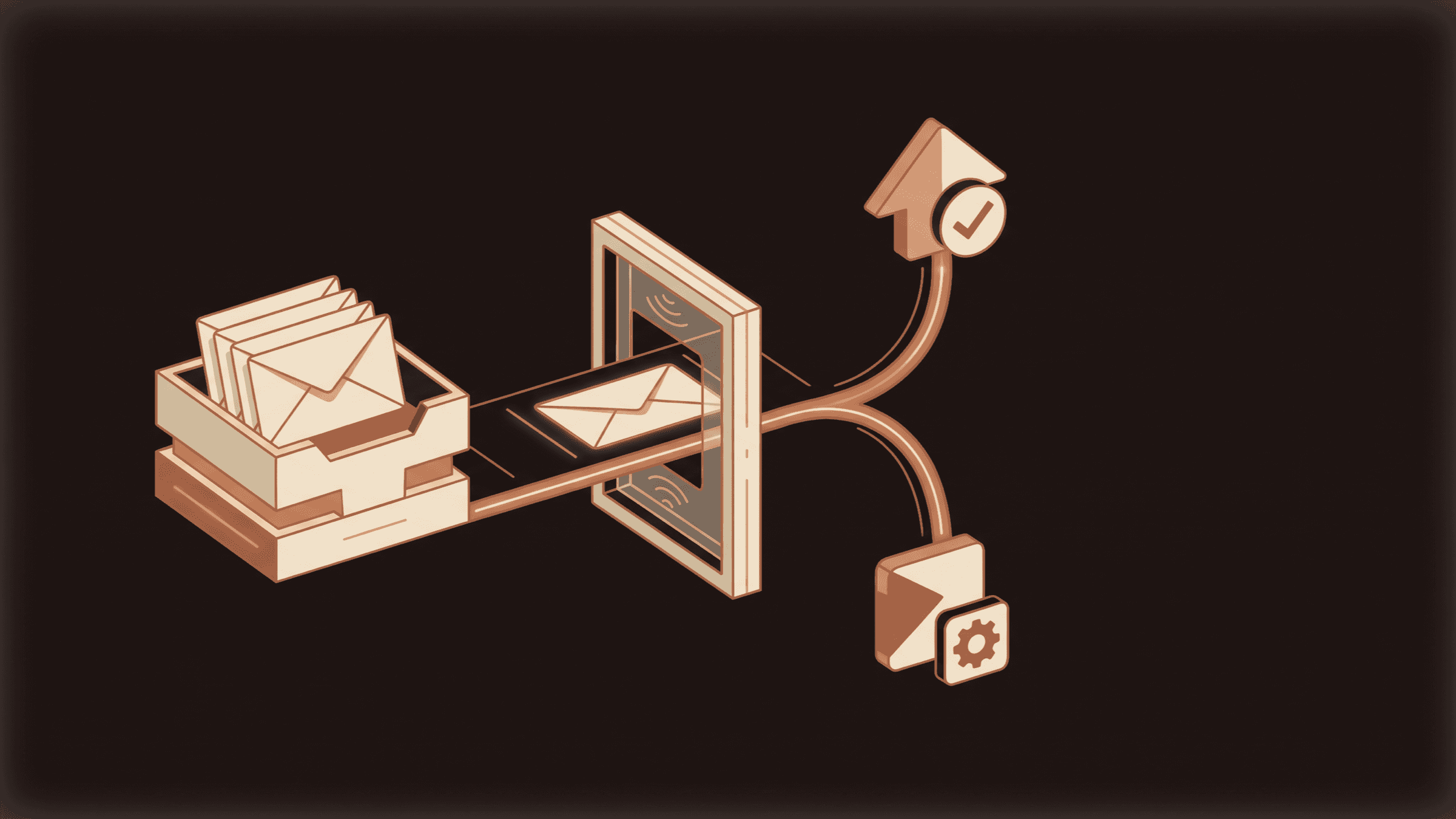
How to set up agentic email without letting it send
Most teams should let an email agent read, sort and draft, then stop there. Here is how I set that up, which scopes to grant, and how to promote it one level at a time without a customer finding the bug first.
How toImplementationAgentic Email
n8n 2.0 AI Agents: The Workflow Architecture I Use Across Every Client Deployment
A practitioner's deep dive into building real n8n 2.0 AI agent workflows with LangChain integration, persistent memory strategies, custom tool nodes, and cost optimization across 40+ production deployments.
GuideImplementationn8n