AI Is Now As Good As Humans at Using Computers. Here Is What $297 Billion in Q1 Funding Says About What Comes Next.
AI models are matching or exceeding human performance on real desktop computer tasks. Q1 2026 brought a record $297 billion in AI investment in a single quarter. Together, these two facts tell you everything about where the next 18 months are heading and what your business needs to do.

Table of Contents
OSWorld tests models on 369 real computer tasks, the actual work of a desk job: browsing Chrome, editing spreadsheets in LibreOffice, working in VS Code, handling email and files. Frontier models have now reached or passed human level accuracy on it, after gaining roughly 60 percentage points in 28 months. That rate of change is the story, more than the crossing point itself.
The money agrees. Q1 2026 saw $297 billion in global venture investment with AI taking 81% of it, driven by four mega rounds totalling $188 billion. Computer use is already in production through Claude Computer Use, OpenAI Operator, and open source agent frameworks. If your mental model of AI is still a chatbot you type into, it is the wrong model for what the next twelve months look like. The right response is not alarm, it is an audit of which of your computer based workflows are candidates now.
There is a benchmark called OSWorld. It was created by researchers at Carnegie Mellon and HKUST, and it tests AI models on 369 real computer tasks, the kind of work your actual employees do every day: browsing Chrome, editing spreadsheets in LibreOffice, writing emails in Thunderbird, managing files, running code in VS Code. Tasks are scored not by screenshots but by whether the computer ends up in the right state. Did the spreadsheet get updated? Did the email get sent? Is the file in the right folder?
The human baseline on OSWorld sits at around 72 percent. Not perfect humans, not trained specialists. Just people doing computer work at a reasonable pace.
In early 2026, AI models crossed that line. The gap between AI that assists and AI that replaces at a computer terminal is now, for many standard knowledge work tasks, essentially zero.
At the same time, the venture capital world had its own moment of clarity. In Q1 2026, global VC investment hit $297 billion across roughly 6,000 startups. AI captured $239 billion of that, which is 81 percent of all venture funding on the planet. In a single quarter, AI raised more money than all of 2025 combined. OpenAI alone closed $122 billion, the largest single venture deal ever recorded. Anthropic raised $30 billion in a Series G. xAI raised $20 billion.
I've been building AI agents professionally for years. I've shipped 126 production AI systems across ecommerce, real estate, legal tech, healthcare, and half a dozen other industries. And I want to give you the honest read on what these two facts, the performance milestone and the capital surge, actually mean for businesses that are still trying to figure out where to start.
What OSWorld Actually Tests (and Why Most Coverage Gets It Wrong)
Most AI benchmarks measure knowledge. Can the model answer trivia? Can it write a poem? Can it solve a math problem? These benchmarks are useful for comparing models but they tell you almost nothing about whether AI can do your employee's job.
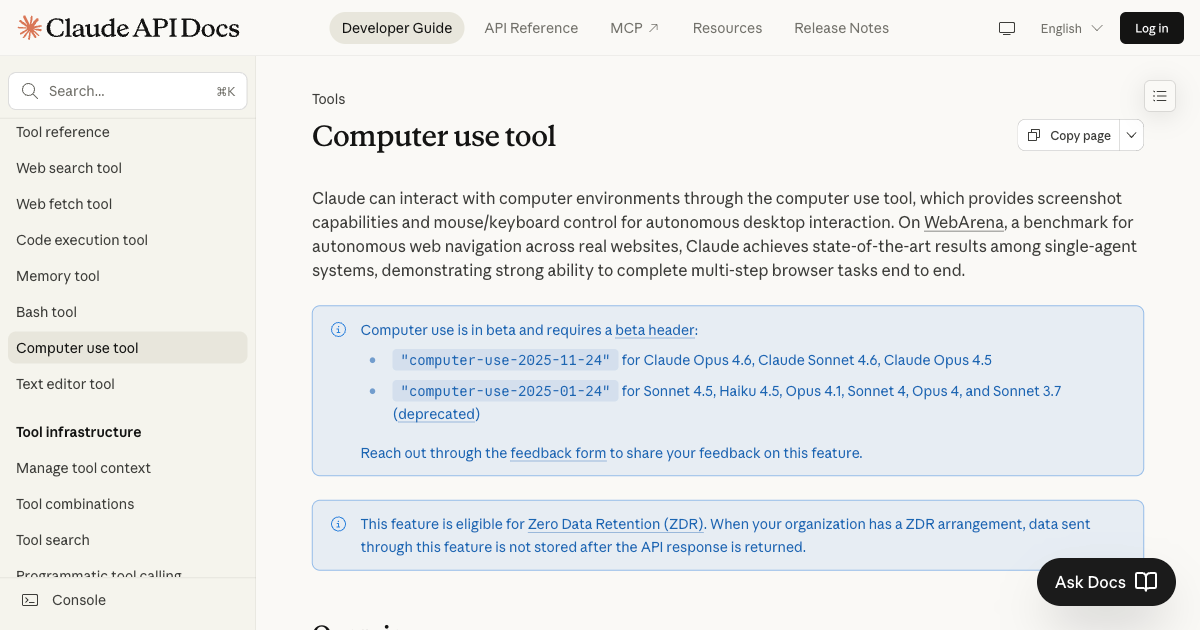
OSWorld is different. It sets up a real computer running a real operating system, Ubuntu, Windows, or macOS, with real applications installed. Then it gives the AI a task instruction in plain language: "Open the spreadsheet in Downloads, find the three largest values in column B, and highlight them in yellow." Or: "Read the most recent email from Sarah, summarize it in a draft reply, and schedule the meeting she mentioned for next Tuesday at 3pm."
The AI can see the screen through a screenshot-based interface. It can move a cursor. It can click, type, scroll, and use keyboard shortcuts. It gets multiple steps to complete the task. When it thinks it is done, the system checks the actual state of the machine.
This is not a test of what an AI knows. This is a test of whether an AI can do work.
The original OSWorld paper was published in late 2023. At that point, the best models scored around 12 to 15 percent on the full benchmark. Humans, when tested under equivalent conditions, scored about 72 percent. The gap was enormous. No one in the AI field expected it to close quickly.
By early 2025, the best models were in the 40 to 50 percent range. By mid-2025, specialized computer use agents were hitting 60 to 65 percent. By early 2026, the frontier models crossed 72 percent.
That progression, from 12 to over 72 percent in roughly 28 months, is one of the most dramatic benchmark improvements in the history of AI development.
What I Actually Recommend Businesses Do Right Now
I am going to give you the same advice I give clients who come to me with a version of "we need to figure out this AI computer use thing."
Start with a workflow audit, not a technology purchase. Before you think about tools, map your existing computer-heavy workflows. What does your team actually do on their computers all day? Separate tasks into three buckets: pure navigation (open this, update that, move this file), navigation plus simple judgment (read this, decide which category, file it), and genuine expertise (analyze this, recommend an approach, write this). Computer use AI is production-ready for the first bucket and approaching production-ready for the second. The third bucket is where you still want humans for now.
Pick one workflow and run a real pilot. Not a demo. Not a proof of concept on synthetic data. A real pilot on a real workflow with real consequences. Pick something low-stakes enough that errors are recoverable but high-volume enough that you can measure the accuracy and speed delta. Three to four weeks of a real pilot tells you more than six months of evaluating tools.
Build for human oversight from day one. Every computer use agent I deploy in production has three things: task-level logging (what did the agent do, in sequence, for every run), an anomaly trigger (if the agent encounters a state it has not seen before, it stops and alerts a human), and a daily audit sample (a human reviews a random 5 to 10 percent of completed tasks to check accuracy drift). These are not optional. They are the difference between an agent that improves your business and one that quietly corrupts your data.
Do not wait for perfect. The Q1 2026 investment numbers tell you something important: your competitors who are ahead of you on AI automation are about to get faster, not slower. The $239 billion in AI investment is funding the infrastructure that will make these tools easier to deploy, more reliable, and cheaper per task. Waiting for the technology to mature further is a reasonable position if you have 18 months. Based on the current trajectory, I would not bet on having 18 months.
If you want to know whether your specific business workflows are candidates for computer use AI right now, the fastest way to find out is to take an honest look at where human time actually goes. I built an AI Agent Readiness Assessment specifically for this, which walks you through the dimensions that determine whether you need AI agents, automation, or both. The results are immediate and free.
If you want a direct conversation about your specific situation, my AI systems work starts with exactly the kind of workflow analysis I described above. You can also look at how I've built these systems for clients across different industries. Book a call and we can go through it together.
OSWorld benchmark methodology and human baseline from the original CMU and HKUST paper at arxiv.org/abs/2311.12983. Q1 2026 investment figures from Crunchbase News, April 1, 2026. OpenAI $122B round per OpenAI press releases, February and March 2026. Anthropic $30B Series G per Anthropic press release, February 2026. Computer use benchmark progression from publicly reported evaluations by model providers and independent researchers across 2024 and 2025.
Frequently Asked Questions
What is the OSWorld benchmark and is it a reliable measure of AI capability?
OSWorld is a computer task benchmark from Carnegie Mellon University and HKUST that tests AI models on 369 real computer tasks across Windows, macOS, and Ubuntu using actual applications like Chrome, LibreOffice, VS Code, and Thunderbird. Unlike benchmarks that test knowledge or reasoning in isolation, OSWorld evaluates whether the AI actually completed the task by checking the final state of the machine. It is one of the most realistic measures of computer-use capability available. The key limitation is that it captures average task performance, and real-world accuracy varies significantly based on task complexity and application type.
Does AI surpassing the OSWorld human baseline mean it will replace office workers?
Not immediately, and not entirely. Crossing the accuracy threshold on an average-task benchmark is significant, but current computer use AI still takes more steps than humans to complete tasks, operates more slowly, and struggles with error recovery in ambiguous situations. The more accurate framing is that AI can now reliably handle the navigation-heavy, rule-following portions of computer work at human accuracy. Work that requires genuine judgment, relationship context, or creative problem-solving is not threatened by this specific capability. The displacement pressure is real for high-volume, low-judgment computer tasks, which is a substantial portion of many office roles.
What drove the $297 billion in Q1 2026 AI investment and is it sustainable?
The Q1 2026 number was heavily driven by four mega-rounds: OpenAI at $122 billion, Anthropic at $30 billion, xAI at $20 billion, and Waymo at $16 billion. These are not typical venture investments. They are infrastructure bets, mostly from sovereign wealth funds, large corporates, and strategic investors funding the GPU clusters and data centers needed to run frontier AI at commercial scale. Removing those four rounds, the underlying AI investment market is still a record but less extreme. Whether the mega-round pace continues depends on whether the model labs can demonstrate the revenue to justify the valuations, which is the central question in AI for the next 24 months.
Which tools are available for businesses that want to implement computer use AI today?
Claude Computer Use (Anthropic) is the most mature general-purpose option for desktop and browser automation. OpenAI Operator handles web-based workflows. For teams that want to self-host, open-source frameworks like OpenClaw (by Peter Steinberger, 300K+ GitHub stars) provide the scaffolding to build custom computer use agents on your own infrastructure. For no-code and low-code deployments, n8n 2.0 includes computer use agent capabilities that can be connected to existing workflow automation. The right tool depends on your technical capability, data privacy requirements, and whether you need custom behavior or can use a general-purpose agent.
What is the difference between computer use AI and traditional RPA?
Traditional RPA like UiPath and Automation Anywhere works by recording and replaying exact click sequences on specific interface elements. It is brittle: change the UI, move a button, update the software version, and the automation breaks. Computer use AI understands the screen visually and adapts to interface changes the same way a human would. It can also handle variability in task inputs that would trip up RPA. The tradeoff is cost per run (RPA is cheaper for simple, stable workflows) and reliability (RPA is more predictable when the interface is fixed). For workflows with variable inputs or interfaces that change frequently, computer use AI is already more practical than traditional RPA.
How much does computer use AI cost to run in production?
Costs vary significantly based on task complexity and the model used. Simple browser tasks through a hosted service like Operator typically run in the range of $0.10 to $0.50 per task at current pricing. Complex multi-step workflows with long screenshot observation chains can run $1 to $5 per task. Self-hosted open-source agents on your own infrastructure have higher setup costs but near-zero marginal cost per run once deployed. The economic case is strongest for high-volume, repetitive tasks where the current labor cost exceeds $2 to $5 per task, factoring in time and opportunity cost.
How do I know if my business workflows are ready for computer use AI?
Three signals that a workflow is a strong candidate: the primary work is navigating between software windows rather than exercising specialized expertise, the task happens frequently enough that the setup cost is justified (at least daily, ideally multiple times per day), and the output is verifiable, meaning there is a clear correct state the system should end up in. Signals that a workflow is not ready: it requires significant contextual judgment not captured in the task instructions, the error cost is high enough that errors on edge cases are not acceptable without human review, or the workflow is low-volume enough that a human handles it in under two hours per week total. The AI Agent Readiness Assessment walks through all the relevant dimensions.
Should businesses be worried about computer use AI accessing sensitive data or systems?
Yes, and this is a real deployment consideration. Computer use agents that operate inside your systems have the same access as the user account they run under. A misconfigured agent can read, modify, or delete data unintentionally. Best practices include running agents under dedicated service accounts with the minimum permissions needed for the specific task, implementing comprehensive action logging, adding confirmation steps before irreversible actions, and using sandboxed environments for testing before production deployment. This is not a reason to avoid the technology. It is a reason to treat it with the same security discipline you apply to any automated system that touches production data.
Last updated
July 26, 2026
Category
Trends & Insights
Jahanzaib Ahmed
AI Systems Engineer & Founder
AI Systems Engineer with 126 production systems shipped. I run AgenticMode AI (AI agents, RAG systems, voice AI) and ECOM PANDA (ecommerce agency). I build AI that works in the real world for businesses across home services, healthcare, ecommerce, SaaS, and real estate.
Related articles
AI Automation for Business in Australia: What It Really Costs a Small Business Owner
A practical guide to what AI automation actually costs an Australian business, with real AUD ranges, live tool pricing, and an 11 week Brisbane deployment broken down call by call.
GuideIndustry GuidesAI Automation
5 AI Automations Every Small Business Should Deploy Before 2027
Five proven AI automations that pay for themselves within months: AI receptionist, lead scoring, RAG chatbot, automated reporting, and AI onboarding. Real ROI numbers for businesses with 5 to 50 employees.
GuideImplementationAI Automation
Google's Vibe Coding Whitepaper, Explained in Plain English
Google published 51 pages on how AI is changing the way software gets built. Here is what it actually says, what the jargon means, and the parts worth acting on.
GuideTrends & InsightsVibe Coding