Claude SEO: The Free Open Source Tool That Turns Claude Code Into a Full SEO Command Center
Claude SEO is a free, open source skill for Claude Code with 16 commands, 12 subagents, and extensions for DataForSEO and Firecrawl. This guide covers every feature, installation step, and command.

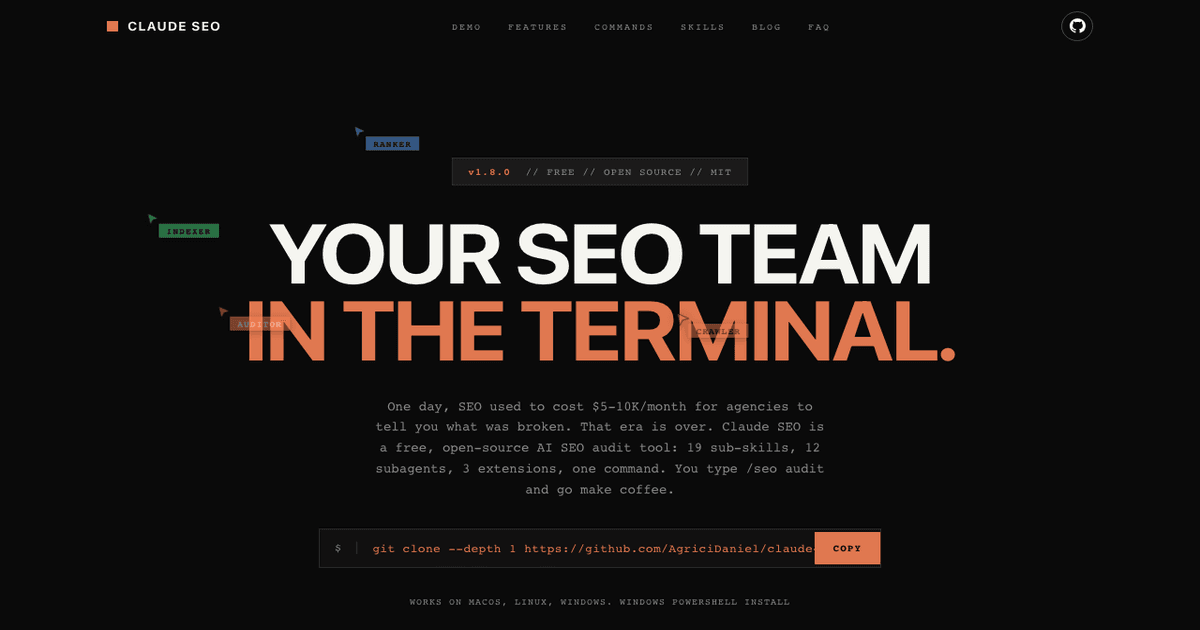
Table of Contents
Most SEO tools cost $100 or more per month. Ahrefs starts at $99. Semrush at $117. And if you want AI search optimization on top of that, you're looking at another $40 to $250.
Claude SEO changes that equation entirely. It's a free, open source skill for Claude Code that turns your terminal into a full SEO command center. No browser dashboard. No monthly subscription. Just type /seo audit and get a comprehensive site analysis with a health score, action plan, and screenshots.
Built by Daniel Agrici, an AI marketing systems architect from Moldova, Claude SEO has grown to 3,000+ GitHub stars and 458 forks in under two months. It ships with 16 slash commands, 12 subagents, 19 sub-skills, and optional extensions for DataForSEO, Firecrawl, and AI image generation.
This post walks through every feature, every command, and every step to get it running on your machine.

What is Claude SEO?
Claude SEO is a skill (plugin) for Claude Code, Anthropic's CLI tool for AI assisted development. Once installed, it adds 16 new slash commands that analyze websites for technical SEO issues, content quality, schema markup, Core Web Vitals, AI search readiness, and more.
The key differentiator: everything runs locally in your terminal. Your data never leaves your machine unless you explicitly configure an external API extension. And it costs exactly $0 per month (beyond the Claude Code subscription you already pay for).
Here's what the architecture looks like:
- 1 orchestrator skill that routes commands to the right specialist
- 19 sub-skills covering technical SEO, content, schema, sitemap, performance, images, GEO, local, maps, and more
- 12 subagents that run in parallel during full audits
- 3 optional extensions for DataForSEO, Firecrawl, and Banana (AI image generation)
- 11 Python scripts for Google API integration (Search Console, PageSpeed, GA4, CrUX)

How to Install Claude SEO
There are three ways to install. Pick whichever fits your setup.
Prerequisites
- Python 3.10 or higher
- Claude Code CLI installed and working
- Git
- Optional: Playwright (for visual screenshots during audits)
- Optional: Google API credentials (for Search Console and PageSpeed data)
Method 1: Plugin Marketplace (Recommended)
If you're running Claude Code 1.0.33 or later, you can install directly from the marketplace:
/plugin marketplace add AgriciDaniel/claude-seo
/plugin install claude-seo@AgriciDaniel-claude-seo
This is the cleanest approach and handles updates automatically.
Method 2: Quick Install (macOS and Linux)
One command in your terminal:
curl -fsSL https://raw.githubusercontent.com/AgriciDaniel/claude-seo/main/install.sh | bashThis clones the repo, creates a Python virtual environment at ~/.claude/skills/seo/.venv/, and symlinks all skills and agents into the right directories.
Method 3: Windows PowerShell
git clone --depth 1 https://github.com/AgriciDaniel/claude-seo.git
powershell -ExecutionPolicy Bypass -File claude-seo\install.ps1
Note: The original Windows one-liner (irm | iex) was replaced in v1.4.0 for security reasons. The new approach requires you to clone first, then run the installer locally.
Verify the Installation
Open Claude Code and type:
/seoIf you see the SEO skill menu with all available commands, you're good to go.
File Locations After Install
- Main skill:
~/.claude/skills/seo/ - Sub-skills:
~/.claude/skills/seo-*/ - Subagents:
~/.claude/agents/seo-*.md - Python environment:
~/.claude/skills/seo/.venv/
Uninstalling
If you need to remove it:
curl -fsSL https://raw.githubusercontent.com/AgriciDaniel/claude-seo/main/uninstall.sh | bashAll 16 Commands Explained
Every command starts with /seo followed by the specific action. Here's the complete reference.

1. /seo audit (Full Site Audit)
The flagship command. Type /seo audit https://yoursite.com and Claude SEO will:
- Crawl up to 500 pages on your site
- Auto-detect your business type (SaaS, local service, ecommerce, publisher, or agency)
- Spawn 6 to 9 specialist subagents in parallel
- Generate a health score from 0 to 100
- Output two files:
FULL-AUDIT-REPORT.mdandACTION-PLAN.md
The health score weights break down like this:
- Content Quality: 23%
- Technical SEO: 22%
- On-Page SEO: 20%
- Schema and Structured Data: 10%
- Performance (Core Web Vitals): 10%
- AI Search Readiness (GEO): 10%
- Images: 5%
The action plan prioritizes findings by severity: Critical, High, Medium, and Low.
2. /seo page (Single Page Deep Dive)
When you need to analyze one specific URL in depth. Covers on-page elements, content quality, technical meta tags, schema validation, image optimization, and Core Web Vitals for that page.
3. /seo technical (Technical Audit)
Focused on the 9 technical SEO categories:
- Crawlability (robots.txt, meta robots, crawl depth)
- Indexability (canonical tags, noindex directives)
- Security (HTTPS, HSTS, CSP headers)
- URL Structure (slugs, parameters, trailing slashes)
- Mobile Optimization (viewport, responsive design)
- Core Web Vitals (LCP under 2.5s, INP under 200ms, CLS under 0.1)
- Structured Data (JSON-LD validation)
- JavaScript Rendering (client-side content detection)
- IndexNow Protocol (instant indexing support)
4. /seo content (Content Quality)
Evaluates your content against Google's E-E-A-T framework (Experience, Expertise, Authoritativeness, Trustworthiness). Based on Google's September 2025 Quality Rater Guidelines. Also checks AI citation readiness, meaning how likely your content is to be cited by ChatGPT, Perplexity, or Google AI Overviews.
5. /seo schema (Structured Data)
Detects existing JSON-LD, Microdata, and RDFa markup. Validates it against Google's current requirements. Generates ready-to-use schema code you can copy and paste. Knows about recent deprecations like HowTo (September 2023) and FAQ restrictions (August 2023, limited to government and health sites).
6. /seo geo (AI Search Optimization)
This is where Claude SEO really differentiates itself. GEO (Generative Engine Optimization) analyzes how well your content performs in AI-powered search engines:
- Google AI Overviews
- ChatGPT web search
- Perplexity
- Bing Copilot
It checks AI crawler detection, llms.txt presence, passage-level citability, brand mention signals, structural readability, entity clarity, and multi-modal content scoring.
7. /seo images (Image Optimization)
Checks alt text quality, file sizes (flags anything over 200KB), format usage (WebP and AVIF vs. legacy JPEG/PNG), responsive image implementation, lazy loading, and CLS prevention from images that shift layout during load.
8. /seo sitemap (Validate or Generate)
Two modes:
/seo sitemap https://yoursite.com/sitemap.xmlvalidates format, URL count (flags over 50,000), HTTP status codes, lastmod dates, and coverage/seo sitemap generatecreates a new XML sitemap using industry templates with quality gates (warning at 30 pages, hard stop at 50 without audit)
9. /seo plan (Strategic Planning)
Generates a 4-phase SEO roadmap customized to your business type. Available templates: SaaS, local business, ecommerce, publisher, and agency. Includes a content calendar and priority actions.
10. /seo local (Local SEO)
For brick-and-mortar and service-area businesses. Analyzes Google Business Profile optimization, NAP (Name, Address, Phone) consistency across directories, citation health, review signals, and local map pack positioning.
11. /seo maps (Maps Intelligence)
Goes deeper than the local command with geo-grid rank tracking, GBP audit via API, competitor radius mapping, and cross-platform NAP verification (Google, Bing, Apple Maps, OpenStreetMap).
12. /seo programmatic (Programmatic SEO)
For sites generating pages at scale from databases. Analyzes URL patterns, internal linking automation, thin content safeguards, doorway page prevention, canonical strategies, and index bloat prevention. Includes safety gates that warn at 30+ location pages and hard-stop at 50+ without prior audit.
13. /seo competitor-pages (Comparison Pages)
Generates "X vs Y" comparison page structures, "Alternatives to X" layouts, feature matrices with Product schema, and conversion-optimized templates.
14. /seo hreflang (International SEO)
Validates hreflang implementation: self-referencing tags, reciprocity between language versions, x-default fallback, ISO language and region code correctness, and protocol mismatch detection.
15. /seo google (Google API Integration)
This is the most feature-rich command with 21 sub-commands spread across 4 credential tiers:
- Tier 0 (API key only): PageSpeed Insights, CrUX data, CrUX 25-week history
- Tier 1 (+ OAuth/Service Account): Search Console data, URL Inspection, Indexing API
- Tier 2 (+ GA4 config): GA4 organic traffic reports
- Tier 3 (+ Ads token): Google Keyword Planner access
You can start with just a free Google API key and unlock more features as you add credentials.
16. /seo google report (PDF/HTML Reports)
Generates formatted reports with charts from the Google API data. Export as PDF or HTML for client presentations or team reviews.
The Extension System
Beyond the 16 core commands, Claude SEO has an extension system for connecting to external data sources.
DataForSEO Extension
Install with ./extensions/dataforseo/install.sh. Adds 22 commands across 9 API modules:
- SERP analysis (Google, Bing, Yahoo, YouTube results)
- Keyword research (volume, difficulty, intent, trends)
- Backlink profiles and referring domains
- On-page analysis (Lighthouse-style)
- Content analysis
- Business listings
- AI visibility checking
- LLM mention tracking
- Domain analytics
Firecrawl Extension
Added in v1.7.2. Provides full-site crawling with JavaScript rendering. Commands include crawl, map, scrape, and search. Useful for sites that render content client-side where standard crawlers miss content.
Banana AI Image Generation
Generates SEO images (OG previews, blog heroes, product photos, infographics) via Google Gemini API. Includes an SEO checklist for each generated image covering alt text, file naming conventions, WebP format optimization, and schema markup.
MCP Server Integrations
Claude SEO supports 7 MCP (Model Context Protocol) server integrations for pulling data from external platforms:
Official integrations:
- Ahrefs (
@ahrefs/mcp) for backlinks, keywords, and site audit data - Semrush (
https://mcp.semrush.com/v1/mcp) for domain analytics, keyword research, and backlink data
Community integrations:
- Google Search Console (
mcp-server-gsc) - PageSpeed Insights (
mcp-server-pagespeed) - kwrds.ai for keyword research and difficulty scoring
- SEO Review Tools for automated site auditing
These are optional. The core 16 commands work without any external API keys.

How the Full Audit Actually Works
When you run /seo audit, here's the exact sequence:
- Homepage analysis: Claude SEO fetches your homepage and scans for business type signals. Pricing pages and feature lists suggest SaaS. Phone numbers and addresses suggest local service. Product pages and shopping carts suggest ecommerce.
- Business type detection: Based on those signals, it classifies your site into one of 5 types: SaaS, Local Service, E-Commerce, Publisher, or Agency.
- Subagent deployment: The orchestrator spawns 6 to 9 subagents in parallel. Every audit gets technical, content, schema, sitemap, performance, and visual subagents. Local businesses also get the local and maps subagents. Sites with Google API credentials get the Google subagent.
- Independent analysis: Each subagent runs its analysis independently with its own context window and tool access (Read, Bash, Write, Glob, Grep).
- Result aggregation: The orchestrator collects all subagent results and calculates the weighted health score.
- Report generation: Two markdown files are written: a detailed
FULL-AUDIT-REPORT.mdand a prioritizedACTION-PLAN.md.
The entire process typically takes 2 to 5 minutes depending on site size and how many subagents are needed.
Real Audit Examples
The Claude SEO marketing site showcases three real audit results:
dexdia.com (E-commerce, Score: 64/100)
Key findings: Multiple H1 tags on pages, thin content (6 posts under 1,500 words), missing security headers (CSP, X-Frame-Options, Referrer-Policy), and title tags truncating at 85 characters.
rankenstein.pro (SaaS/AI Tool, Score: 58/100)
Key findings: GPTBot blocked in robots.txt (ChatGPT citability score dropped to 48/100), multi-modal content scored only 45/100, authority signals at 42/100, and no IndexNow implementation for instant indexing.
callperfectcatch.com (Local Electrician, Score: 62/100)
Key findings: Google Business Profile completeness at 78/100, review health at just 45/100, cross-platform presence at 72/100, and missing aggregateRating in LocalBusiness schema markup.
How Claude SEO Compares to Paid Tools
The honest comparison:
| Feature | Claude SEO ($0) | Ahrefs ($99/mo) | Semrush ($117/mo) |
|---|---|---|---|
| Technical audit | Yes (9 categories) | Yes | Yes |
| Content analysis | Yes (E-E-A-T) | Limited | Yes |
| Schema validation | Yes (generate + validate) | No | Basic |
| AI search optimization | Yes (GEO/AEO) | No | No |
| Local SEO | Yes (GBP + maps) | No | Limited |
| Backlink database | Via MCP only | Proprietary (best) | Proprietary |
| Keyword database | Via MCP/extension | Proprietary | Proprietary (best) |
| Rank tracking | Via extension | Built-in | Built-in |
| Browser dashboard | No (terminal only) | Yes | Yes |
| Google API integration | Yes (21 commands) | GSC only | Yes |
| Programmatic SEO | Yes (safety gates) | No | No |
| hreflang validation | Yes | Yes | Yes |
Where Claude SEO wins: AI search optimization, schema generation, programmatic SEO, and price. Where paid tools win: proprietary backlink and keyword databases, historical rank tracking, and browser-based dashboards for teams.
The sweet spot is using Claude SEO as your primary audit tool and connecting Ahrefs or Semrush via MCP for the data you can't get locally.
Who Built It and Why It Matters
Daniel Agrici is a self-taught developer and AI marketing systems architect based in Moldova. Beyond Claude SEO, he runs an AI Marketing Hub on Skool with 2,700+ free members and 161 pro members paying $79/month. He also co-founded Rankenstein, an AI content engine built on n8n automation workflows.
His broader Claude Code ecosystem includes:
- claude-blog: 19 sub-skills, 4 agents, 17 commands for SEO optimized blog writing
- claude-banana: AI image generation via Google Gemini for OG images and SEO assets
- claude-youtube: Channel audits, video SEO, retention scripts, and thumbnail optimization
- WordPress MCP Ultimate: Full MCP server with 58 WordPress abilities
The recommended workflow is: audit with Claude SEO, fix issues, write content with claude-blog, generate images with claude-banana, then optimize for AI search with the GEO command.
Setting Up Google API Integration
The Google integration is the most complex setup but provides the richest data. Here's how to configure each tier.
Tier 0: API Key Only (Free)
- Go to the Google Cloud Console Credentials page
- Create a new project or select an existing one
- Click "Create Credentials" and select "API key"
- Enable the PageSpeed Insights API and Chrome UX Report API
- Add the key to your Claude Code environment
This gives you access to PageSpeed Insights, CrUX field data, and CrUX 25-week history. No OAuth or service accounts needed.
Tier 1: OAuth/Service Account
Adds Search Console data, URL Inspection, and the Indexing API. You'll need to:
- Create OAuth 2.0 credentials in Google Cloud Console
- Set the redirect URI to
http://localhost:8085 - Run the OAuth flow (Claude SEO handles the localhost callback)
- Tokens are stored locally and refreshed automatically
Tier 2 and 3
Tier 2 adds GA4 organic traffic data (requires GA4 property configuration). Tier 3 adds Google Keyword Planner access (requires a Google Ads account with an active token).
All 11 Python scripts include SSRF protection, so external requests are validated before execution.
Version History and Development Velocity
Claude SEO went from v1.0.0 to v1.8.0 in under two months (February 7 to April 2, 2026). Key milestones:
- v1.0.0 (Feb 7): Initial release with 9 skills and 6 subagents
- v1.2.0 (Feb 19): Critical security patches including urllib3 CVE fix, virtual environment isolation
- v1.3.0 (Mar 6): Extension system launched with DataForSEO (22 commands)
- v1.4.0 (Mar 12): Windows security fix (replaced
irm | iexinstall), GEO agent added, score weights rebalanced - v1.5.0 (Mar 19): Anthropic audit compliance, frontmatter standardization
- v1.6.0 (Mar 23): Local SEO and Maps intelligence with 2 new subagents
- v1.7.0 (Mar 28): Google SEO APIs with 21 commands, OAuth flow, 11 Python scripts
- v1.7.2 (Mar 30): Firecrawl extension, backlink analysis, Excel export
- v1.8.0 (Apr 2): Current release
That's 8 major releases in 54 days, with each release adding substantial functionality rather than incremental patches.
Community Reception
The response has been strong. From the GitHub discussions and community:
"Fantastic job! I've started using it on my business website, and it's uncovering so many issues and opportunities I completely overlooked." @Geronimo_sudo-AI
"I've run this on two of my websites and uncovered tonnes of improvements that didn't show on other free online tools." @bazfurby
"I made some changes to plug different MCP (Google Ads, Analytics, GSC and DataForSEO). That seems great!" @LordDjay
The YouTube demo video has 31,000+ views and 1,000+ likes, which is significant traction for a developer tool tutorial.
When to Use Claude SEO (and When Not To)
Use it when:
- You want a comprehensive SEO audit without paying $100+/month
- You need AI search optimization (GEO/AEO) that paid tools don't offer
- You prefer terminal workflows over browser dashboards
- You want schema markup generated and validated in one step
- You need programmatic SEO analysis with safety gates
- You're already using Claude Code for development
Don't use it when:
- You need proprietary backlink or keyword databases (use Ahrefs or Semrush, or connect them via MCP)
- Your team needs a shared browser dashboard for non-technical stakeholders
- You need historical rank tracking over months (this is an audit tool, not a monitoring tool)
- You're not comfortable working in a terminal
Getting Started: Your First Audit
Here's the exact sequence to go from zero to a full audit:
- Install Claude Code if you don't have it:
npm install -g @anthropic-ai/claude-code - Install Claude SEO:
curl -fsSL https://raw.githubusercontent.com/AgriciDaniel/claude-seo/main/install.sh | bash - Open Claude Code:
claude - Run your first audit:
/seo audit https://yoursite.com - Review the generated
FULL-AUDIT-REPORT.mdandACTION-PLAN.md - Fix critical issues first, then work through high and medium priorities
- Re-audit to verify fixes:
/seo page https://yoursite.com/fixed-page
For deeper analysis, add the Google API integration (start with Tier 0, it's free) and optionally connect the DataForSEO extension for keyword and backlink data.
Frequently Asked Questions
Is Claude SEO really free?
Yes. The core tool is MIT licensed and open source. You need a Claude Code subscription (which you pay separately to Anthropic), but the SEO skill itself costs nothing. Optional extensions like DataForSEO require their own API keys with their own pricing.
Does my data get sent to external servers?
Not by default. The core analysis runs locally using Claude Code's built-in tools. Data only leaves your machine if you explicitly configure an extension (DataForSEO, Firecrawl) or the Google API integration.
Can I use it on client sites?
Absolutely. The /seo audit command generates markdown reports that you can share with clients. The /seo google report command generates PDF and HTML reports with charts for more polished presentations.
How does it compare to Screaming Frog?
Screaming Frog is a dedicated crawler that excels at finding technical issues across large sites. Claude SEO covers technical crawling but also adds content quality analysis, schema generation, AI search optimization, and local SEO that Screaming Frog doesn't offer. They complement each other well.
Does it work with WordPress, Shopify, and other platforms?
Yes. Claude SEO analyzes the rendered output of any website regardless of the CMS or platform behind it. It doesn't need access to your CMS admin panel.
What's the difference between /seo audit and /seo page?
The /seo audit command crawls your entire site (up to 500 pages) and runs parallel subagents for a comprehensive analysis. The /seo page command does a deep dive on a single URL. Use audit for site-wide health checks and page for drilling into specific issues.
Can I contribute to the project?
Yes. Claude SEO is MIT licensed on GitHub at github.com/AgriciDaniel/claude-seo. Pull requests, bug reports, and feature requests are welcome.
How often is it updated?
Very frequently. The project went from v1.0.0 to v1.8.0 in 54 days with 8 major releases. Daniel Agrici actively maintains it and responds to community feedback.
Last updated
April 25, 2026
Category
Implementation
Jahanzaib Ahmed
AI Systems Engineer & Founder
AI Systems Engineer with 126 production systems shipped. I run AgenticMode AI (AI agents, RAG systems, voice AI) and ECOM PANDA (ecommerce agency). I build AI that works in the real world for businesses across home services, healthcare, ecommerce, SaaS, and real estate.
Related articles
What Is OpenClaw? Everything You Need to Know About the World's Most Starred AI Agent
OpenClaw is the open source AI agent with 280K+ GitHub stars. This guide covers what it is, how it works, its features, and why everyone is using it in 2026.
GuideOpenClawOpenClaw
GPT-6.1 Sol Halves the Cache Rate and Leaves Every Other Price Alone
OpenAI's GPT-6.1 Sol keeps GPT-6 Sol's $2 input and $10 output prices and cuts only cached input. Here is what that saves on real agent loops, and why Chat Completions users cannot just swap the model name.
NewsImplementationOpenAI
How to Get a Claude API Key and Cap What It Can Spend
Create a Claude API key in the Console the safe way: prepaid credits, a workspace with its own spend limit, the right key type, a free check that it works, and a first request that costs a fraction of a cent.
How toImplementationClaude