GPT-5.4 Outperformed Humans at Using Computers. Here Is Where Computer Use Stands Now.
GPT-5.4 scored 75.0% on OSWorld-Verified in March 2026, above the 72.4% human baseline. Who leads computer use now, what the OpenAI API costs and what it means for RPA replacement and business automation.

Table of Contents
On March 5, 2026, GPT-5.4 scored 75.0% on OSWorld-Verified against a human baseline of 72.4%. As of October 2026 that is no longer the top result. OpenAI's own GPT-5.5 reported 78.7% in April, OpenAI has since moved its computer use reporting to the harder OSWorld 2.0, and the official OSWorld-Verified leaderboard now lists 12 submissions above 75%: the highest is 90.19% for an agent framework, and the best single model, Claude Fable 5, sits at 85.96%. The practical meaning is narrower than any of those headlines: the AI now sees your screen, moves your cursor, and works through multi step tasks in software that has no API, no webhook, and no Zapier integration.
This is not RPA with a better brand. RPA scripts break the moment a button moves, because they are bound to fixed coordinates; computer use looks at the screen the way a temp worker would and adapts. At GPT-5.4's standard rates I estimate a twenty step session at roughly $0.10 to $0.30 (the token assumptions are in the cost section below). That makes it the wrong tool for anything you can already reach through an API, and the right one for the legacy desktop application nobody will ever build an integration for.
On March 5, 2026, GPT-5.4 scored 75.0% on OSWorld-Verified, the benchmark designed to test whether an AI can actually use a computer the way a human does. The human baseline reported in the OSWorld paper is 72.36%, which OpenAI rounds to 72.4%. OpenAI called 75.0% a state of the art result on the day. It was not quite the first time a system had crossed the human line: OpenAI's own comparison table now shows GPT-5.3-Codex at 74.0% (first reported as 64.7%, then corrected after OpenAI added an API parameter that preserves the original image resolution), and Simular's Agent S3 framework, using Claude Opus 4.5 and GPT-5 with the best of 10 rollouts, reached 72.58% on the official leaderboard in December 2025. What GPT-5.4 did was put a general purpose model above that line with native computer use built into the API.
I have been building AI agent systems for close to four years. I have shipped over 126 production systems. And this is the milestone I have been watching for, because it changes the cost math on every automation project I take on.
Most people are reading this as a technical footnote. A benchmark score. Something to post about on LinkedIn. But if you run a business that still has employees copy and pasting between software, manually updating spreadsheets, or clicking through the same five screens every morning to pull a report, this announcement should get your attention.
What is GPT-5.4 Computer Use and What Did the Benchmark Show?
OpenAI released GPT-5.4 on March 5, 2026. The model brings three headline capabilities: native computer use baked into the API (not a separate product), a 1.05 million token context window in the API, and a lower hallucination rate than GPT-5.2: on prompts where users had flagged factual errors, OpenAI says GPT-5.4's individual claims were 33% less likely to be false and its full responses 18% less likely to contain any error. OpenAI described it as the first general purpose model it had released with native computer use capabilities.
The computer use capability is available through the Responses API by enabling the computer tool. The pattern is simple: your code sends the task to GPT-5.4, receives back a computer_call holding a list of actions (click at these coordinates, type this text, scroll here), executes those actions with a library like PyAutoGUI or Playwright, returns a fresh screenshot as a computer_call_output, and loops. The model reasons about what it sees on screen and decides what to do next.
On the OSWorld-Verified benchmark, which is specifically designed to test desktop task completion through screenshots and keyboard/mouse actions, GPT-5.4 hit 75.0%. GPT-5.2, released less than three months earlier on December 11, 2025, scored 47.3% on the same benchmark. Human performance in the OSWorld paper is 72.4%. The gap closed 27.7 percentage points in 84 days.
This is not an isolated benchmark win. On BrowseComp, which measures how well an AI agent can browse the web to locate hard to find information, GPT-5.4 scored 82.7%, about 17 points above GPT-5.2, and GPT-5.4 Pro set what OpenAI called a new state of the art at 89.3%. Later OpenAI models have passed that: OpenAI reports 90.1% for GPT-5.5 Pro and 92.2% for GPT-5.6 Sol Ultra. On Toolathlon, which tests how accurately models use real world APIs and tools across multi step tasks, GPT-5.4 scored 54.6% and completed tasks in fewer turns than GPT-5.2.
That context window change also matters more than the headline number suggests. At one million tokens, you can feed an entire meeting transcript, a full customer history, and the current state of a spreadsheet into a single prompt. For automation workflows where context carries between steps, this is operationally significant.
What Does the OSWorld Benchmark Actually Test?
OSWorld is not a synthetic benchmark. The tasks it measures are pulled directly from real desktop workflows: filling out forms across multiple applications, navigating file systems, interacting with web browsers, updating spreadsheets, moving data between tools. It uses screenshots and keyboard/mouse inputs, which is exactly how a human would operate the same software.
When GPT-5.4 scores 75% on OSWorld, that means it correctly completes three out of four of the benchmark's desktop tasks. Not theoretical tasks. Not simplified demos. Real workflows across real software.

OpenAI's launch table shows GPT-5.3-Codex at 74.0% right before GPT-5.4 and GPT-5.2 at 47.3% before that. The trajectory kept going after GPT-5.4. GPT-5.5 reported 78.7% on April 23, 2026, and the official leaderboard now carries entries from 80% to 90%. I had projected 85% to 90% within two model generations; it arrived in under four months.
One validation OpenAI shared at launch came from a customer, not a lab: Mainstay's CEO said that across about 30,000 HOA and property tax portals, GPT-5.4 completed the task on the first attempt 95% of the time and within three attempts 100% of the time, against roughly 73% to 79% for earlier computer use models. That is one company's account of a narrow, repetitive set of portals, not a general benchmark. The gap between benchmark performance and real world production performance always exists, and it can run in either direction depending on how uniform your screens are.
I ran a quick mental exercise against clients I worked with in 2024 and 2025. Of the 11 businesses where I built or scoped automation systems, at least six of them had workflows that I could now handle with GPT-5.4 computer use that previously required either custom API integrations or were written off as too complex to automate. That ratio will look different for every business, but if yours has legacy software with no API, this is where you should be paying attention.
Which Models Lead OSWorld-Verified in October 2026?
GPT-5.4 does not. I downloaded the data behind the official OSWorld-Verified leaderboard on October 17, 2026. It holds 144 scored runs, and 12 of them are above 75%. The table is a selection of the highest ones, plus the two OpenAI results that OpenAI reported itself and the human baseline. The leaderboard rows listed are success rates from runs capped at 100 steps; the OpenAI and human rows are not leaderboard runs.
| Entry | Builder | Type | Score | Added |
|---|---|---|---|---|
| Intelligence-Indeed Agent | Intelligence Indeed | Agent framework | 90.19% | Jul 25, 2026 |
| Claude Fable 5 | Anthropic | General model | 85.96% | Aug 1, 2026 |
| Pointer Agent with Claude Opus 4.7 | Pointer | Agent framework | 83.64% | May 21, 2026 |
| Claude Opus 5 | Anthropic | General model | 83.39% | Aug 1, 2026 |
| Coasty CUA v1 | Coasty Team | General model | 82.81% | Jul 1, 2026 |
| Holo3 35B A3B | H Company | Specialized model | 82.56% | Apr 20, 2026 |
| Muse Spark 1.1 | Meta Superintelligence Labs | General model | 80.67% | Jul 9, 2026 |
| GPT-5.5 (reported by OpenAI) | OpenAI | General model | 78.7% | Apr 23, 2026 |
| GPT-5.4 (reported by OpenAI) | OpenAI | General model | 75.0% | Mar 5, 2026 |
| Claude Sonnet 4.6 | Anthropic | General model | 72.11% | Mar 8, 2026 |
| Human baseline (OSWorld paper) | XLANG Lab and partners | People | 72.36% | 2024 |
Three cautions on reading it. First, I found no GPT-5.4 or GPT-5.5 row on the leaderboard file itself; those two numbers come from OpenAI's launch posts, so treat them as vendor reported. Second, the 90.19% entry is an agent framework that uses extra coding actions, not a single model answering from screenshots alone, so the fair model against model comparison is Claude Fable 5 at 85.96% against GPT-5.4 at 75.0%, an 11 point gap. Third, Anthropic's pricing page now lists newer models than the two Claude entries above (Claude Fable 5.1 and Claude Opus 5.5), and I did not find leaderboard entries for them on October 17, so the ranking may move again.
The wider story of how this benchmark went from about 12% to above the human line, and what the funding numbers around it mean, is in my post on AI computer use matching humans. This post stays on OpenAI's computer use API, what it costs, and how to build with it.
Why OpenAI Stopped Quoting OSWorld-Verified
The OSWorld team has published a harder successor, OSWorld 2.0, with a paper dated June 2026 and 108 long horizon workflows. A person needs a median of about 1.6 hours per task, and Claude Opus 4.7 at maximum thinking averaged 318 tool calls on them, against about 30 in the first benchmark. OpenAI's GPT-5.6 announcement (July 9, 2026) and its GPT-6 Astra announcement (September 2026) both report OSWorld 2.0, and neither reports OSWorld-Verified, which OpenAI still showed for GPT-5.5 in April.
The official OSWorld 2.0 leaderboard, last updated October 15, 2026, scores each run two ways: binary completion (the whole task was finished correctly) and partial credit. These are the best full set runs at 500 steps. The task release differs between rows, so read the gaps as direction, not precision. On the same v2026.08.08 full set, Claude Opus 5 at maximum effort scores 31.43% binary and 68.31% partial against GPT-5.6 Sol's 27.34% and 62.72%, a gap of about four points, not the 17 points the table rows alone suggest.
| Model | Builder | Binary completion | Partial score | Task release |
|---|---|---|---|---|
| Claude Opus 5 | Anthropic | 44.33% | 77.67% | v2.1 |
| Muse Spark 1.3 | Meta Superintelligence Labs | 39.25% | 69.56% | v2.1 |
| GPT-5.6 Sol | OpenAI | 27.34% | 62.72% | v2026.08.08 |
| Claude Opus 4.8 | Anthropic | 20.6% | 54.8% | Paper, June 2026 |
| GPT-5.5 | OpenAI | 13% | 49.5% | Paper, June 2026 |
OpenAI reports GPT-6 Astra at 72.6% on OSWorld 2.0, against 65.7% for GPT-5.6 Sol, and says Astra needs about 40 minutes per task against about 75. That figure is a partial score on the offline subset of the benchmark, so it is not comparable to the binary completion column above, and I found no GPT-6 Astra row on the official board as of October 17. The honest reading for a business owner: short desktop tasks are largely solved, but whole workflows that take a person about an hour and a half are completed correctly less than half the time by the best single model on the official board. The OSWorld 2.0 authors found that agents lose track of constraints, miss information that arrives mid task, and guess instead of asking the user.
How Is GPT-5.4 Computer Use Different From Traditional RPA?
Before GPT-5.4, if you wanted to automate a task in software with no API, you had two options. You could build a traditional RPA bot using tools like UiPath, Automation Anywhere, or Blue Prism. Or you wrote it off and left a human doing it manually.
Traditional RPA works by recording UI interactions: clicking at specific screen coordinates, selecting elements by CSS class or HTML ID, following rigid scripted sequences. It is essentially a macro on steroids. When the software updates its interface, the coordinates change, the element IDs change, and your bot breaks. Every software update becomes an RPA maintenance event. In large enterprise deployments, RPA maintenance costs frequently match or exceed the original development cost.

GPT-5.4 computer use is fundamentally different. It does not record coordinates. It looks at a screenshot, reads the visual context, decides what to interact with based on meaning rather than position, and executes. When the software updates its interface, the button still says "Submit." The model still finds it. The automation still works.
This is the critical distinction. RPA automates the path. AI computer use automates the intent.
There are tradeoffs. AI computer use is slower than scripted RPA. Each screenshot-action cycle adds latency. It costs money per action, though the cost is cents, not dollars. And reliability at 75% completion is not 100%, and the best single model on the OSWorld-Verified leaderboard today is at 85.96%, not 100% either. For tasks where every instance must succeed without error, you still want deterministic automation. But for the large category of workflows where "good enough" is actually good enough, and where the alternative is paying a human to click through the same screens for an hour, the math has changed.
Here is a practical comparison:
| Factor | Traditional RPA | GPT-5.4 Computer Use |
|---|---|---|
| Setup time | Weeks to months | Hours to days |
| Breaks on UI update? | Yes, frequently | Usually no |
| Requires API access? | No | No |
| Handles edge cases? | No (hard coded) | Often yes (reasons) |
| Cost per task | Fixed infra cost | About $0.10 to $0.30 per 20 step session (my estimate) |
| Completion rate | Near 100% (when working) | 75.0% on OSWorld-Verified (85.96% for the best current model); 95% first attempt reported by one customer on a narrow portal task |
| Maintenance overhead | High (every UI change) | Low (prompt updates only) |
| Best for | Stable, high volume, predictable | Variable, legacy, no API |
What Does GPT-5.4 Computer Use Mean for Business Automation?
I run an AI readiness assessment for businesses that want to understand whether they need AI agents, simpler automation, or a hybrid approach. The question I get most often from business owners is some version of: "We use [legacy software from 2008 that costs $40,000/year to license and has no API]. Can you automate our workflows with it?"
Until this year, my honest answer was: sort of. The options were to screen scrape certain elements, run browser automation that broke whenever a page changed, or build a custom integration that was expensive and fragile. None of it was satisfying.
GPT-5.4 changes that answer. For a workflow that runs once a day, takes a human 45 minutes, and costs you $30 in labor per occurrence, you are spending roughly $7,800 per year on one manual process (260 workdays). At about $0.10 to $0.30 per GPT-5.4 session, you are looking at $26 to $78 per year in API costs to automate it. The ROI calculation does not require a spreadsheet, though my AI versus human employee cost calculator will run your own numbers.
OpenAI also released ChatGPT for Excel on the same day as GPT-5.4, which it recommends for Enterprise customers. On an internal OpenAI benchmark of spreadsheet modeling tasks that a junior investment banking analyst might do, GPT-5.4 scored 87.3% against 68.4% for GPT-5.2. That is OpenAI's own test, so treat it as a direction, not a guarantee. Availability of ChatGPT for Excel by plan and region changes, so check OpenAI's help center for what your plan includes.
For finance teams that live in Excel, this is not a marginal improvement. A 19-point accuracy jump on analyst-level tasks is meaningful. When I look at the work I have done for clients in financial services and operations, manual Excel workflows consistently show up as a bottleneck. This closes a gap that was real.

How Much Does GPT-5.4 Computer Use Cost in Production?
I want to be specific about the cost structure because vague "it's affordable" claims help no one. Here is the actual pricing as checked on OpenAI's model pages on October 17, 2026. GPT-5.4's price has not changed since launch.
Standard GPT-5.4: $2.50 per million input tokens, $15.00 per million output tokens. Screenshots count as image input, and their token count depends on resolution and the detail setting, so read the usage field in your own API responses before trusting any estimate. For the table below I assumed a 20 step workflow that uses 30,000 to 80,000 input tokens (screenshots, action history, instructions) and 2,000 to 6,000 output tokens. Those token counts are my assumptions, not measurements. At standard rates that is $0.105 to $0.29 per full run on GPT-5.4, which is where my $0.10 to $0.30 estimate comes from.
| Model | Input per 1M tokens | Output per 1M tokens | 20 step run, light | 20 step run, heavy |
|---|---|---|---|---|
| GPT-5.4 | $2.50 | $15.00 | $0.105 | $0.290 |
| GPT-5.4 Mini | $0.75 | $4.50 | $0.032 | $0.087 |
| GPT-6 Luna | $0.10 | $0.50 | $0.004 | $0.011 |
| GPT-6.1 Sol | $2.00 | $10.00 | $0.080 | $0.220 |
| GPT-6 Astra | $10.00 | $50.00 | $0.400 | $1.100 |
Prices are OpenAI standard tier for prompts under 272,000 input tokens, from the model pages on October 17, 2026. Light means 30,000 input and 2,000 output tokens; heavy means 80,000 input and 6,000 output tokens. All five models list computer use as a supported tool. Cheaper models are only cheaper per run if they finish the task, so test on your own screens before choosing on price.
The extended context tier (prompts over 272,000 tokens) doubles the input rate to $5.00 per million and raises the output rate to $22.50 per million for GPT-5.4, for the full request. GPT-5.4 Mini lists $0.75 input and $4.50 output per million with a 400,000 token context window, and it supports the computer tool as well, so computer use does not require the full model.
There is also a tool search feature. In OpenAI's test on 250 tasks from Scale's MCP Atlas benchmark with 36 MCP servers enabled, putting the servers behind tool search cut total token use by 47% at the same accuracy. For agent systems with large tool catalogs, that alone meaningfully changes the cost math.
Two migration notes. GPT-5.2 Thinking's retirement date of June 5, 2026 has passed. The original computer-use-preview model was shut down on July 23, 2026, so any integration still calling it needs the current computer tool. GPT-5.4 itself is still available as gpt-5.4, though OpenAI lists gpt-5.3-codex and gpt-5.4-nano for shutdown on April 1, 2027. If you want these numbers for your own volumes, my AI agent cost calculator covers the model and hosting side.
When Should You Use GPT-5.4 Computer Use vs Dedicated Agents vs Standard Automation?
This is the question I am getting from clients right now, and I want to give you a clear framework rather than "it depends."
Use standard automation (Zapier, Make, n8n, direct API) when your software has APIs, webhooks, or native integrations. This is always faster, cheaper, and more reliable than computer use. If Salesforce can push data to your CRM via API, do not route it through a screenshot loop. Standard automation is deterministic and cheap.
Use traditional RPA when you have high volume, stable, predictable workflows in well maintained software where UI changes are rare and you need near-100% completion rates. A process that runs 500 times per day in software with a locked UI is still better served by UiPath or similar.
Use GPT-5.4 computer use when: the software has no API, the workflow is too variable for scripted RPA, or maintenance overhead is killing your existing RPA deployment. Also use it for workflows that require reasoning about content (not just clicking through a fixed sequence). If your process involves reading a document, making a judgment about what category it falls into, and then taking a different action based on that judgment, computer use with GPT-5.4 handles this far better than any RPA script. The same logic holds for the newer models in the cost table; the choice of model is a cost and accuracy test, not a change in when computer use is the right tool.
Use a full AI agent system when you need multi-system coordination, complex decision trees, human-in-the-loop checkpoints, memory across sessions, or when the task requires pulling from multiple data sources and synthesizing a response. For serious business operations automation, I still lean toward purpose-built AI agent systems over general-purpose computer use, because you get tighter control, better error handling, and auditable behavior. That is the kind of system I build as custom AI agents. But GPT-5.4 computer use is now a legitimate component within those systems rather than an afterthought.
What Does a GPT-5.4 Computer Use Implementation Look Like?
I want to walk through what this looks like in practice, because the gap between "the model can use a computer" and "we have a production automation running in our business" is where most projects stall.
The core loop is straightforward. You send the model your task with the computer tool enabled, receive a computer_call containing one or more actions, execute them in your own browser or desktop using a library like PyAutoGUI or Playwright, capture a screenshot, send it back as a computer_call_output with the previous response ID, and loop until the model stops requesting actions or you hit a stopping condition.
In Python, the high level structure looks something like this. I checked the request and response shapes against OpenAI's computer use guide in October 2026:
# Sketch of a computer use loop with the Responses API computer tool
from openai import OpenAI

client = OpenAI()
task = "Open the procurement portal, filter for invoices over $5,000 from the last 30 days, and export the results to CSV"
MODEL = "gpt-6.1-sol"  # the guide's example model; gpt-5.4 also lists computer use support

response = client.responses.create(
    model=MODEL,
    tools=[{"type": "computer"}],
    input=task,
)

for step in range(50):  # hard step limit so a stuck run cannot loop forever
    calls = [item for item in response.output if item.type == "computer_call"]
    if not calls:
        break  # no more actions requested, read response.output_text
    call = calls[0]
    for action in call.actions:       # click, type, scroll, keypress, wait, screenshot
        execute_action(action)        # your code: Playwright or PyAutoGUI, inside a sandbox
    screenshot_b64 = take_screenshot()  # your code

    response = client.responses.create(
        model=MODEL,
        tools=[{"type": "computer"}],
        previous_response_id=response.id,
        input=[{
            "type": "computer_call_output",
            "call_id": call.call_id,
            "output": {
                "type": "computer_screenshot",
                "image_url": f"data:image/png;base64,{screenshot_b64}",
                "detail": "original",
            },
        }],
    )
This is simplified, but the pattern is real. OpenAI's SDKs now also ship helpers (a ComputerToolset that runs this loop once you supply a driver for your browser or desktop), and its guide lists hosted environments from Browserbase, Browser Use, Daytona and E2B Desktop. On September 29, 2026 OpenAI added computer use to its Agents API, where an agent works in an OpenAI hosted browser and your application handles website approvals and sign in. For the GPT-6 Astra model, the guide recommends having the model write code (for example PyAutoGUI scripts) instead of emitting single actions, and says the computer tool remains supported as an alternative. The complexity is not in the loop itself. It is in three things that most tutorials skip:
State management. Your automation loop needs to know what "done" looks like. You need a reliable way to detect whether the task succeeded, failed, or hit a state it does not know how to handle. Without this, you get runaway loops that keep clicking until they run up your API bill.
Error detection and retry logic. At 75% completion rates, one in four runs will hit a problem, and at the 85.96% of the best single model on the OSWorld-Verified board it is still about one in seven. You need to detect when the model has navigated to an unexpected state, taken the wrong action, or gotten stuck in a loop. This means adding a supervisor layer that monitors action history, checks for repeated identical actions (a sign of a stuck loop), and triggers escalation when something looks wrong.
Security boundaries. A model that can control your computer can, in principle, do anything you can do on that computer. For production deployments, you want the automation running in a sandboxed environment, ideally a virtual machine with access scoped only to the applications and data sources it needs. This is not optional for any workflow touching financial data, customer records, or credentials. OpenAI's own guidance adds two rules worth copying: treat text on a page or in a document as untrusted, because it cannot grant permission or override your instructions, and keep a person in control of purchases, data transmission and anything hard to reverse.
For most small to mid sized businesses starting with this, I recommend beginning with a single low stakes workflow in a test environment. Choose something where a wrong action does not corrupt data or trigger a transaction you cannot reverse. Let it run for a week. Monitor every session. Fix the edge cases you see. Only then move to workflows where the cost of failure is higher.
The Competitive Landscape in October 2026
GPT-5.4 was not the only model pursuing native computer use, and it is no longer the leader. Here is where each vendor stands, all as of October 17, 2026.
OpenAI itself has moved on. It announced GPT-5.5 on April 23, GPT-5.6 on July 9, and released GPT-6 Astra in the API on September 3 and GPT-6.1 Sol on September 29. OpenAI's model page prices GPT-6 Astra at $10 input and $50 output per million tokens, GPT-6.1 Sol at $2 and $10, and GPT-6 Luna at $0.10 and $0.50, and lists computer use as a supported tool on all three. OpenAI now reports these models on OSWorld 2.0, not OSWorld-Verified.
Anthropic's Claude has offered a computer use capability since October 2024, and it now holds the best single model scores: Claude Fable 5 at 85.96% and Claude Opus 5 at 83.39% on OSWorld-Verified, and Claude Opus 5 at 44.33% binary completion on the official OSWorld 2.0 board. Opus 5, released July 24, 2026, costs $5 per million input tokens and $25 per million output tokens; Claude Fable 5 costs $10 and $50, per Anthropic's pricing page. The OSWorld 2.0 authors describe the tradeoff between the two vendors: GPT-5.5 was the most token efficient, while Claude Opus models reached higher completion by spending much larger token budgets. Anthropic's current computer use toolset adds about 4,500 input tokens to every request for its tool definitions.
Google's Gemini API has a computer use tool for browser, mobile and desktop environments, with gemini-3.8-flash in its documentation example. Gemini 3.8 Flash is priced at $0.75 input and $3.75 output per million tokens until December 31, 2026, then $1.50 and $7.50 from January 1, 2027. Google's computer use page calls Gemini 4 Argon (gemini-4-argon) its most capable model for computer use and Gemini 3.8 Flash the recommended one. Argon costs $2 input and $10 output per million tokens through November 30, 2026, then $4 and $20 from December 1, 2026. Google has no row of its own on the OSWorld-Verified leaderboard I read; the closest is a third party agent framework, Laiye's OpenAPA with Gemini 3.1 Pro, at 78.34%, which uses extra coding actions. So I cannot say how Argon or Flash compare with Claude on accuracy, and for cost sensitive, high volume automation they are worth testing against your own screens.
Outside the big three, the official OSWorld-Verified board also lists Meta's Muse Spark 1.1 at 80.67%, H Company's Holo3 at 82.56%, MiniMax M3 at 75.19%, Qwen 3.7 Plus at 73.3% and Kimi K2.6 at 73.06%.
On the open source side, OpenClaw has about 392,000 GitHub stars as of October 17, 2026 and continues to be the dominant framework for local agent execution. Many of my clients prefer deploying OpenClaw based systems precisely because the code runs locally, does not route sensitive screen data through a third party API, and gives them full control over the execution environment. For businesses in regulated industries (healthcare, finance, legal), local execution is often a compliance requirement, not a preference.
The honest assessment: GPT-5.4 no longer leads on raw benchmark performance. OpenAI called its 75.0% a state of the art result in March, and by October the best single model is about 11 points ahead of it on OSWorld-Verified. But benchmark lead does not always translate to the best fit for a specific business workflow. The architecture decisions around data privacy, cost at scale, and reliability constraints often matter more than a few points of benchmark difference.
If you want help thinking through which model and architecture fits your specific situation, the AI readiness assessment on this site will give you a data driven starting point in about two minutes. The 12 to 15 questions are designed specifically to distinguish between businesses that need dedicated AI agents, businesses that need simpler workflow automation, and businesses that fall in between. You can compare the per token prices of current models side by side on my AI models directory.
The Broader Pattern: What This Signals About the Next 18 Months
The GPT-5.4 release is part of a broader pattern I have been tracking since 2024. Frontier models are improving faster than enterprise adoption can absorb. A business that decided in Q1 2025 that "AI is not ready for our workflows" is now evaluating a model that scores above the human baseline on a desktop task benchmark, and seven months after GPT-5.4 the leaderboard is 11 points higher.
The companies I see falling behind are not the ones that tried AI and had it fail. They are the ones that are still in evaluation mode. Every quarter they wait, the gap between what they are doing manually and what they could be doing with current AI is widening. At some point, the gap becomes a competitive disadvantage that is hard to close.
The companies I see doing well are the ones that started with low risk, high frequency automation, built internal familiarity with what AI can and cannot do, and are now ready to move into higher value workflows with a team that understands the technology. They did not need to build the most sophisticated system in 2024. They needed to start building something.
GPT-5.4 crossing the human performance threshold on OSWorld is worth noting not because it replaces human workers today, but because it marks the point where the capability argument for short AI desktop tasks is settled. For long workflows it is not settled: on OSWorld 2.0, where a task takes a person about 1.6 hours, the best single model on the official board completes 44.33% of them. The remaining arguments are operational: how do you deploy it safely, how do you handle a failure rate that is still 14% to 25% on short tasks and much higher on long ones, how do you scope the right workflows. Those are solvable engineering problems.
If you are running a business with workflows that have historically resisted automation, now is a reasonable time to have a direct conversation about what that could look like. Not because GPT-5.4 is perfect, but because it is good enough that the gap between "could be automated" and "is automated" is now a choice, not a technical limitation.
Frequently Asked Questions
What is GPT-5.4 computer use and how does it work?
GPT-5.4 computer use enables the model to control a computer through screenshots and keyboard/mouse actions. Your code sends a task to GPT-5.4 via the Responses API with the computer tool enabled, receives a computer_call with structured actions (click, type, scroll), executes them, returns a new screenshot as a computer_call_output, and repeats. The model reasons visually about what it sees on screen rather than following fixed scripts.
Is GPT-5.4 still the best model for computer use?
No. As of October 17, 2026, GPT-5.4's 75.0% on OSWorld-Verified is behind Claude Fable 5 at 85.96% and Claude Opus 5 at 83.39% on the official leaderboard, behind OpenAI's own GPT-5.5 at 78.7%, and behind an agent framework entry at 90.19%. OpenAI's newer GPT-6 Astra and GPT-6.1 Sol also support computer use. On the harder OSWorld 2.0, the official leaderboard has Claude Opus 5 first among single models at 44.33% binary completion (an agent framework from Salesforce built on Claude Opus 4.8 is listed at 44.44%). GPT-5.4 is still available in the API and still works for short desktop tasks.
How does GPT-5.4 computer use compare to RPA tools like UiPath?
Traditional RPA records specific UI coordinates and element IDs and replays them exactly. When software updates its interface, the script breaks. GPT-5.4 computer use reasons from visual context, so it adapts when UI elements move or change appearance. RPA is better for extremely high volume, stable workflows at near-100% accuracy. GPT-5.4 computer use is better for legacy systems with no API, variable workflows, and cases where RPA maintenance costs have become unsustainable.
How much does GPT-5.4 computer use cost?
GPT-5.4 costs $2.50 per million input tokens and $15 per million output tokens (checked October 17, 2026). Using my assumed token counts for a 20 step session, that is roughly $0.10 to $0.30 per run; measure your own usage to confirm. Prompts over 272,000 tokens cost $5.00 per million input and $22.50 per million output. Newer OpenAI models list computer use too: GPT-6.1 Sol at $2 and $10, GPT-6 Luna at $0.10 and $0.50, and GPT-6 Astra at $10 and $50 per million tokens. For most business workflows, the cost per automation run is a fraction of the human labor it replaces.
Is GPT-5.4 available now for businesses?
Yes. GPT-5.4 is available via the OpenAI API as gpt-5.4, and OpenAI's model page lists computer use as a supported tool. It is no longer OpenAI's newest model, and ChatGPT plan access changes often, so check OpenAI's help center for what your plan includes today. The earlier computer-use-preview model was shut down on July 23, 2026, and the June 5, 2026 retirement date announced for GPT-5.2 Thinking has passed.
What does the OSWorld benchmark actually measure?
OSWorld-Verified tests an AI model's ability to complete real desktop tasks by controlling a computer through screenshots and keyboard/mouse inputs. Tasks include filling forms across applications, navigating file systems, using web browsers, and moving data between software. GPT-5.4 scored 75.0%, above the human baseline of 72.36% reported in the OSWorld paper. GPT-5.2 scored 47.3% on the same benchmark about three months earlier. OSWorld 2.0, published in June 2026, is a harder follow up with 108 long tasks that take a person about 1.6 hours each.
Can GPT-5.4 computer use replace human workers?
For specific repetitive desktop workflows, yes, in part. At 75% benchmark accuracy, it is not fully autonomous for high-stakes processes without human oversight. The right implementation includes error detection, retry logic, and human escalation paths for edge cases. The practical value is not replacing humans but freeing them from repetitive click-through tasks to focus on work that requires judgment, relationships, and creativity.
Do I need an API to use GPT-5.4 computer use on my business software?
No. This is precisely what makes GPT-5.4 computer use different. It operates through screenshots and UI interaction, so it does not need API access to your software. This makes it viable for legacy systems, SaaS tools with restricted APIs, and internal tools that were never designed with automation in mind.
Should I use GPT-5.4 computer use or build a proper AI agent?
Use computer use when your main challenge is software with no API and relatively simple linear workflows. Build a proper AI agent system when you need multi-system coordination, memory across sessions, complex decision trees, or production-grade reliability with audit trails. For most mid market businesses, the best answer is a purpose built agent system that uses GPT-5.4 computer use as one component for the software layers where no API exists.
GPT-5.4 OSWorld-Verified score of 75.0% vs human performance of 72.4%, GPT-5.3-Codex correction to 74.0%, the 33% and 18% factuality figures, BrowseComp, Toolathlon, the 87.3% spreadsheet benchmark, the 47% tool search figure and the Mainstay quote, per OpenAI, March 5, 2026. GPT-5.5 at 78.7%, per OpenAI, April 23, 2026. GPT-6 Astra on OSWorld 2.0 per OpenAI, September 2026. OpenAI model prices, the computer use guide and the changelog checked October 17, 2026 at developers.openai.com. OSWorld-Verified scores from the official OSWorld leaderboard data file, human baseline from the OSWorld paper. OSWorld 2.0 from the official OSWorld 2.0 site and paper. Claude Opus 5 price per Anthropic, July 24, 2026; other Claude prices and the computer use token overhead per Anthropic's pricing and computer use docs. Gemini 3.8 Flash price and computer use tool per Google's pricing and computer use docs. OpenClaw stars from the GitHub API, October 17, 2026.
Last updated
October 16, 2026
Category
Trends & Insights
Jahanzaib Ahmed
AI Systems Engineer & Founder
AI Systems Engineer with 126 production systems shipped. I run AgenticMode AI (AI agents, RAG systems, voice AI) and ECOM PANDA (ecommerce agency). I build AI that works in the real world for businesses across home services, healthcare, ecommerce, SaaS, and real estate.
Want this built for your business? See The AI Audit, or browse the free tools and guides.
Related articles
GPT-6 Sol Costs Half of Opus 5.5 Per Token. On an Agent Loop, It Doesn't.
OpenAI halved API prices for GPT-6 Sol and Luna ninety minutes after Anthropic shipped Opus 5.5. I priced a real agent loop on both, and checked whose benchmark table was already stale.
NewsTrends & InsightsLLM Pricing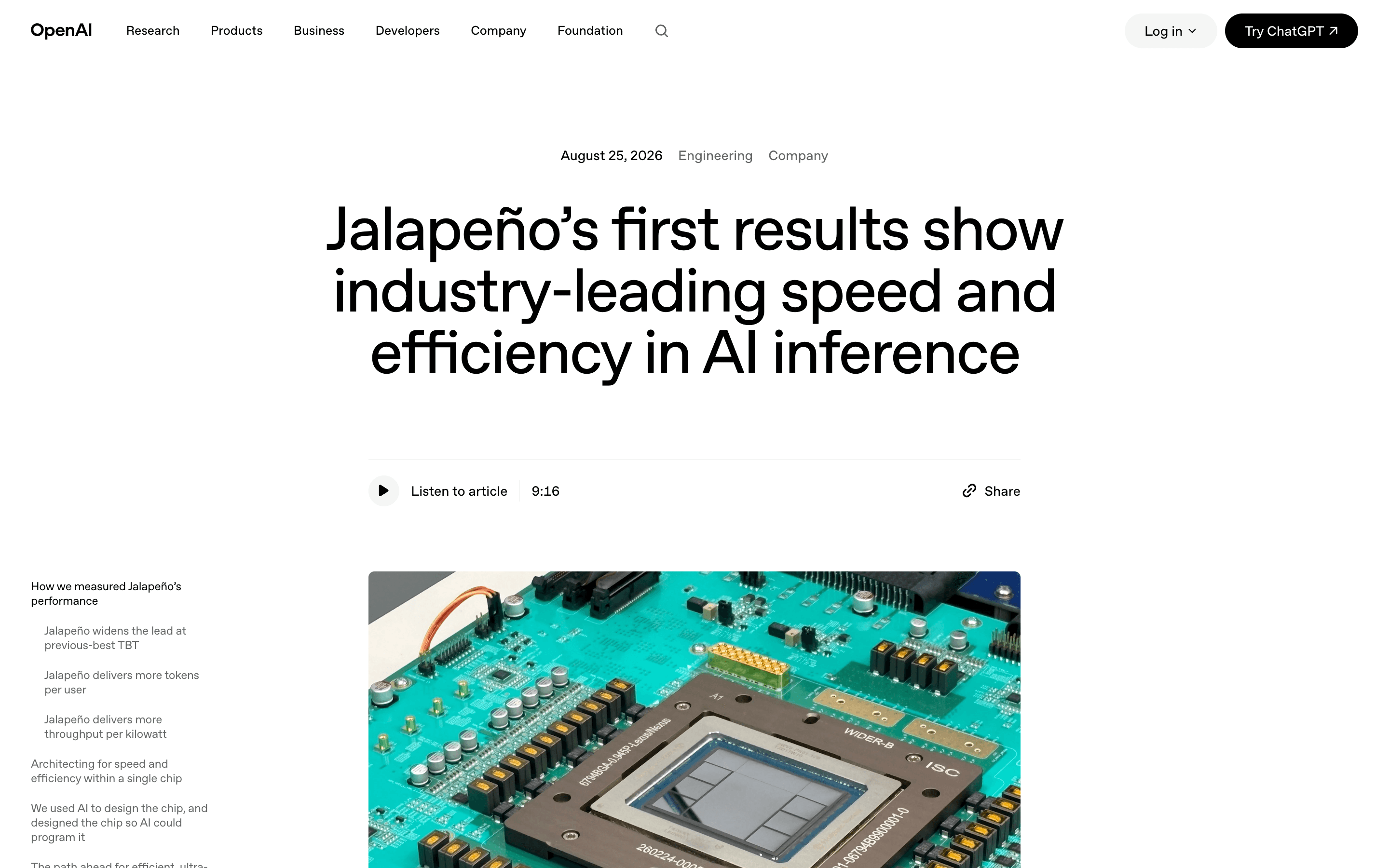
OpenAI's Chip Beat Nvidia on Watts. Per Chip It Lost Two of Three.
A breakdown of OpenAI's first Jalapeno benchmarks, why the per watt framing changes what beating Nvidia means, and what teams shipping agents should take from the numbers buried in the appendix.
NewsTrends & InsightsAI Infrastructure
Gemini and ChatGPT Both Announced a Billion Users. One of Those Numbers Is Weekly.
A breakdown of the two billion user announcements that landed days apart, why one figure is weekly and the other monthly, and what the usage data actually says about how far these assistants are from running agents.
NewsTrends & InsightsAI Agents