AI Agent vs Chatbot: I've Deployed Both. Here Is What Actually Matters.
I've built 126 AI systems for businesses. Most started by asking for a chatbot and needed something completely different. Here is how to know which one is right for you.

Table of Contents
A chatbot answers questions; an agent completes tasks. That is not a marketing distinction, it is an architectural one. A chatbot retrieves an answer and hands the conversation back to you. An agent can look up the order, issue the refund, update the CRM, send the confirmation, and then decide whether a human needs to know.
The resolution numbers follow the architecture: the average chatbot resolves about 69% of queries, AI powered agents push that to 78% or higher, and purpose built custom agents reach 85% to 90%. Cost sits where you would expect, roughly $0.50 for a chatbot interaction against $6.00 for a human. The trigger for choosing an agent is process complexity rather than volume: if the workflow takes more than three steps or touches more than one system, a chatbot will fail at it. Most companies end up running both, chatbots for volume and agents for resolution.
A chatbot answers questions. An AI agent completes tasks. A chatbot retrieves an answer and hands the conversation back to you. An agent can look up an order, issue the refund, update the CRM and send the confirmation, then decide whether a human needs to see it. That difference in what happens after the reply is what changes the cost, the build time and the questions you should be asking a vendor.
Every week someone contacts me with a variation of the same request: "We want to add AI to our customer support." What they actually need is almost never the same thing. Sometimes a chatbot handles it completely. Sometimes they need a full AI agent. Sometimes they build a chatbot, hit a ceiling two months later, and come back wanting an agent because the chatbot kept giving wrong answers and frustrating customers.
The decision matters more than most people realize. Picking the wrong option wastes the budget, poisons internal buy-in for AI, and sets expectations that do not match reality. Picking the right one compounds over time into measurable cost reduction and revenue growth.
I have built AI systems for over 100 businesses: home services companies, law firms, ecommerce brands, real estate agencies, healthcare operators, and SaaS companies. I have deployed both chatbots and full AI agents across all of them. This is what I know about choosing correctly.
Quick Verdict
Pick a chatbot if: You need to answer the same 20 to 50 questions repeatedly, volume is high, budget is tight, and you are OK with escalating complex cases to a human.
Pick an AI agent if: Your business process requires taking action (not just answering), touches more than one system, or has a resolution rate problem that chatbots cannot fix.
Still unsure? Take the AI readiness assessment and I will tell you which fits your situation based on 8 scored dimensions.
What are you actually comparing?
The term "chatbot" gets applied to three completely different things, which is where most of the confusion starts.
The first kind is a rule-based chatbot: decision trees, keyword matching, predefined scripts. You build it by mapping out every possible question and writing a response. It is fast to build, cheap to run, and completely rigid. Ask it something outside the script and it fails. These were everywhere in 2018 and gave chatbots a bad reputation that still lingers.
The second kind is an LLM-powered chatbot: tools like Intercom Fin, Tidio Lyro, or a custom GPT-4 deployment. These understand natural language, handle context across a conversation, and can answer questions they were not explicitly programmed for. They are significantly more capable than rule-based systems but they are still reactive. They answer questions. They do not do things.
The third kind is an AI agent. An agent has goals, not just responses. It has access to tools: APIs, databases, calendars, CRM records, order management systems. It can plan a sequence of actions, execute them, check the result, and adjust. A chatbot says "your order is delayed." An agent checks the carrier API, files a claim, updates your CRM, sends you a new tracking link, and logs the resolution, all in one interaction.
When I use "chatbot" in this post, I mean option two: an LLM-powered conversational tool that understands language but cannot take system action. That is the realistic starting point for most businesses today. If you are still figuring out whether your business even needs AI yet, this post on when to use AI agents versus simple automation will help you place that decision.
What are chatbots good at, and where do they break?
LLM-powered chatbots are genuinely good at a specific class of problem: high-volume, low-complexity questions where the answer lives in text.
FAQ handling is the obvious one. If your support team answers the same 40 questions 300 times a day, a chatbot will handle that better than any human, at any hour, without burning out. "What is your return policy?" "Do you ship to Canada?" "How long does setup take?" These are pure text retrieval problems and chatbots are excellent at them.
Lead qualification is another strong use case. A chatbot can ask a visitor the right questions, score their fit, and route them to a sales rep or book a call. If the qualification logic does not require pulling from external systems, a chatbot does this well and cheaply.
Knowledge base search is a third area. Connect a chatbot to your documentation and it becomes a 24/7 support tier that pulls accurate answers without forcing users to navigate a help center. For SaaS companies, this alone can deflect 30% to 40% of support volume. Pairing a chatbot with retrieval-augmented generation (RAG) is the most effective way to extend its knowledge without hallucination.
Where chatbots break:
The moment a user asks a chatbot to do something instead of just tell them something, the chatbot fails. "Cancel my subscription" is not a question. It is a task. A chatbot can explain how to cancel. It cannot actually cancel anything unless someone wires up an API integration and builds action capabilities, at which point it is starting to become an agent.
Multi-step processes are the other breaking point. A booking flow that requires checking availability, holding a slot, confirming payment method, and sending a calendar invite is four actions across multiple systems. A chatbot handles step one (checking availability) and then hands off. An agent completes all four.
And edge cases kill chatbots. A chatbot trained on your standard return policy does not know what to do when a customer received the wrong item, paid with a gift card, and wants a replacement shipped to a different address. A human rep handles this in 90 seconds. A chatbot escalates and the customer waits.
Cost profile: SaaS chatbot platforms run $50 to $500 per month depending on volume. Custom LLM-powered chatbots cost $500 to $3,000 per month to operate. Setup is $2,000 to $15,000 for a properly trained, integrated deployment. Average chatbot interaction cost: $0.50, versus $6.00 for a human support agent. For pure FAQ volume, the economics are excellent.
What can an AI agent actually do?
An AI agent is defined by three things a chatbot does not have: tools, memory, and autonomy.
Tools are integrations the agent can call: your CRM, calendar API, order management system, payment processor, email provider, inventory database. When an agent has a tool, it does not just retrieve information from it. It can write to it, trigger actions in it, and chain results across multiple tools in a single workflow.
Memory means the agent remembers context across sessions. It knows this customer ordered twice before, complained about delivery last time, and is a high-LTV account. It uses that context to weight its decisions and personalize its responses. A chatbot starts fresh every session.
Autonomy means the agent can set intermediate goals. You give it a high-level objective: "resolve this customer's refund request." It breaks that into steps: check order status, verify return policy, confirm eligibility, process refund via payment API, send confirmation email, update CRM record. It executes each step, checks the output, and handles errors. It does not need a human in the loop unless something genuinely unusual happens.
In real deployments, this is what that looks like:
A home services company I worked with was losing 30% of inbound calls because no one was available to answer. We built an AI voice agent that answers every call, qualifies the job (type, location, urgency, square footage), checks technician availability, provides a price range, and books the appointment directly into their scheduling software. No chatbot could do this because it requires touching three systems in sequence. The agent handles the full workflow. That company now converts 94% of inbound calls.
A legal firm wanted to stop losing leads who submitted contact forms at 11pm. We built an intake agent that captures their details, asks qualifying questions about case type and jurisdiction, retrieves their attorney's calendar, and schedules a 15-minute triage call for the next business morning. It sends the attorney a case summary before the call. The attorney arrives prepared. That agent handles 100% of after-hours intake.
For a deeper technical look at how production agents are structured, see my guide on building AI agents that actually work in production, which covers memory architecture, tool design, and error handling in detail.
Cost profile: Custom AI agents run $2,000 to $10,000 per month in infrastructure depending on volume and complexity. Initial build cost ranges from $5,000 to $50,000 for a properly scoped deployment. The economics only work when the tasks being automated have real labor cost attached. If a human support agent costs $3,000 per month and the agent replaces 60% of their work, the ROI math is straightforward.
AI agent vs chatbot: how do they compare?
| Dimension | LLM Chatbot | AI Agent |
|---|---|---|
| Core capability | Answers questions in natural language | Executes tasks across multiple systems |
| System access | Read-only retrieval from connected knowledge base | Read and write across APIs, CRMs, databases |
| Memory | Single session only | Persistent across sessions and customers |
| Resolution rate | 52% to 78% on FAQ-class queries | 70% to 90%+ including action tasks |
| Setup time | 2 to 6 weeks | 4 to 16 weeks |
| Monthly cost (SMB) | $100 to $3,000 | $2,000 to $10,000+ |
| Best for | FAQ, lead capture, knowledge search | Booking, intake, order management, resolution |
| Failure mode | Escalates complex cases, cannot act | More complex to build and debug |
| Scales with volume | Yes, linearly | Yes, but cost per interaction is higher |
| ROI horizon | 3 to 6 months | 6 to 18 months |
Which one does your business actually need?
Rather than making this abstract, here are the five questions I ask every client before recommending either option. Answer yes or no to each.
1. Does the resolution require taking action in a system?
If yes: you need an agent. Chatbots cannot write to CRMs, book appointments, process refunds, or update records without being extended into agent territory.
2. Does the workflow touch more than one external system?
If yes: you need an agent. Single-system lookups are chatbot territory. Multi-system orchestration requires agent architecture.
3. Is the primary goal deflection or resolution?
Deflection means keeping queries away from humans, acceptable if the query is simple. Resolution means actually solving the problem completely. If your goal is resolution for complex issues, you need an agent.
4. What is the cost of an unresolved interaction?
For an ecommerce business, an unresolved order inquiry costs roughly $15 to $40 in support labor plus the churn risk. For a law firm, a missed intake call costs $2,000 to $20,000 in lost case fees. The higher the cost of failure, the stronger the case for an agent that actually resolves rather than just responds.
5. What is the current volume and growth trajectory?
If you are handling 200 support queries per day and growing 20% month over month, the economics of an agent build make sense even at higher upfront cost. If you are handling 30 queries per day with no growth forecast, start with a chatbot and revisit in 12 months.
Score: Three or more yes answers points strongly toward an AI agent. Two or fewer yes answers, a chatbot is the right starting point.
What questions should you ask an AI agent vendor?
Most buyers ask about features. Features are the least useful thing to ask about, because every vendor demos well on a happy path they chose. These are the questions I would ask, in this order, and what a good answer sounds like.
1. What happens when the agent is wrong?
Ask for the escalation path, not the accuracy number. Every agent is wrong sometimes. What matters is whether it knows it is wrong, whether it stops, and who it hands to. A vendor who answers this with a confidence percentage is answering a different question.
2. What is your containment rate on accounts like mine?
Containment is the share of conversations resolved without a human. It is the number that actually drives your cost per resolved contact. Ask for it on a comparable account, not the best account. If they will not segment it, treat the headline number as marketing.
3. Who owns the prompts, the data and the code?
Ask whether you can export the prompt logic and the conversation history, and what happens to both if you leave. This is the question most likely to be answered vaguely, and the one most expensive to discover late.
4. What does the bill look like at three times my current volume?
Not the per minute or per conversation rate, the whole invoice. Ask specifically about concurrency limits, minimum billing increments, whether you are charged for silence or failed calls, and what a transfer costs. Advertised rates in this market routinely exclude most of the invoice.
5. Can I get a BAA or a DPA without an enterprise contract?
If you touch health data or operate in the EU, ask this before the demo. Many vendors gate compliance behind an enterprise tier, which turns an affordable per unit rate into a five figure annual floor.
6. How do you evaluate changes before they reach my customers?
Ask what happens when they upgrade the underlying model. A good answer describes a regression set of real conversations replayed against the new version. A weak answer is that they test it internally.
7. What integrations are live today, and which are on the roadmap?
Roadmap means it does not exist. Ask which customers are currently running the integration you need in production, and how long that integration took to stand up.
8. What does the handoff to a human actually look like?
Does the human see the full transcript and the actions already taken, or do they start cold? A handoff that loses context is worse than no agent, because the customer has now explained the problem twice.
9. Who maintains this after launch?
Agents drift. Products change, policies change, and the prompt that worked in month one is wrong by month six. Ask who is responsible for that work and whether it is included.
10. Can I talk to a customer who churned?
Almost nobody asks this and the reaction tells you a great deal. You are not really asking for the reference. You are watching how they handle a question they cannot control.
If you are evaluating a voice specifically, the same logic applies to the pricing side, which I broke down separately in the AI voice agent pricing breakdown. If you want the cost modelled for your own volume before you talk to anyone, the AI agent cost calculator is free.
What do most comparisons get wrong?
Most comparison posts treat this as a technology question. It is not. It is a process question.
The mistake I see most often: a business looks at a chatbot demo, sees it answer questions fluently, and assumes it will handle their specific use case. They deploy it, run it for 60 days, and discover their support team is still handling 80% of tickets because the chatbot keeps escalating anything beyond a simple FAQ. The chatbot deflects, it does not resolve.
The second mistake: assuming AI agents are only for large enterprises. I have built agents for 8-person home services companies. The economics work when you have a high-cost process that an agent can own entirely. A single AI intake agent that converts after-hours leads for a plumbing company pays for itself in the first month if it captures three jobs that would have gone to voicemail.
The third mistake is the inverse: building a full custom agent for a problem that a chatbot solves in a week. I have seen companies spend $40,000 on an agent build for what was fundamentally an FAQ problem. They needed a knowledge base chatbot, not autonomous task execution. The agent worked but it was completely over-engineered for the actual use case.
The right frame is not "which is better." It is "which matches the complexity of the actual process." For small businesses, the question of scale matters too, and these five AI automations for small businesses show where the realistic starting point sits in 2026.
What does the difference look like in a real deployment?
A staffing agency I worked with last year started with a chatbot. Their initial goal was simple: answer candidate FAQs about pay rates, job types, and locations. A standard LLM chatbot connected to their FAQ document handled that well. Deflection rate was around 65% on FAQ queries within six weeks.
Then they asked it to do something it was not built for: tell candidates whether they were eligible for a specific placement. That required checking their skills profile, verifying certifications, cross-referencing against open job requirements, and returning a match score. The chatbot had no access to those systems. It apologized and asked them to call the office.
Six months later they came back for an agent build. We built a candidate intake and matching agent. It runs through a qualification conversation, pulls their profile from the ATS, checks current openings against their skills, calculates a match score, flags the top three placements, and books a call with a recruiter directly into their calendar. The whole flow takes eight minutes. Recruiters used to spend 45 minutes per candidate on this.
Recruiter capacity went up 60% because they stopped doing intake and started doing relationship work. That is what the difference actually looks like in practice: the chatbot handled their FAQ problem, the agent handled their throughput problem. Both were right for the context they were built for.
If you want to know which one fits your situation, the clearest path is the AI readiness assessment. It scores your business across eight dimensions including process complexity, technical readiness, and data quality, and tells you specifically whether you are a chatbot candidate, an agent candidate, or somewhere in between.
What is the most honest answer I can give you?
Most businesses should start with a chatbot and expand into agents once they understand where the real friction is. Chatbots are faster to build, cheaper to run, and they surface the real pain points within 60 to 90 days of deployment. You will quickly see which queries keep getting escalated, which workflows the chatbot cannot complete, and where customers are abandoning the conversation. That data tells you exactly where to build an agent.
But some businesses should skip straight to agents. If you have a clearly defined, high-cost, multi-step process that runs dozens of times per day, and that process requires human labor to complete right now, an agent will return its build cost within three to six months. Do not spend 90 days running a chatbot if you already know the problem requires action, not answers.
The decision tree is genuinely simple once you define the process you want to automate. Where most businesses go wrong is defining the goal as "add AI" rather than "eliminate this specific cost" or "solve this specific throughput problem." AI is the tool, not the goal.
Frequently Asked Questions
What is the main difference between an AI agent and a chatbot?
A chatbot answers questions using language understanding. An AI agent takes actions using tools. A chatbot can tell you your order is delayed. An agent can check the carrier, file a claim, and send you a replacement tracking number, all in one session without any human involvement.
Are AI agents more expensive than chatbots?
Yes, significantly. A well-deployed LLM chatbot costs $500 to $3,000 per month to operate. A custom AI agent typically runs $2,000 to $10,000 per month. The agent also has higher build cost: $5,000 to $50,000 versus $2,000 to $15,000 for a chatbot. The economics justify agents only when the process being automated has real labor cost or high failure cost attached to it.
What resolution rates do AI agents achieve versus chatbots?
According to Gartner and Cognigy data, rule-based chatbots resolve around 52% of queries. LLM-powered chatbots push that to 69% to 78%. Custom AI agents deployed on well-defined processes consistently hit 80% to 90%+ resolution, because they can actually complete the task rather than just providing information about it.
Is ChatGPT an AI agent or a chatbot?
Base ChatGPT is a chatbot: it responds to prompts in conversation but cannot take action in external systems. ChatGPT with plugins or the GPT-4 function calling API moves toward agent behavior, because it can call tools and act on their results. OpenAI's Operator product is a full agent: it can navigate the web, fill forms, and complete tasks in real applications.
Can a chatbot be upgraded into an AI agent?
Yes, this is actually the most common path. You start with a chatbot for FAQ and lead capture, then add API tool access for specific actions (booking, lookups, form submissions), then add memory and multi-step planning as the use case matures. Most production AI agents started as chatbots and evolved over 6 to 18 months.
How long does it take to build an AI agent versus a chatbot?
A properly trained LLM chatbot takes 2 to 6 weeks: knowledge base preparation, prompt engineering, integration with your support platform, and testing. A custom AI agent takes 4 to 16 weeks depending on the number of external systems it needs to touch, the complexity of the workflow, and the quality of your existing data and APIs.
What tasks can AI agents do that chatbots cannot?
Anything that requires taking action: booking appointments, processing refunds, updating CRM records, sending emails or SMS on behalf of your business, checking inventory, filing support tickets, qualifying leads against live data, and executing multi-step workflows across more than one system. If the task requires a human to log into a system and do something, an agent can replace that step.
Should small businesses use AI agents or chatbots?
Start with a chatbot unless you have a specific high-cost, high-volume process that requires action. A small service business handling 50 inbound inquiries per day should start with an LLM chatbot for FAQ and qualification. Once you see which queries escalate most often and which ones your team wishes they could automate completely, that is where you scope an agent build.
Ready to Build the Right Thing?
If you are past the research phase and you want someone who has actually deployed both at scale to look at your specific situation, that is the work I do through AgenticMode.
The starting point for every engagement is clarity on what you actually need. Not a demo of what AI can theoretically do, but a specific assessment of your processes, data, and technical environment. The AI readiness assessment takes about 12 minutes and gives you a scored report across eight dimensions that tells you whether you are a chatbot, agent, or hybrid candidate, with specific tool recommendations for your tier.
If you are further along and already know what you want to build, get in touch directly. I work with a small number of clients at a time and the conversation starts with your process, not a sales pitch.
Chatbot resolution rates (52% rule-based, 69% to 78% LLM-powered): DemandSage 2026. Gartner: 40% of enterprise apps will include task-specific AI agents by end of 2026: Gartner 2025. Gartner: $80B in contact center labor cost reductions by 2026: Gartner 2024. Chatbot interaction cost $0.50 vs human $6.00: Zendesk via DemandSage 2026. Companies implementing AI save avg $2.5M annually: IBM 2024. Two-thirds of business leaders report 25%+ revenue growth from AI: Freshworks AI Report 2025.
Last updated
July 26, 2026
Category
Trends & Insights
Jahanzaib Ahmed
AI Systems Engineer & Founder
AI Systems Engineer with 126 production systems shipped. I run AgenticMode AI (AI agents, RAG systems, voice AI) and ECOM PANDA (ecommerce agency). I build AI that works in the real world for businesses across home services, healthcare, ecommerce, SaaS, and real estate.
Related articles
AI Voice Agent Pricing vs Human Receptionist: What 40+ Deployments Taught Me About True Cost
The advertised per-minute rate is almost never what you actually pay. This is the real cost breakdown of AI voice agents versus human receptionists and answering services, with specific platform numbers and a decision framework from building 40+ production voice systems.
ComparisonTrends & InsightsAI Voice Agent
GPT-5.4 Just Outperformed Humans at Using Computers. Here Is What That Means for Your Business.
OpenAI's GPT-5.4 scored 75% on OSWorld-Verified, surpassing the human expert baseline of 72.4%. Here is what that milestone means for business automation, RPA replacement, and the real cost math of AI-driven desktop workflows.
NewsTrends & InsightsAI Agents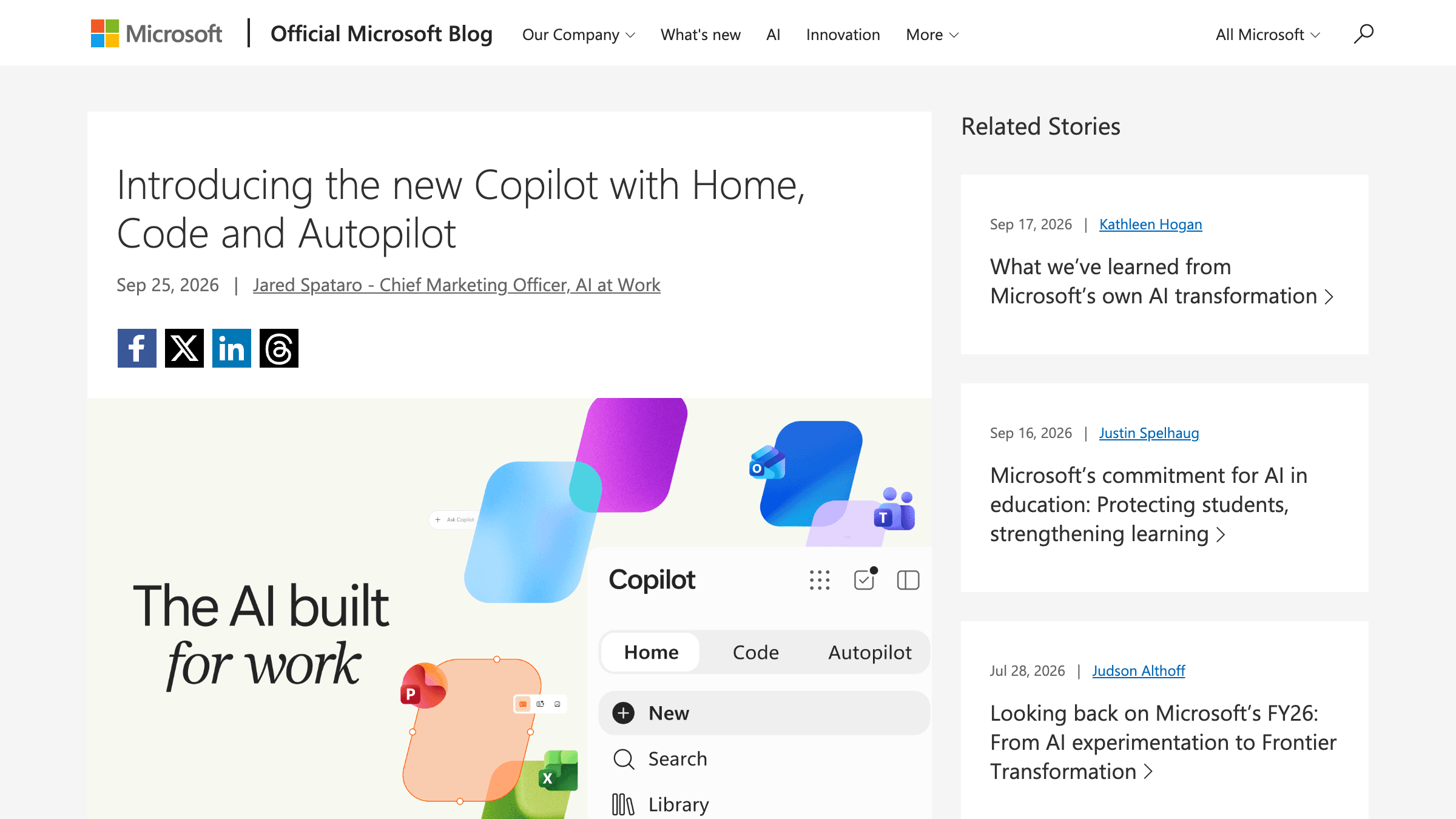
Microsoft Put a Price on Copilot Chat. The Agents Get a Meter and No Rate Card.
A breakdown of Microsoft's new Copilot app, why every agent feature moved to a meter with no published rate, and the spend controls I'd set before switching Autopilot on.
NewsTrends & InsightsAI Agents