LangGraph Tutorial: How I Build Production AI Agents With It
A hands-on LangGraph tutorial covering state schemas, nodes, edges, checkpointing, human-in-the-loop patterns, streaming, and real production cost data from 23 deployed systems.


Table of Contents
LangGraph models an agent as a directed graph: nodes run your logic, edges decide what runs next, and shared state carries data between them. The reason to care is checkpointing. With MemorySaver in development or PostgresSaver in production, a crashed agent resumes exactly where it stopped, which is the difference between losing 45 minutes of LLM calls and losing nothing.
Two more things earn their place in production. Human in the loop approval gates take about three lines with interrupt_before and need no custom middleware. And streaming works at node, token and event level, so a user watching a long workflow sees real progress rather than a spinner. Across 23 production systems the pattern holds: LangGraph for complex stateful pipelines with branching, CrewAI when you want role based agent teams set up quickly. Deployments report 10 to 15 hours a week saved on previously manual work.
The third time a client's AI pipeline crashed mid-workflow and wiped out 45 minutes of LLM calls, I stopped using stateless chains. That was 18 months ago. Since then I've built 23 production systems on LangGraph, and the difference is not subtle. LangGraph tutorial content online is mostly surface level. This is the guide I wish existed when I was migrating real client systems to it.
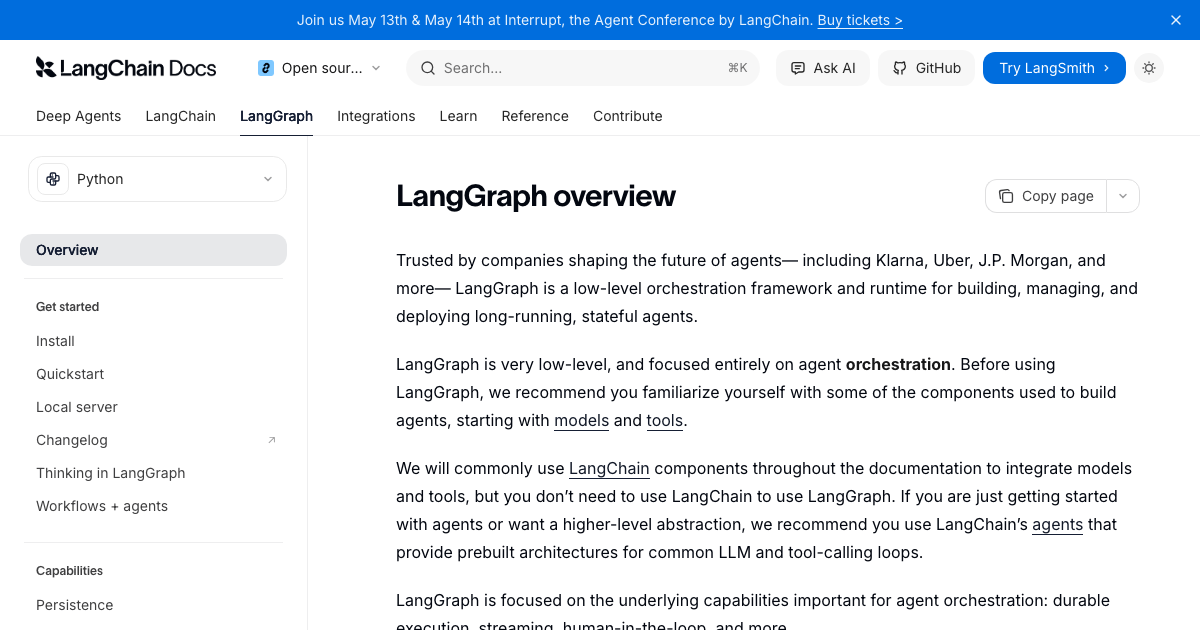
LangGraph lets you model your agent as a directed graph where nodes are actions and edges are decisions. It handles state persistence, conditional routing, and crash recovery for you. As of Q1 2026, it gets 34.5 million monthly downloads and around 400 companies run it in production, including Uber, Cisco, LinkedIn, and JPMorgan. The framework reached v1.0 in late 2025, which means the API is stable enough to build on without worrying about breaking changes every few weeks.
What LangGraph Actually Is (And Why the Graph Model Matters)
Most AI agent frameworks treat your workflow as a sequential chain: step one calls an LLM, step two calls a tool, step three formats output. That works fine until you need the agent to loop back, make a decision based on partial results, or pause for human review before doing something irreversible.
LangGraph models the same workflow as a directed graph. Each node is a Python function. Each edge is a routing decision. A single shared state object moves through the graph and every node can read from it and write to it. This sounds abstract until you see what it unlocks in practice.
Here is a concrete example from a client project I built last quarter. The system researches job candidates, writes interview questions, and then pauses for a human recruiter to approve before sending anything to the candidate. With a sequential chain, implementing that pause is messy. With LangGraph, it's a one-line compile option.
The other thing that matters is state persistence. When you checkpoint a LangGraph workflow, every node execution saves state to a database. If the server restarts or the Lambda function cold-starts mid-workflow, the agent picks up from the last saved node. I've had a client's workflow survive two server restarts during a 12-step research task and complete correctly. That's not possible with stateless chains.
LangGraph Core Concepts: State, Nodes, and Edges
Before writing any code, you need to understand the three building blocks. Get these right and everything else follows logically.
State: The Shared Data Structure
State is a TypedDict (or Pydantic model) that every node in your graph reads from and writes to. Think of it as a shared context object that travels through the workflow and accumulates results.
from typing import TypedDict, Annotated, List
from langgraph.graph.message import add_messages

class AgentState(TypedDict):
    messages: Annotated[List, add_messages]  # message history, auto-appended
    query: str                                 # the original user query
    research_results: List[str]               # accumulated research
    draft: str                                # current draft output
    approved: bool                            # human approval flag
The Annotated[List, add_messages] syntax is important. The add_messages reducer means new messages get appended rather than replacing the entire list. For most other fields, the last write wins. You can define custom reducers for fields that need merge behavior instead of replace behavior.
Nodes: Where Your Logic Lives
A node is any Python function that takes state as input and returns a dict with the updated fields. It doesn't need to return the entire state, only the fields it wants to change.
from langchain_anthropic import ChatAnthropic
from langchain_core.messages import HumanMessage, AIMessage

llm = ChatAnthropic(model="claude-haiku-4-5-20251001")

def research_node(state: AgentState) -> dict:
    """Searches for relevant information based on the query."""
    response = llm.invoke([
        HumanMessage(content=f"Research this topic and provide 3 key facts: {state['query']}")
    ])
    return {
        "research_results": [response.content],
        "messages": [AIMessage(content=response.content)]
    }

def draft_node(state: AgentState) -> dict:
    """Writes a draft based on research results."""
    combined_research = "\n".join(state["research_results"])
    response = llm.invoke([
        HumanMessage(content=f"Write a concise summary based on this research:\n{combined_research}")
    ])
    return {
        "draft": response.content,
        "messages": [AIMessage(content=f"Draft created: {response.content[:100]}...")]
    }
Nodes can do anything: call LLMs, execute tools, hit external APIs, write to databases, run Python code. The only contract is that they receive state and return a dict of updates.
Edges: How Decisions Get Made
Edges define which node runs after the current one. Fixed edges always go to the same next node. Conditional edges inspect state and choose from multiple possible next nodes.
def route_after_research(state: AgentState) -> str:
    """Route to draft writing if research succeeded, otherwise retry."""
    if state["research_results"] and len(state["research_results"]) > 0:
        return "draft"
    return "research"  # retry if research returned nothing

# Fixed edge example:
graph.add_edge("research", "draft")

# Conditional edge example:
graph.add_conditional_edges(
    "research",
    route_after_research,
    {"draft": "draft", "research": "research"}
)
Building a Complete LangGraph Agent: Step by Step
Let me walk through building a research and writing agent from scratch. This is a simplified version of a system I deployed for a consulting client that generates weekly industry reports. The full version has 11 nodes and handles failure recovery, but this covers every concept you need.
Installation and Setup
pip install langgraph langchain-anthropic langchain-community
Set your API key:
import os
os.environ["ANTHROPIC_API_KEY"] = "your-key-here"
Build the Graph
from langgraph.graph import StateGraph, START, END
from langgraph.checkpoint.memory import MemorySaver

# Initialize the graph with our state schema
builder = StateGraph(AgentState)

# Add nodes
builder.add_node("research", research_node)
builder.add_node("draft", draft_node)

# Wire up the edges
builder.add_edge(START, "research")
builder.add_conditional_edges(
    "research",
    route_after_research,
    {"draft": "draft", "research": "research"}
)
builder.add_edge("draft", END)

# Compile with in-memory checkpointer (swap for PostgresSaver in production)
checkpointer = MemorySaver()
agent = builder.compile(checkpointer=checkpointer)
Run the Agent
# Config with a thread_id — this is how LangGraph tracks conversation history
config = {"configurable": {"thread_id": "research-session-001"}}

result = agent.invoke(
    {"query": "What are the main use cases for AI agents in logistics?"},
    config=config
)

print("Final draft:")
print(result["draft"])
That's it. The agent researches the topic, routes conditionally based on whether research returned results, writes a draft, and saves state at every step. If anything crashes, call agent.invoke again with the same thread_id and it resumes from the last checkpoint.
Memory and Checkpointing: The Feature That Makes LangGraph Production-Ready
This is where LangGraph genuinely differentiates from most frameworks. Most agent systems are stateless. Each run starts from scratch. That works for quick Q&A tasks but falls apart the moment you're running 10-step pipelines that take several minutes.
LangGraph saves state to a checkpointer after every node. Three options come built-in:
| Checkpointer | Storage | Best For | Production Ready? |
|---|---|---|---|
| MemorySaver | In-memory Python dict | Development and testing | No (lost on restart) |
| SqliteSaver | SQLite file on disk | Local apps, single-instance deploys | Limited |
| PostgresSaver | PostgreSQL database | Production multi-instance deployments | Yes |
Switching from development to production checkpointing takes 4 lines:
from langgraph.checkpoint.postgres.aio import AsyncPostgresSaver
import psycopg

async def create_production_agent():
    conn = await psycopg.AsyncConnection.connect(os.environ["DATABASE_URL"])
    checkpointer = AsyncPostgresSaver(conn)
    await checkpointer.setup()  # creates tables on first run
    return builder.compile(checkpointer=checkpointer)
The thread-based memory model also means you get conversation history for free. A user can return to a research session days later and ask "expand on the second point from earlier" and the agent has the full prior context available in state.
Cross-Thread Memory with a Memory Store
Checkpointing is per-thread. If you want information to persist across different conversation sessions for the same user (user preferences, past decisions, learned context), use a separate memory store alongside the checkpointer.
from langgraph.store.memory import InMemoryStore

store = InMemoryStore()

# Write to store from inside a node
def personalization_node(state: AgentState, store=store) -> dict:
    namespace = ("user_preferences", state.get("user_id", "default"))
    items = store.search(namespace)
    user_prefs = {item.key: item.value for item in items}
    return {"user_preferences": user_prefs}
In production, swap InMemoryStore for a Redis or PostgreSQL-backed store. The interface is identical.
Human-in-the-Loop: Adding Approval Gates Without Custom Middleware
This is one of my favorite LangGraph features and the one that most surprises clients when I demo it. Adding a human approval gate before a potentially destructive action (sending an email, writing to a production database, making a purchase) takes three lines.
# Compile with interrupt_before to pause before the "send_email" node
agent = builder.compile(
    checkpointer=checkpointer,
    interrupt_before=["send_email"]
)
When the graph reaches the send_email node, it saves state and pauses. Your application shows the pending action to a human reviewer. When they approve, you resume:
# The agent paused before send_email — show the pending state to the human
pending_state = agent.get_state(config)
print("About to send this email:")
print(pending_state.values.get("draft_email"))

# Human approves — resume by passing None (no new input needed)
result = agent.invoke(None, config=config)
If the human rejects the action, you can update state before resuming:
# Update state with human feedback before resuming
agent.update_state(
    config=config,
    values={"draft_email": "Please use a more formal tone..."}
)
result = agent.invoke(None, config=config)
I've used this pattern for a legal contract review agent where a lawyer must approve each clause edit before the system commits it to the document. The entire approval flow is handled by LangGraph's interrupt system with no custom middleware needed.
Streaming: Real-Time Progress for Long-Running Agents
Long-running agents feel broken if users see nothing for 30 seconds. LangGraph streams at three levels and you can combine them.
Stream Mode: Values
Emits the full state snapshot after every node completes.
for chunk in agent.stream(
    {"query": "Analyze the AI agent market in logistics"},
    config=config,
    stream_mode="values"
):
    print(f"Node completed. Draft so far: {chunk.get('draft', 'not yet')[:100]}")
Stream Mode: Updates
Emits only the changed fields from each node, which is more efficient for large state objects.
for node_name, updates in agent.stream(
    {"query": "..."},
    config=config,
    stream_mode="updates"
):
    print(f"Node '{node_name}' updated: {list(updates.keys())}")
Stream Mode: Messages (Token-Level Streaming)
Emits individual LLM tokens as they arrive. Use this when you want the typewriter effect in your UI.
async for message, metadata in agent.astream(
    {"query": "..."},
    config=config,
    stream_mode="messages"
):
    if hasattr(message, 'content') and message.content:
        print(message.content, end="", flush=True)
I use stream_mode="updates" in most production applications because it gives users clear progress indicators ("Researching... Writing draft... Reviewing...") without flooding the connection with full state snapshots.
Production Patterns I Use Across Every LangGraph Deployment
After 23 production deployments, these patterns have become standard in my projects. They're not in the official docs but they save significant debugging time.
1. Always Add Error Node Routing
Every multi-step agent needs a way to handle partial failures gracefully. I add a dedicated error handler node and route to it on exceptions:
def safe_research_node(state: AgentState) -> dict:
    try:
        return research_node(state)
    except Exception as e:
        return {
            "error": str(e),
            "messages": [AIMessage(content=f"Research failed: {e}")]
        }

def route_after_safe_research(state: AgentState) -> str:
    if state.get("error"):
        return "handle_error"
    return "draft"
2. Use Recursion Limit to Prevent Infinite Loops
Conditional edges that can loop back to earlier nodes are a common cause of runaway agents. Set a recursion limit at compile time:
agent = builder.compile(
    checkpointer=checkpointer,
    recursion_limit=25  # default is 25, lower it for cost-sensitive workflows
)
3. Store Token Counts in State for Cost Monitoring
LLM costs add up fast in multi-step workflows. I track token usage in state so I can alert when a workflow exceeds budget:
class AgentState(TypedDict):
    # ... other fields ...
    total_tokens_used: int

def track_tokens(response, state: AgentState) -> dict:
    usage = response.usage_metadata or {}
    current = state.get("total_tokens_used", 0)
    return {
        "total_tokens_used": current + usage.get("total_tokens", 0)
    }
4. Use LangGraph Studio for Debugging
LangGraph Studio is a local UI that visualizes your graph, shows state at each step, lets you replay from any checkpoint, and shows which edges fired. I install it on every project. Setup takes two minutes:
pip install langgraph-cli
langgraph dev  # starts Studio at localhost:8123
If you've ever spent an hour debugging why your agent went to the wrong node, Studio replaces that with a visual click-through of the execution path.
Real-World Cost and Performance Data
Here's what I've actually seen in production, across six recent LangGraph deployments:
| Workflow Type | Nodes | Avg Run Time | Avg Token Cost (Claude Haiku) | Manual Time Replaced |
|---|---|---|---|---|
| Candidate research + interview prep | 6 | 2.4 min | $0.04 | 45 min/candidate |
| Legal contract clause review | 8 | 4.1 min | $0.11 | 2.5 hr/contract |
| Weekly industry report generation | 11 | 7.8 min | $0.29 | 4 hr/week |
| Customer support triage + draft | 4 | 45 sec | $0.006 | 12 min/ticket |
| Product catalog enrichment (50 items) | 3 per item | 18 min total | $0.45 total | 3 hr/batch |
| Onboarding document generation | 7 | 3.2 min | $0.08 | 1.5 hr/client |
The pattern is consistent: LangGraph workflows costing less than $0.50 routinely replace work that takes humans between 45 minutes and 4 hours. The ROI makes sense even at low volume.
One important note: these numbers use Claude Haiku 4.5 on AWS Bedrock. If you're using GPT-4o or Claude Opus, multiply the token costs by roughly 10 to 20 times. Model selection matters enormously for multi-step agent economics. I use the cheapest capable model for each task type.
LangGraph vs CrewAI: Which Should You Actually Use?
I get this question on almost every client call. Both frameworks are good. The honest answer is that they're optimized for different workflows, and choosing wrong costs you a painful migration later.
Use LangGraph when:
- Your workflow has complex conditional branching (different paths based on LLM output)
- You need crash recovery and long-running persistence (minutes to hours)
- Human approval gates are required before irreversible actions
- You need fine-grained control over exactly what runs when
- You're deploying to production and need observability at the node level
Use CrewAI when:
- You're prototyping and want something working in under an hour
- Your workflow is naturally role-based (researcher, writer, reviewer agents)
- The team has limited Python experience and prefers YAML configuration
- Sequential execution is fine and you don't need complex routing
The most common pattern I see at growing companies: prototype in CrewAI, migrate the workflows that need reliability and branching to LangGraph. CrewAI's LangChain compatibility makes this migration easier than it sounds. I've done it three times in the past year and the rewrites typically take two to three days per workflow.
Where LangGraph Goes Wrong in Production (And How to Avoid It)
I've hit all of these mistakes myself or watched clients hit them. They're not obvious from the docs.
State schema drift. If you add or remove fields from your TypedDict after you have existing checkpoints in the database, those checkpoints break on resume. Version your state schemas and add migration scripts before schema changes. I keep a schema_version field in state specifically for this.
Not limiting recursion on retry loops. A conditional edge that routes back to a previous node for retries will happily run 200 times if something is fundamentally broken. Always set recursion_limit lower than the default 25 for cost-sensitive workflows.
Using MemorySaver in staging. MemorySaver looks fine in development but gives you completely different failure behavior from PostgresSaver. Always test with your production checkpointer in staging so you catch serialization issues before they hit users.
Streaming without backpressure handling. If you're streaming tokens to a browser and the user closes the tab, the underlying Python coroutine keeps running unless you handle cancellation. Use asyncio.CancelledError handling in your streaming nodes for production deployments.
For deeper context on how these patterns fit into larger production architectures, see my guide on building AI agents that actually work in production and the agentic RAG production guide that covers integrating knowledge retrieval into these same graph workflows. The n8n workflow guide is relevant if you want to trigger LangGraph agents from external automation platforms.
Getting to Production: Deployment Options
LangGraph has a first-party deployment option called LangGraph Cloud (part of LangChain's commercial offering) that handles scaling, monitoring, and checkpointer infrastructure. It's worth the cost for teams that don't want to manage PostgreSQL and Redis themselves.
For self-hosted deployments, the standard stack I use:
- FastAPI as the API layer wrapping the LangGraph agent
- PostgreSQL for checkpoint storage via AsyncPostgresSaver
- Redis for cross-thread memory store (optional)
- Server-sent events for streaming tokens to the frontend
- LangSmith for tracing and debugging (optional but highly recommended)
from fastapi import FastAPI
from fastapi.responses import StreamingResponse
import json

app = FastAPI()

@app.post("/agent/stream")
async def stream_agent(request: dict):
    thread_id = request.get("thread_id", str(uuid.uuid4()))
    config = {"configurable": {"thread_id": thread_id}}

    async def event_generator():
        async for chunk in agent.astream(
            {"query": request["query"]},
            config=config,
            stream_mode="updates"
        ):
            yield f"data: {json.dumps(chunk)}\n\n"
        yield "data: [DONE]\n\n"

    return StreamingResponse(
        event_generator(),
        media_type="text/event-stream"
    )
If you're building this type of system for a client and want help architecting the full stack, see the AI systems services page for how I approach production deployments. The AI readiness assessment is a good starting point if you're not sure whether your use case warrants LangGraph specifically or a simpler automation tool.
Frequently Asked Questions
What is LangGraph and how does it differ from LangChain?
LangChain is a framework for building LLM-powered applications with chains, tools, and retrievers. LangGraph is built on top of LangChain and adds graph-based workflow orchestration with persistent state, conditional routing, and built-in support for multi-step agent loops. Use LangChain for simple LLM calls and pipelines. Use LangGraph when you need stateful, looping, or branching agent workflows.
Do I need to know graph theory to use LangGraph?
No. The "graph" in LangGraph is just a way of describing workflow structure: nodes are steps, edges are connections between steps. If you can draw a flowchart of your workflow, you can implement it in LangGraph. The API is designed for application developers, not mathematicians.
How does LangGraph handle long-running tasks that take hours?
LangGraph checkpoints state after every node execution. Long-running tasks can be suspended, picked up by a different worker, or resumed after a server restart, as long as you're using a persistent checkpointer like PostgresSaver. The same thread_id is all you need to resume from exactly the last saved state.
Can LangGraph work with any LLM provider?
Yes. LangGraph uses LangChain's model abstraction layer, which supports Anthropic, OpenAI, AWS Bedrock, Google Gemini, Mistral, Ollama (local models), and many others. Switching providers requires changing one line of code (the model initialization). The graph structure itself is provider-agnostic.
What is the difference between LangGraph's MemorySaver and PostgresSaver?
MemorySaver stores checkpoints in a Python dictionary in RAM. It's fast and zero-setup but all state is lost when the process restarts. PostgresSaver persists checkpoints to a PostgreSQL database, survives restarts, works across multiple instances, and supports concurrent threads. Use MemorySaver for development and testing. Always use PostgresSaver in production.
How much does it cost to run LangGraph in production?
LangGraph itself is open source and free. Your costs come from LLM API calls, database storage for checkpoints, and compute. Based on my production deployments, simple 4-6 node workflows using Claude Haiku cost between $0.006 and $0.11 per run. Complex 11-node research workflows run $0.15 to $0.40. Budget roughly $10 to $50 per month for moderate workloads (500 to 2,000 runs).
Should I use LangGraph or CrewAI for my project?
Choose LangGraph if your workflow has complex branching, needs crash recovery, requires human approval gates, or will run in production at scale. Choose CrewAI if you want fast prototyping, your workflow is naturally role-based, or your team prefers YAML configuration over Python code. Many teams prototype in CrewAI and migrate production-critical workflows to LangGraph after validating the concept.
Does LangGraph support multi-agent architectures?
Yes. LangGraph supports supervisor patterns where one agent orchestrates subagents, swarm patterns where agents handoff tasks horizontally, and nested graphs where each "node" is itself a compiled LangGraph. The multi-agent features are mature in v1.x and used by companies like Uber and Cisco in production deployments.
LangGraph has 34.5 million monthly downloads and around 400 companies running it in production as of Q1 2026 (Firecrawl Research, 2026). Gartner predicts 40% of enterprise applications will embed agentic capabilities by end of 2026, up from under 5% in 2025 (AlphaBold via Gartner, 2026). CrewAI GitHub stars: 44,300; AutoGen is now in maintenance mode following merger into Microsoft Agent Framework (Firecrawl Research, 2026). Sources: LangChain LangGraph Official Docs, LangGraph GitHub, Firecrawl AI Framework Report 2026.
Last updated
July 26, 2026
Category
Implementation
Jahanzaib Ahmed
AI Systems Engineer & Founder
AI Systems Engineer with 126 production systems shipped. I run AgenticMode AI (AI agents, RAG systems, voice AI) and ECOM PANDA (ecommerce agency). I build AI that works in the real world for businesses across home services, healthcare, ecommerce, SaaS, and real estate.
Related articles

How I Build Production Multi-Agent Systems With CrewAI Flows
A first-person practitioner guide to building production multi-agent systems with CrewAI Flows, covering state management, conditional routing, gradual autonomy, memory persistence, and real deployment patterns.
GuideImplementationCrewAI
Pydantic AI Tutorial: How I Build Type-Safe AI Agents That Actually Work in Production
How to build type-safe AI agents with Pydantic AI, from structured outputs and dependency injection to AWS Bedrock deployment and testing without burning API credits.
GuideImplementationPydantic AI
Every AI Agent I Build Has Memory. Here Is the Exact Architecture I Use.
Most AI agents forget everything the moment a conversation ends. Here is the memory architecture I use across 126 production deployments, with real code for LangGraph, Mem0, Redis, and Zep.
GuideChatbots & RAGAI Agents