How to Track AI Search Visibility: What Free Reports Show and What Seven Paid Tools Cost
What the free Bing and Search Console AI reports show today, how to set up a free routine, and what seven AI search visibility tracking tools cost as of October 17, 2026.

Table of Contents
AI search visibility tracking tools measure how often AI answers name your brand or cite your pages. Bing, Google and Clarity report for free: the AI Performance report in Bing Webmaster Tools, the generative AI performance report in Google Search Console, and the Citations dashboard in Microsoft Clarity. Seven paid trackers (Ahrefs Brand Radar, Semrush, Profound, Otterly.AI, Peec AI, Scrunch and AthenaHQ) add ChatGPT and Perplexity, from $29 a month to quote only. I checked every price on October 17, 2026.
Before you start
- A site you own, verified in Bing Webmaster Tools and in Google Search Console.
- Optional: a free Microsoft Clarity project on the same site.
- Nothing to buy for the free route. The cheapest paid tracker in this guide is $29 a month.
- A rough list of 15 to 20 questions your buyers ask, which you will use as prompts. A prompt is a question put to an AI assistant, and a tracker asks your list again on a schedule. Good sources are Bing's grounding queries, sales calls and support emails.
Step 1: Separate mentions, citations and clicks
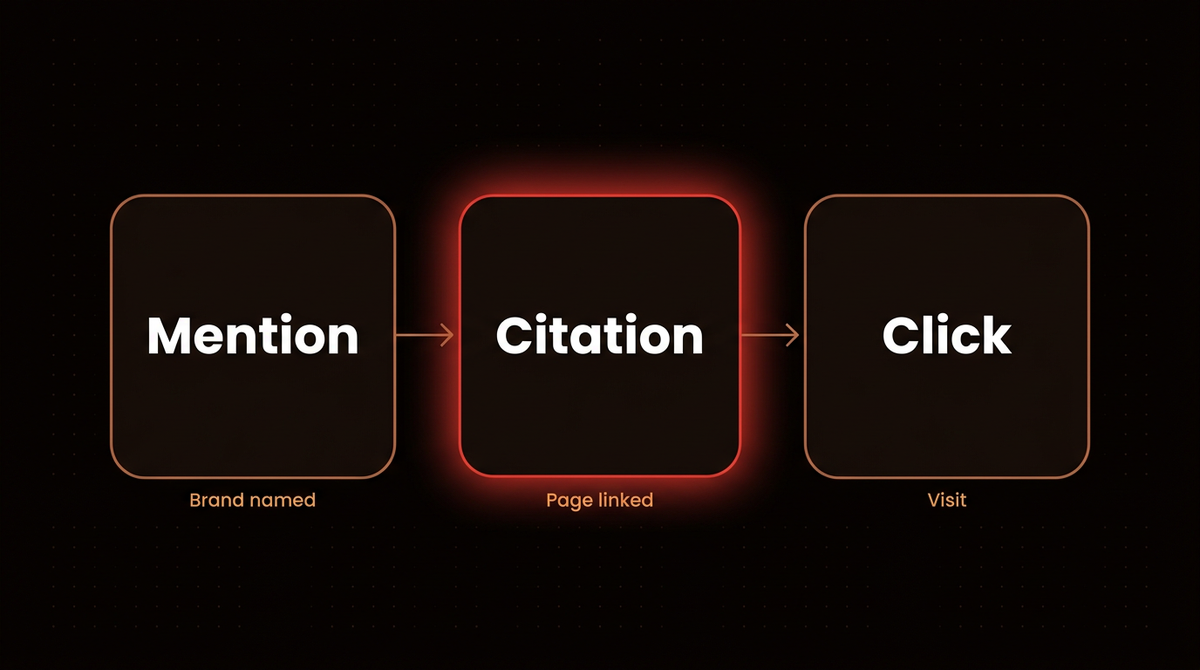
Three numbers show up everywhere, and tools define them differently. Check which one a tool means.
- Mention: your brand name appears in the text of an AI answer. Ahrefs counts this as Mentions in Brand Radar.
- Citation: the answer links one of your pages as a source. Bing, Clarity and Ahrefs all count citations.
- Share: your portion of a pool. Ahrefs reports AI Share of Voice, the percentage of AI responses in your topic set that mention or cite your brand versus competitors. Microsoft's Citation Share is the percentage of citations on one grounding query that go to your site. Clarity calls its version Share of Authority.
Google's report counts something else again: impressions, meaning links to your site shown in an AI feature. A click is a fourth thing, and none of the reports in this guide treat it as their main number.
One more term you will meet is the grounding query. It is the search phrase the AI used to retrieve the pages it then cited, which can differ from what the user typed. If the idea is new, my grounding glossary entry explains it. Bing and Clarity both show grounding queries, and that makes them free prompt research.
Step 2: Pick between engine reports and prompt trackers
Engine reports and prompt trackers fail in different ways. An engine report comes from the platform's own records. It is free, it covers only that platform, and it tells you what happened to your real pages. Bing's report covers Microsoft's AI experiences only, and Google's covers Google's. A prompt tracker works the other way around. You give it a list of prompts, it runs them on ChatGPT, Perplexity and other assistants on a schedule, and it parses the answers. It covers more engines and shows competitors, but you chose the prompts, and every run is one sample.
Sampling is the main weakness of prompt trackers. In a study published on January 27, 2026, Rand Fishkin of SparkToro worked with Patrick O'Donnell of Gumshoe.ai, a startup in the AI tracking sector, which Fishkin flags as a possible conflict of interest. They had 600 volunteers run 12 prompts through ChatGPT, Claude and Google's AI features, 2,961 runs in total. They found a less than 1 in 100 chance that ChatGPT or Google's AI would give the same list of brands twice across 100 runs of one prompt. Matching order was closer to 1 in 1,000. What stayed more stable was visibility percentage across many prompts, a figure that comes from Gumshoe's own data, so frequency across many runs is the number worth reading, and a single position figure is not.
Step 3: Open the AI Performance report in Bing Webmaster Tools
Microsoft introduced AI Performance in Bing Webmaster Tools as a public preview in February 2026. It covers citations in Microsoft Copilot, AI generated summaries in Bing and select partner integrations. The dashboard has five parts:
- Total Citations across the date range you pick.
- Average Cited Pages, the average number of unique pages cited per day.
- Grounding queries, which Microsoft says are a sample of overall citation activity.
- Page level citation counts for each URL.
- A timeline of citation activity.
In June 2026 Microsoft added four preview features: Intents, Topics, Citation Share and Compare. Intents sorts grounding queries into categories such as informational, commercial, navigational, learn and solve, and research. Compare overlays the previous period, for example the last 30 days against the 30 before. Microsoft says Citation Share does not expose competitor domains and does not represent traffic share.
Two limits. Microsoft states that a citation count does not indicate ranking, authority or placement inside an answer. And its description of the report lists no click or visit metric, so it cannot tell you whether anyone arrived.
My report for jahanzaib.ai, read October 11, 2026, covers July 10 to October 8, 2026. Bing says its grounding queries are a sample. It showed 4.4K total citations across 57 cited pages and 81 grounding queries, with daily citations ranging from 0 to 156. My notes say July 26 to August 2 and August 20 to 21 were near zero, probably a Bing side data gap rather than a site change. In the same window, Bing Search Performance showed 31 clicks and 11K impressions for the site. The most cited page was my comparison of ChatGPT for business versus custom AI agents, at 1.1K citations. Those two numbers come from different Bing reports and measure different things, so I do not compare them one to one.
These were the 12 grounding queries with the most citations in my report for that window. Share is the column the report shows.
| Grounding query | Intent | Citations | Share |
|---|---|---|---|
| ChatGPT for business custom GPTs comparison | Comparison | 378 | 24.56% |
| Claude SEO tool | Informational | 149 | 21.07% |
| best AI support chatbot B2B SaaS lower cost per resolution | Commercial | 113 | 20.14% |
| how to build AI agent with memory for customer order history | Learn and Solve | 105 | 27.93% |
| ChatGPT for Business vs Custom GPTs comparison | Comparison | 97 | 20.77% |
| differences between live agents and AI agents in customer support | Comparison | 69 | 17.78% |
| ChatGPT for business process automation vs productivity | Comparison | 61 | 21.86% |
| ai agent continue conversation memory | Informational | 61 | 37.42% |
| virtual receptionist requirements medical legal appointment scheduling | Research | 59 | 8.97% |
| ChatGPT vs Hostinger AI agents comparison | Comparison | 45 | 6.42% |
| ChatGPT business operations vs automation platforms | Comparison | 44 | 21.46% |
| difference between ChatGPT and specialized AI agent for business | Comparison | 35 | 13.11% |
Copilot's own phrasing here leans toward comparisons and how to questions, which is a free hint about the pages worth writing or refreshing.
Tip: Microsoft says IndexNow helps keep information fresh across search and AI experiences by notifying participating search engines when content is added, updated or removed. The site has the setup steps.
Step 4: Open the generative AI report in Search Console
Google announced the generative AI performance report on June 3, 2026, and its help page says it reached all websites worldwide as of August 31, 2026. In Search Console, the report opens from the Performance section, and Google's help page links it directly. It covers AI Overviews and AI Mode on Google Search. Generative AI features in Discover have a separate report.
The metric is impressions, defined as the number of times links to your site were shown to a user in a generative AI feature. The dimensions are pages, countries, devices and dates. There is an export button, and the usual 1,000 row limit of the Performance report applies. Google also says the data is included in the overall Performance report, under the Web search type.
The help page lists no clicks, click through rate or position for this report. Because the listed dimensions are pages, countries, devices and dates, I read it as having no query breakdown, so you cannot see which questions triggered an AI feature. It covers Google features only, so ChatGPT, Perplexity and Claude are outside it. And if you see no report at all, Google says that usually means the site has not had enough impressions in generative AI features yet. Experiments in Search Labs are excluded.
If you are weighing Google's other AI Overviews lever, I wrote up what the Preferred Sources button actually does.
Step 5: Read Clarity citations and AI referral sessions
Clarity introduced a Citations dashboard in early access on February 17, 2026. Microsoft later made Citations generally available, on May 13, 2026. It shows page citations, queries, cited pages, AI referral traffic and Share of Authority, the percentage of citations on the same set of queries that go to your domain instead of other domains. Microsoft says the February version was built for trend analysis, not for precise accounting of individual AI answers.
My Clarity export covering April 28 to July 26, 2026 showed 5,158 citations across 200 queries, with an average SoA (a share of citations, which Microsoft's documentation calls Share of Authority) of 29.3%. These are older figures from this summer, so read them as a snapshot. Clarity's sessions by source for the 30 days to July 26, 2026 showed 110 sessions from google, 38 from claude.ai, 14 from chatgpt.com and 3 from copilot.com. That second list shows which assistants send visitors, and it needs nothing beyond a Clarity project.
Step 6: Set up a free tracking routine
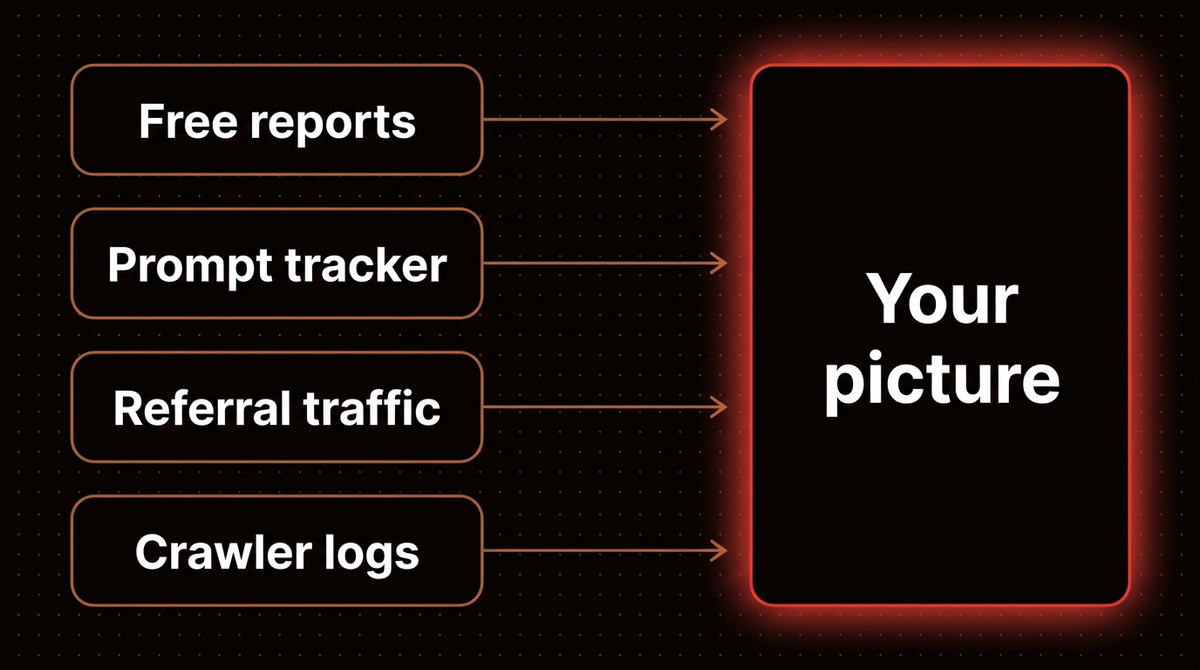
Microsoft and Google both report on you directly, so you can start without paying anyone. Here is the order I would use.
- Verify your site in Bing Webmaster Tools and open AI Performance. Check grounding queries and cited pages each month, and save your own notes so you keep a history.
- Open the generative AI performance report in Search Console and note which pages get AI Overviews and AI Mode impressions. If the report is missing, wait for more impressions.
- Turn on Microsoft Clarity and its Citations dashboard, then read sessions by source for chatgpt.com, claude.ai and copilot.com.
- Run the free AI crawler check. It sends a real request as 16 AI crawlers, and a bot that is blocked cannot cite you.
- Keep a list of 15 to 20 prompts and run each one several times a month in a fresh chat in the assistants your buyers use. Write down yes or no for whether your brand appeared. Never record position, because order varies run to run (Step 2).
- Turn on IndexNow so Bing learns about new and changed pages quickly. The setup steps are on indexnow.org.
If you work in Claude Code, the free Claude SEO plugin adds commands that include AI search readiness checks. It is an audit tool, not a tracker, so use it to find problems, not to measure visibility.
Step 7: Price the paid AI search visibility tracking tools
Prices are monthly list prices in dollars from each vendor's pricing page. A check is one prompt on one platform at one refresh, and a credit is one AI response. I have not used any of these paid tools. This is list prices and what each vendor says it tracks. Several vendors discount annual billing, so treat these as the high end. The Checks a month column is arithmetic I ran in a script, and it exists because tools count differently. Where a vendor lists daily tracking, I multiplied prompts by engines by 30 days. Where it states a monthly count, I used that.
| Tool | Starting price | Included at that price | Checks a month | Limit to know |
|---|---|---|---|---|
| Ahrefs Brand Radar | $50 a month (Basic custom prompts package) | Basic package: 2,500 checks a month, for example 80 prompts daily on 1 platform | 2,500, about $0.02 each | Claude uses 8 checks per update. The separate Brand Radar AI add on, which researches brands across Ahrefs' prompt database, starts at $199 a month. |
| Semrush AI Visibility Toolkit | $99 a month | 25 prompts, 1 domain, 1 project, no free trial | Not stated | That is $3.96 a prompt. Another 50 prompts cost $60 a month, and each extra user needs a $99 license. |
| Profound | No public price | Free trial: 50 prompts daily for 7 days on ChatGPT, Gemini and Google AI Overviews | Not stated, trial only | The trial has no history, exports or API. Enterprise covers up to 9 engines and is by quote. |
| Otterly.AI | $29 a month (Lite) | 15 prompts, daily, on ChatGPT, Google AI Overviews, Perplexity and Copilot | 1,800, about $0.016 each | Claude, Google AI Mode and Gemini cost extra ($29, $9 and $9 a month on Lite). Standard is $189 for 100 prompts. |
| Peec AI | $95 a month (Starter) | 50 prompts, daily, your choice of 3 models, 1 project, unlimited users | 4,500, about $0.021 each | An extra model is $30 a month on Starter with annual billing. Pro is $245 for 150 prompts. |
| Scrunch | $250 a month (Core) | 125 prompts, 5,000 responses a month, 4 LLMs: ChatGPT, Perplexity, Google AI Overviews and Copilot | 5,000, about $0.05 each | 1 country, 1 language, 5 competitors. Claude, Gemini and Google AI Mode are listed only on Enterprise. |
| AthenaHQ | $295 a month (Starter) | 3,600 credits across 11 models, where 1 credit is 1 AI response | 3,600 credits, about $0.082 each | Billed in credits, one per AI response. API access and extra credits cost extra. |
Scrunch's 5,000 responses a month over 125 prompts and 4 LLMs works out to 10 checks per prompt per model each month, if one response is one check, against 30 for the daily trackers at Otterly and Peec. That is why its price per check is higher. Semrush also sells these prompts inside Semrush One: the Starter plan at $199 a month includes 50 tracked prompts plus its SEO tools, and Pro+ at $299 includes 100. Ahrefs also includes tracked prompts in its regular plans, 5 on Lite ($129 a month), 10 on Standard and 20 on Advanced, so check your plan before buying a package.
Where a plan counts prompts, entry plans start between 15 and 125. Ahrefs counts checks and AthenaHQ counts credits.
Limits every prompt tracker shares
- You chose the prompts. They are your guess about what people ask. Bing's grounding queries show what the engine actually searched, which is a better place to start.
- One run is one sample. The SparkToro result above means a single day's number is noise. Judge the trend across weeks and many prompts.
- Definitions differ. A share in one tool is not a share in another, so do not compare numbers across vendors.
- Cost follows volume. You pay for prompts times engines times refresh rate, and Ahrefs and AthenaHQ bill it per check or per response.
- None of them measure a sale. Your own analytics decide whether visibility paid off.
Step 8: Decide when paying makes sense
If you already have Ahrefs or Semrush, use the prompts included in your plan first. Beyond that, pay when one of these is true:
- Your buyers use ChatGPT, Perplexity or Claude. The Microsoft and Google reports cover their own AI features only, and Clarity's referral sessions show visits from chatgpt.com and claude.ai but not what those assistants cite.
- You report on competitors, because the free reports show only your own site.
- The free reports already show citations and you want to watch a fixed list of prompts every day.
If Bing and Search Console show you almost no citations today, a tracker would mostly chart zeros. Fix access and content first. The crawler check above is the quickest place to begin.
Frequently asked questions
What is the best free AI search visibility tracking tool?
There is no single one. Bing Webmaster Tools AI Performance counts citations in Copilot and Bing AI summaries, and Search Console counts impressions in AI Overviews and AI Mode. Clarity adds a Citations dashboard and referral sessions. None of them cover ChatGPT, Perplexity or Claude citations, which is the gap paid trackers fill.
Does Search Console show clicks from AI Mode?
The dedicated generative AI report lists impressions, pages, countries, devices and dates. I could not find clicks, click through rate or position listed for it, so clicks from those features are not broken out in the report I read. Google says the same data is included in the overall Performance report under the Web search type.
What is the difference between a mention and a citation?
A mention is your brand name appearing in the answer text. A citation is a link to one of your pages as a source. An answer can mention you without linking, or link you without naming you, so count both separately.
How much do AI visibility tools cost?
On October 17, 2026 the lowest listed price was Otterly.AI Lite at $29 a month for 15 prompts, and the highest starting plan in this guide was AthenaHQ Starter at $295 a month. Profound publishes no price. Ahrefs sells custom prompt packages from $50 a month. Annual billing is cheaper at several vendors.
How many prompts should I track?
Where plans count prompts, entry plans start between 15 and 125, so that is the practical starting range. Single runs vary, so a small list watched for months says more than a large list watched for a week. Pull the first list from your Bing grounding queries, then add the questions your customers ask in sales calls.
Published
October 16, 2026
Category
Implementation
Jahanzaib Ahmed
AI Systems Engineer & Founder
AI Systems Engineer with 126 production systems shipped. I run AgenticMode AI (AI agents, RAG systems, voice AI) and ECOM PANDA (ecommerce agency). I build AI that works in the real world for businesses across home services, healthcare, ecommerce, SaaS, and real estate.
Want this built for your business? See Workflow Automation, or browse the free tools and guides.
Related articles
Claude SEO: The Free Open Source Tool That Turns Claude Code Into a Full SEO Command Center
Claude SEO is a free plugin that adds a full SEO command set to Claude Code. Updated for v2.4.2, with install steps, every command, my own audit results, and the other SEO tools that connect to Claude.
GuideImplementationClaude Code
How to Use an n8n Workflow Template Without Inheriting Someone Else's Setup
Pull any n8n workflow template from the public library, audit its JSON for leftover IDs, emails and pinned data, import and test it on your own account, then share a clean template of your own.
How toImplementationn8n
Gemini 4 Argon API Pricing: $2 and $10 Now, $4 and $20 From December 1
Google opened Gemini 4 Argon to developers on October 13 at $2 and $10 per million tokens. On December 1 it becomes $4 and $20. Here is what to test before then.
NewsImplementationGoogle