Model Context Protocol: How I Build MCP Servers That Run in Production (and What Most Guides Skip)
A practitioner's guide to building Model Context Protocol servers that actually work in production, covering authentication, error handling, transport options, deployment, and real ROI numbers from 23 client deployments.

Explore with AI
Table of Contents
Model Context Protocol removes the custom connector. Write one MCP server and every MCP compatible client can use it, instead of building a bespoke wrapper per model and per tool. Three primitives cover the whole surface: tools the model calls, resources it reads, and prompts you reuse. Adoption has been near vertical: Anthropic reported more than 97 million monthly SDK downloads across Python and TypeScript in December 2025, and the MCP maintainers reported close to half a billion monthly downloads across the Tier 1 SDKs in July 2026.
The production decisions are narrower than the tutorials suggest. Use stdio transport locally and Streamable HTTP with OAuth 2.1 for anything remote. The current specification revision, 2026-07-28 (checked October 11, 2026), made the protocol stateless, so a remote server no longer needs sticky sessions behind a load balancer. In production I add three things to every server: identity (OAuth 2.1 bearer tokens, so every call has a caller), budgets (a timeout, a cap on results, a limit per caller) and clean errors (a message the model can act on when it can fix the problem, a logged traceback when it cannot). The mistake almost everyone makes is skipping input validation and structured error handling, both cheap to add and the difference between a demo and a server you can leave running. The payback is concrete: one MCP server replacing a hand built CRM connector saved a SaaS client $3,200 a month in maintenance engineering.
The first time I connected Claude to a live PostgreSQL database through a three-line configuration file, I sat back and thought: this is what every integration should feel like. No custom connector, no bespoke API wrapper, no 400-line Python script that breaks every time the API vendor changes a response field. Just a Model Context Protocol server sitting between the AI and the database, translating naturally.
I've shipped AI systems for 23 production clients since MCP launched. The protocol has moved from an interesting Anthropic experiment to the default way I wire AI agents to external systems. If you're building anything with AI agents today and you're still writing one-off tool integrations, you're doing five times the work you need to. This guide covers everything: what MCP actually is, how to build a production-grade server, the auth and security patterns that matter, and the deployment options I actually use.
What Model Context Protocol Actually Is
Before MCP, building an AI system that touched five external tools meant writing five custom integrations. Then maintaining them. Then rewriting them when the AI model changed or a tool updated its API. If you had 10 AI applications and 20 external tools, you potentially needed 200 different connectors. Anthropic's team called this the M×N problem, and it's the reason most AI agent projects die in the maintenance phase rather than the build phase.
MCP solves this with a single protocol. Build one server for your Salesforce data. Every AI client that speaks MCP, Claude, Cursor, Windsurf, your custom agent, can use that server immediately. No rewrites. You go from M×N integrations to M+N.
Think of it as USB-C for AI. Before USB-C, every device needed different cables, different adapters, different drivers. MCP is the moment AI tooling gets a universal port. The 2026-07-28 MCP specification, released July 28, 2026, is the current revision. It follows the November 2025 specification, which added the first version of tasks and tighter authorization, and it is the largest change since remote MCP launched: it removes the connection handshake and the protocol level session.
The numbers bear this out. Anthropic's December 2025 announcement counted more than 10,000 active public MCP servers, covering everything from developer tools to Fortune 500 deployments, and listed ChatGPT, Cursor, Gemini, Microsoft Copilot and Visual Studio Code among the products that adopted the protocol. The same post said AWS, Cloudflare, Google Cloud and Microsoft Azure all provide deployment support for MCP servers. I track the adoption curve and the Dev Summit takeaways in my MCP 97 million installs breakdown; this guide is about building and hardening the server itself.
What Changed in the 2026-07-28 Specification
If you learned MCP from a 2025 tutorial, three things in this guide work differently now. The protocol is stateless: there is no initialize handshake, no Mcp-Session-Id header and no long lived GET stream on Streamable HTTP. Every request carries its protocol version and the client's capabilities, so any request can land on any instance behind a plain round robin load balancer. Servers that need state across calls hand the model an explicit handle as an ordinary tool argument. And the official Python SDK is on a new major version, which renamed the classes most older tutorials import (more on that in the Python section below).
| Area | 2025-11-25 | 2026-07-28 |
|---|---|---|
| Connection start | initialize handshake, then a session | No handshake; every request is self describing |
| HTTP session | Mcp-Session-Id header | Removed; round robin load balancing works |
| Server asks the user a question | Server initiated elicitation request on an open stream | Server returns input_required and the client retries (multi round trip requests) |
| Long running work | Experimental tasks in the core protocol | Tasks extension (io.modelcontextprotocol/tasks), polled with tasks/get |
| Tool lists | No cache hints | ttlMs and cacheScope on list results, deterministic order |
| Client registration | Client ID Metadata Documents recommended | Dynamic Client Registration deprecated in favor of them |
| Roots, Sampling, Logging | Active | Deprecated, kept for at least twelve months |
Two more details matter for gateways and auditing. Streamable HTTP POST requests now must carry Mcp-Method and Mcp-Name headers, so a WAF or rate limiter can meter tool calls without parsing JSON bodies. And the old HTTP plus SSE transport is officially deprecated, so do not build anything new on it. Source for the table: the 2026-07-28 changelog.
One production caveat: do not assume every client you care about speaks 2026-07-28 yet. The Claude API's MCP connector, the OpenAI Responses API mcp tool and the Gemini API's mcp_server tool all document Streamable HTTP, and I could not confirm any of the three speaks the new revision as of October 11, 2026 (Claude's page still points at the 2025-11-25 authorization spec). The spec has a compatibility matrix for this: a server that supports both eras answers modern clients statelessly and answers legacy clients with an initialize handshake. The Python SDK serves both from one server object, and only the legacy clients then need sticky sessions.
The Three Primitives
Every MCP server exposes some combination of three things:
Tools are functions the AI can call. "Search the database for orders placed in the last 30 days." "Send an email to this address." "Create a Jira ticket with this title and description." The AI decides when to call them based on the conversation. Tools are what most people start with, and they cover 80% of use cases.
Resources are data the AI can read. Unlike tools, resources are static or semi-static: a company wiki, a product catalog, a code repository. The AI fetches them to enrich its context. If your database has a "knowledge" table full of internal documentation, that's a resource, not a tool.
Prompts are reusable templates that appear in the AI client's interface. They're less about automation and more about UX: giving users shortcuts to common workflows. "Summarize today's support tickets" could be a prompt that automatically populates context and kicks off a specific analysis flow.
For most production use cases, you'll build tools first and add resources later when you notice the AI making requests for static data that shouldn't require a full tool call each time.
Choosing Your Transport: stdio vs Streamable HTTP
This decision matters more than most tutorials acknowledge. Getting it wrong means either overly complex local setup or an insecure production deployment.
stdio Transport: For Local and Desktop Clients
stdio transport runs your MCP server as a local process and communicates through standard input and output. Claude for Desktop uses this. Cursor uses this. It's simple, has zero network overhead, and requires no authentication because the AI client launches the server process directly on your machine.
Use stdio when:
- You're building for Claude Desktop or other local AI clients
- The tools access local resources (files, local databases, local APIs)
- You're in development and want fast iteration cycles
- The server only needs to serve one user on one machine
The Claude Desktop configuration looks like this:
{
  "mcpServers": {
    "my-server": {
      "command": "python",
      "args": ["/path/to/server.py"],
      "env": {
        "DATABASE_URL": "postgresql://localhost/mydb"
      }
    }
  }
}
Streamable HTTP: For Production Remote Servers
Streamable HTTP runs your MCP server as a proper web service. Multiple users, multiple AI clients, proper authentication, rate limiting, observability. This is what you use when you're building a server that your team's agents, or your customers' agents, will call in production.
Streamable HTTP is the standard transport for remote deployments. It arrived in the 2025-03-26 revision as the replacement for the older HTTP plus SSE transport. In 2026-07-28 it got simpler: the server exposes one endpoint that accepts POST, every message is its own POST, and the reply is either a single JSON object or a Server-Sent Events stream scoped to that one request. The specification only requires a single endpoint path, such as /mcp, and does not fix a port. The Python SDK listens on 127.0.0.1:8000 by default and serves the endpoint at /mcp, and you choose the port and public hostname when you deploy.
Use Streamable HTTP when:
- Multiple users or clients need access to the same server
- The server is deployed remotely (cloud, VPS, serverless)
- You need authentication and access control
- You need logging, monitoring, and audit trails
- You're building a commercial or enterprise service
Building an MCP Server in Python
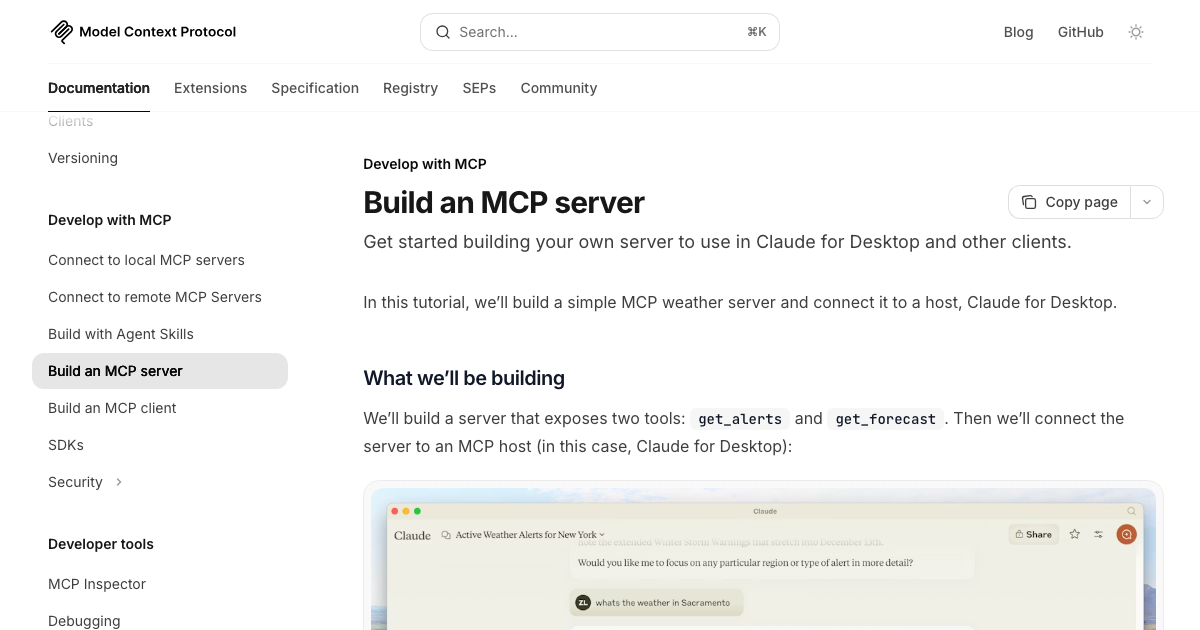
I'll walk through a real example: a CRM lookup server that lets an AI agent search customer records, pull account history, and log interactions. This is the type of integration I build most often for AI systems clients.
Setup
Install the official Python SDK. As of October 11, 2026 the current release on PyPI is mcp 2.3.0 (published October 2, 2026), it needs Python 3.10 or newer, and it speaks the 2026-07-28 revision. The Python snippets below were run on Python 3.13 against that release on October 11, 2026:
pip install mcpThat one package already includes Starlette and uvicorn, so a Streamable HTTP server (production) needs no extra web framework. The mcp[cli] extra adds the mcp dev command, which opens your server in the MCP Inspector.
If you copied an older tutorial and it fails on import, the SDK is the reason. Version 2 renamed the high level FastMCP class to MCPServer (import it from mcp.server), moved transport options such as host and port from the constructor to run(), and rebuilt the low level Server so the @app.list_tools() and @app.call_tool() decorator style no longer exists. The SDK's own migration notes list every rename. The official TypeScript SDK made the same split: v2 ships as @modelcontextprotocol/server and @modelcontextprotocol/client (2.3.1 on npm on October 11, 2026), while the older @modelcontextprotocol/sdk package (1.32.1) stays on a bug fix branch.
Your First Tool
Here's a minimal but production-honest MCP server. I'm not going to show you the "hello world" version: I'm going to show you what I actually ship:
from typing import Annotated

from pydantic import Field

from mcp.server import MCPServer
from mcp.server.mcpserver.exceptions import ToolError

# Initialize server with a name. It shows in client UIs
mcp = MCPServer("crm-server")


@mcp.tool()
async def search_customers(
    query: Annotated[str, Field(description="Search term: name, email address, or company name", max_length=200)],
    limit: Annotated[int, Field(description="Max results to return (1-10)", ge=1, le=10)] = 5,
) -> str:
    """Search CRM for customer records by name, email, or company. Returns up to 10 matches."""
    query = query.strip()
    if len(query) < 2:
        raise ToolError("Search query must be at least 2 characters")

    results = await search_crm(query, limit)  # your actual CRM lookup

    if not results:
        return f"No customers found matching '{query}'"
    return format_results(results)


if __name__ == "__main__":
    mcp.run()  # stdio by default
The type hints are the schema. The SDK turns max_length=200 into maxLength: 200 and ge=1, le=10 into minimum and maximum in the tool's JSON Schema, and rejects a bad call before your function runs. A few things I do here that most tutorials skip:
- Constraints on the input schema: The AI client sees them when it lists tools, and the server enforces them. A call with
limitset to 50 comes back as a validation error in the tool result, and your function is never entered. If you drop to the low levelServerin v2, that changes: the schema is advertised but never applied, so you must check arguments again in your handler. - A typed return value: Because the function is annotated to return
str, the result carries the text and also astructuredContentfield holding the same value underresult. The 2026-07-28 spec allowsstructuredContentto be any JSON value. - Specific error messages: When the AI gets an error, it uses the message to decide what to do next. "Error: X" gives it nothing. A specific message gives it enough to retry correctly or surface the issue to the user. Raising
ToolErroris how you get that message in front of the model, withis_errorset so the client knows the call failed.
Handling Errors Like a Production System
Every external call in your tool handler can fail. Database unavailable, API rate limited, network timeout. The way you handle these failures determines whether your AI agent recovers gracefully or enters a spiral of unhelpful retries.
import asyncio

@mcp.tool()
async def search_customers(query: str, limit: int = 5) -> str:
    """Search CRM for customer records by name, email, or company."""
    try:
        results = await asyncio.wait_for(
            search_crm(query, limit),
            timeout=5.0,  # 5 second hard cap
        )
    except asyncio.TimeoutError:
        raise ToolError("The CRM search timed out after 5 seconds. Try a more specific query.")
    except DatabaseConnectionError:
        raise ToolError("CRM is temporarily unavailable. Try again in a minute.")
    # Any other exception is a crash: the SDK logs the traceback at ERROR and
    # the model only reads "Error executing tool search_customers".

    return format_results(results)
The pattern: log the real error to your monitoring system, return a clean message to the AI. You don't want stack traces in AI responses. You also don't want the AI to see your database schema or internal service names in error messages. The v2 SDK draws that line for you with three kinds of failure. Raise ToolError when the model could have avoided the problem, and it reads your message and can retry. Raise MCPError when the request itself should be rejected, and the whole call fails with a JSON-RPC error that the model never sees. Anything else is treated as a crash: the model gets only a generic failure line and your log gets the traceback. The question that decides it is whether a smarter model could have avoided the error. The November 2025 spec made the same point about input validation, saying those failures should come back as tool execution errors so the model can correct itself.
Production Patterns That Actually Matter
This is where most MCP tutorials stop, and where the real work begins. I've learned these patterns by running MCP servers handling thousands of calls per day across multiple client deployments.
Authentication for Remote Servers
In 2025 the security firm Knostic found 1,862 MCP servers exposed to the internet and checked a sample of 119 by hand. All 119 let anyone list their tools without authentication. None. An open tool endpoint anyone could call. That's not a theoretical risk: that's a live data leak waiting to happen.
The MCP authorization spec addresses this directly. Your server acts as an OAuth 2.1 resource server: it verifies tokens and never issues them, and a separate authorization server (your identity provider) signs people in. The flow in the 2026-07-28 authorization spec looks like this:
- Client calls your server with no token. The server answers 401 with a
WWW-Authenticateheader whoseresource_metadatavalue points at your OAuth Protected Resource Metadata document (RFC 9728), served under/.well-known/oauth-protected-resource. There is no/.well-known/mcpdocument for this. - Client reads that document to find your authorization server, then starts the OAuth 2.1 authorization code flow with PKCE and a
resourceparameter naming your server. Client ID Metadata Documents are the recommended way for a client with no prior relationship to identify itself; Dynamic Client Registration still works but is now deprecated. - Server validates the token on every request, including that it was issued for this server as the audience, and never forwards the client's token to an upstream API.
- Scopes control which tools a client can call (read vs write, which resources). The server can ask for more with a new
WWW-Authenticatechallenge when a call needs a scope the token lacks.
In the Python SDK you write one class, a TokenVerifier, and the SDK serves the metadata document and the 401 challenge for you:
from mcp.server import MCPServer
from mcp.server.auth.middleware.auth_context import get_access_token
from mcp.server.auth.provider import AccessToken
from mcp.server.auth.settings import AuthSettings


class MyTokenVerifier:
    async def verify_token(self, token: str) -> AccessToken | None:
        # In production: verify a JWT signature, or call your authorization
        # server's introspection endpoint (RFC 7662). Return None if invalid.
        claims = await introspect(token)
        if not claims:
            return None
        return AccessToken(
            token=token,
            client_id=claims["client_id"],
            subject=claims["sub"],
            scopes=claims["scope"].split(),
            resource=claims.get("aud"),
        )


mcp = MCPServer(
    "crm-server",
    token_verifier=MyTokenVerifier(),
    auth=AuthSettings(
        issuer_url="https://auth.example.com",
        resource_server_url="https://mcp.example.com/mcp",
        required_scopes=["crm:read"],
        validate_token_resource=True,
    ),
)


@mcp.tool()
async def whoami() -> str:
    """Return the caller identity and scopes."""
    token = get_access_token()  # who is calling, for this request
    return f"{token.subject} ({', '.join(token.scopes)})"
An unauthenticated request now gets a 401 whose WWW-Authenticate header carries the resource_metadata URL, and the metadata document lists your authorization server and supported scopes. A valid token reaches the tool, and get_access_token() tells the handler who is calling. Set validate_token_resource=True when your authorization server binds tokens to the resource the client asked for, which MCP clients always send. None of this protects stdio: a pipe has no Authorization header, so a stdio server's security boundary is the process that launched it.
For simpler internal deployments where you control all clients, API key authentication works fine. Put it in front of the SDK's ASGI app as middleware:
import hmac
import os

from starlette.middleware.base import BaseHTTPMiddleware
from starlette.responses import JSONResponse

VALID_API_KEYS = [k for k in os.environ.get("MCP_API_KEYS", "").split(",") if k]


class ApiKeyMiddleware(BaseHTTPMiddleware):
    async def dispatch(self, request, call_next):
        supplied = request.headers.get("x-api-key", "")
        if not any(hmac.compare_digest(supplied, key) for key in VALID_API_KEYS):
            return JSONResponse({"error": "Invalid API key"}, status_code=401)
        return await call_next(request)


app = mcp.streamable_http_app()
app.add_middleware(ApiKeyMiddleware)
The important thing is having authentication at all. Whatever mechanism fits your setup: use it. An MCP server with no auth is a direct line into your data systems.
Input Validation Beyond JSON Schema
JSON Schema validation happens at the protocol level but it doesn't protect you from everything. An AI might send a valid string that happens to be a SQL injection attempt, a path traversal string, or a malformed email address that breaks your downstream service.
import re

from mcp.server.mcpserver.exceptions import ToolError

# Allowlist: letters, digits, spaces, and the few symbols names and emails need
SAFE_QUERY = re.compile(r"^[\w\s@.\-+']{2,200}$")


def validate_search_query(query: str) -> str:
    query = query.strip()
    if not SAFE_QUERY.match(query):
        raise ToolError(
            "Query must be 2 to 200 characters: letters, digits, spaces, @ . - + and apostrophes."
        )
    return query
This isn't paranoia. When an AI is calling your tools autonomously, edge cases happen that you didn't anticipate in testing. Validation is cheap to add and expensive to skip. I use an allowlist rather than a list of blocked characters, because a blocklist that rejects apostrophes also rejects customers named O'Hara. The allowlist rejects paths and HTML tags, since slashes and angle brackets are not on it. It is not your SQL injection defense: that is a parameterized query, so the database never treats the search term as SQL. Raising ToolError returns the message to the model so it can correct the query and retry.
Structured Logging for Observability
When an AI agent calls your MCP server 200 times a day, you need to know which tools are slow, which ones fail, and how inputs are distributed. Plain print statements won't get you there.
import json
import logging
import time
from datetime import datetime, timezone
from functools import wraps

logger = logging.getLogger("mcp_server")


def logged(fn):
    """Write one structured JSON log line for every tool call."""

    @wraps(fn)
    async def wrapper(*args, **kwargs):
        start = time.perf_counter()
        status, error_type = "success", None
        try:
            return await fn(*args, **kwargs)
        except Exception as e:
            status, error_type = "error", type(e).__name__
            raise
        finally:
            logger.info(json.dumps({
                "event": "tool_call",
                "tool": fn.__name__,
                "status": status,
                "error_type": error_type,
                "duration_ms": round((time.perf_counter() - start) * 1000, 2),
                "timestamp": datetime.now(timezone.utc).isoformat(),
            }))

    return wrapper


@mcp.tool()
@logged
async def search_customers(query: str, limit: int = 5) -> str:
    ...
JSON logs ship cleanly to any aggregator: Cloudwatch, Datadog, Grafana, whatever your stack uses. You can then build a dashboard that shows tool call latency percentiles, error rates by tool, and daily usage trends. That's the kind of visibility that lets you run MCP in production with confidence rather than hope.
Two details matter in v2. On stdio, stdout is the protocol wire, so logs must go to stderr, which Python's logging module does by default. And the protocol's own Logging feature (log messages sent to the client) is deprecated in 2026-07-28; the spec's migration advice is to log to stderr on stdio and use OpenTelemetry elsewhere.
Add the caller to that log line. With authentication on, get_access_token() gives you the subject and scopes for the current request, so you can answer who called which tool, how often, and for how long. That is also what budgets need. Cap what one call can cost (the limit maximum above, the 5 second timeout, and the SDK's default 4 MiB cap on request bodies), then cap how many calls one caller can make. The per caller limit belongs at your gateway, and in 2026-07-28 it can read the Mcp-Method and Mcp-Name headers on every POST instead of parsing JSON.
Deploying Your MCP Server
I run MCP servers in three configurations depending on the client's requirements. Here's how I think about each one. Managed platforms host them too: Azure API Management can expose operations of a REST API as MCP tools (tools only, no resources or prompts), and Databricks hosts custom MCP servers as Databricks Apps over Streamable HTTP.
Serverless (Cloud Run)
For most production MCP servers, Cloud Run is my default. You push a container, Cloud Run scales it to zero when idle and spins up instantly when called. Cloud Run bills for instance time while a request is being processed, and its monthly free tier includes 2 million requests (pricing page, checked October 11, 2026). For a business whose AI agents make 1,000 tool calls a day, that's about 30,000 requests a month, far inside the request allowance, so the bill depends on how long each call runs.
Export the ASGI app from the module the Dockerfile starts. The step people miss is the Host allowlist. Out of the box the SDK's app accepts only requests addressed to localhost and answers every request behind a real hostname with 421 Misdirected Request, so list your public hostname:
# server.py (continued)
import os

from mcp.server.transport_security import TransportSecuritySettings

public_host = os.environ["PUBLIC_HOST"]  # e.g. mcp.example.com

app = mcp.streamable_http_app(
    transport_security=TransportSecuritySettings(
        allowed_hosts=[public_host, f"{public_host}:*"],
        allowed_origins=[],  # only browsers send Origin
    ),
)
# Dockerfile
FROM python:3.13-slim
WORKDIR /app
COPY requirements.txt .
RUN pip install --no-cache-dir -r requirements.txt
COPY . .
CMD ["uvicorn", "server:app", "--host", "0.0.0.0", "--port", "8080", "--proxy-headers", "--forwarded-allow-ips=*"]# deploy.sh
gcloud run deploy crm-mcp-server \
--source . \
--region us-central1 \
--no-allow-unauthenticated \
--set-env-vars DATABASE_URL="$DATABASE_URL",PUBLIC_HOST="$PUBLIC_HOST" \
--memory 512Mi \
--timeout 30sThe --proxy-headers flags matter because TLS ends at Cloud Run's front end and uvicorn sees plain HTTP; without them the server's own redirects point at http:// and the Python client refuses to follow them. The --no-allow-unauthenticated flag means Google Cloud IAM handles authentication before requests even reach your server. Your AI client sends a Google OIDC ID token whose audience is the service URL, or you run gcloud run services proxy locally so the proxy attaches your identity (Google's guide to hosting MCP servers on Cloud Run). Clean, auditable, and you don't have to implement auth yourself. It suits clients you control. A client that runs the MCP OAuth flow itself, such as a hosted AI product, usually cannot present a Google ID token, so for those you deploy with Cloud Run's unauthenticated access allowed and let the TokenVerifier above be the gate.
Self-Hosted VPS
Some clients need data to stay on-premises or have compliance requirements that rule out managed cloud services. An MCP server is an ordinary web service, so it installs on your own hardware like any other: nothing in the protocol requires a cloud. In those cases I run the MCP server on a VPS behind nginx with TLS termination:
# nginx config
server {
    listen 443 ssl;
    server_name mcp.internal.company.com;

    ssl_certificate /etc/ssl/certs/server.crt;
    ssl_certificate_key /etc/ssl/private/server.key;

    location /mcp {
        proxy_pass http://localhost:8080;
        proxy_set_header Host $host;
        proxy_set_header X-Real-IP $remote_addr;
        proxy_read_timeout 60s;
        proxy_buffering off;  # let streamed responses through immediately
    }
}
Run the server with systemd for automatic restarts and startup on boot. Add log rotation. Nothing fancy, but reliable. Two details to carry over: forward the original Host header as above and put mcp.internal.company.com in the server's allowed_hosts, or the SDK rejects every proxied request with a 421. And if you scale to several workers behind the proxy, a client on the 2026-07-28 revision needs no sticky routing, but a legacy client still does (or run with stateless_http=True, which gives up the server to client back channel for those legacy clients).
Local stdio for Claude Desktop
For individual users who want to give Claude access to local tools, their own file system, a local database, private APIs, stdio transport and Claude Desktop is the simplest path. The server runs locally, the credentials never leave the machine, and setup takes about 10 minutes once the server is written. One thing to know: a host launches your server as its own subprocess and your shell's environment is not there, so a variable like DATABASE_URL has to be named in the env block of the configuration shown earlier. If you are on the other side of that arrangement and installing someone else's stdio server into your own tools, my Playwright MCP server setup shows the same isolation and secrets habits for a server you did not write.
Real Use Cases and the ROI That Comes With Them
Abstract protocols are easy to explain but hard to justify to a CFO. Here's what MCP actually looks like in production deployments I've built, with specific numbers where I have them.
CRM Data Access for a B2B SaaS Team
A 40-person B2B SaaS company had their account managers spending 45 minutes per day pulling customer data from Salesforce to answer questions in Slack. Their AI agent previously had a custom Salesforce connector that required a full-time developer to maintain as Salesforce updated its API.
We replaced the custom connector with an MCP server exposing four tools: search accounts, get account timeline, create activity log, get open opportunities. The AI agent now answers Salesforce questions instantly. The maintenance burden dropped to near zero because the MCP server abstracts the Salesforce API: when Salesforce changes something, I update the server once, and every AI client that uses it gets the fix automatically.
Time savings: roughly 45 minutes × 8 account managers × 22 working days = 132 hours/month. At a loaded cost of $80/hour, that's $10,560/month in recovered productivity. The MCP server took three days to build and costs about $8/month to run.
Document Intelligence for a Legal Services Firm
A legal services firm had over 50,000 contracts in Google Drive. Associates spent hours per week manually searching documents to answer "has this client signed an NDA with us?" and "what's the expiry date on this vendor agreement?"
An MCP server with two tools, search documents by metadata and extract clause text, combined with a vector search index let their AI assistant answer those questions in under 10 seconds. The server pulls documents from Drive, runs them through a local embedding model, and returns relevant excerpts. No data leaves their infrastructure. Total build time: five days. Monthly savings in associate hours: the firm estimated 60+ hours at $150/hour billed rate. That's real money.
This is the type of work I cover in my production AI agents guide: the cases where the ROI is clear and the technical risk is manageable. If you're trying to figure out whether your business is ready for this kind of system, the AI Readiness Assessment is a good place to start.
E-Commerce Inventory Agent
One of my e-commerce clients runs a 7-figure Shopify store with 2,800 SKUs across three warehouses. Their buying team was making reorder decisions from a spreadsheet that got updated weekly.
An MCP server connected to their inventory management system, Shopify, and their 3PL's API gave their AI agent real-time stock levels, velocity data, and supplier lead times. The agent now flags reorder needs proactively, drafts purchase orders, and updates the buying team's Notion dashboard. The MCP layer means any future AI tool their team adopts can plug into the same data without a new integration.
For more on how to decide between agents and simpler automation for use cases like this, read my breakdown on when AI agents actually make sense.
Adding Resources and Prompts
Once your tools are stable, resources and prompts unlock the next level of capability.
Resources make sense when the AI needs to read large, stable data that would be wasteful to query through a tool every time. An employee handbook, a product specification document, a pricing table that updates monthly. You define a resource URI and a handler that returns the content:
@mcp.resource("company://handbook")
def handbook() -> str:
    """Current employee policies and procedures."""
    return load_handbook_text()  # fetch from S3, DB, wherever
For a resource that does not exist, raise ResourceNotFoundError (from mcp.server.mcpserver.exceptions) and the SDK returns the protocol error the spec assigns to a missing resource. 2026-07-28 changed that error code from -32002 to -32602 (Invalid Params).
Prompts are less about automation and more about giving users in Claude Desktop (or any MCP-compatible UI) quick access to standard workflows. A "weekly summary" prompt that automatically populates the last 7 days of activity data, or a "new client onboarding" prompt that pulls the relevant account details. Useful for teams adopting AI tooling who want guided workflows rather than open-ended chat.
@mcp.prompt()
def weekly_summary(team: str) -> str:
    """Summarize the last 7 days of activity for a team."""
    return f"Summarize the last 7 days of CRM activity for the {team} team. List open risks first."
One caveat if you build on the Claude API's MCP connector: its documentation says that of the MCP feature set only tool calls are supported, so resources and prompts reach Claude through a client you control rather than through the connector.
Testing Your MCP Server
MCP servers are easy to under-test because the protocol layer hides bugs that only show up at runtime. Three testing patterns I always include:
Unit tests for tool handlers: Test the logic functions directly, not through the protocol. Pass a dict, get a result. These run fast and catch most logic bugs.
Integration tests with the MCP test client: The SDK's own Client class connects to your server object in memory, with no subprocess and no port, and the call still goes through the real protocol layer. Use this to verify tool discovery, input validation, and error handling:
import pytest
from mcp import Client

from server import mcp


@pytest.fixture
def anyio_backend():
    return "asyncio"


@pytest.fixture
async def client():
    async with Client(mcp, raise_exceptions=True) as c:
        yield c


@pytest.mark.anyio
async def test_limit_is_enforced_by_the_schema(client):
    result = await client.call_tool("search_customers", {"query": "ada", "limit": 50})
    assert result.is_error  # rejected before the handler ran


@pytest.mark.anyio
async def test_short_query_is_a_tool_error(client):
    result = await client.call_tool("search_customers", {"query": "x"})
    assert result.is_error
    assert "characters" in result.content[0].text
A tool that raises is a result with is_error set, not an exception in your test, so assert on the result. For interactive poking, uv run mcp dev server.py opens the same server in the MCP Inspector. The in memory client skips HTTP, so it also skips authorization; test the 401 and the token paths against a running Streamable HTTP server.
Contract tests against live data: At least once per release, run your tools against a staging version of your real data source. This catches schema drift, API changes, and permission issues that unit tests can't see.
For n8n users who are also building MCP integrations: my n8n AI agent guide covers how to use n8n as an MCP client to orchestrate multiple servers, which is a common pattern for businesses that want visual workflow management on top of protocol-based tool access. If you would rather connect Claude to a server n8n already runs than write one, I cover that in connecting Claude to n8n's MCP server, and the client side for LangGraph agents is in using MCP servers in LangGraph. This guide stays on building and hardening the server.
Where MCP Is Headed
The 2026 trajectory for MCP is clear: it's becoming infrastructure, not a feature. The major AI providers, Anthropic, OpenAI, Google, Microsoft, all support it: Anthropic's December 2025 announcement lists ChatGPT, Gemini and Microsoft Copilot among the products using it. The protocol is also governed in the open now. Anthropic donated MCP to the Linux Foundation's Agentic AI Foundation in December 2025, and Anthropic, Block and OpenAI founded it together. On enterprise authentication, Autodesk says it contributed feedback on client identity that fed into the Client ID Metadata Documents the spec now prefers over Dynamic Client Registration, and the 2026-07-28 release lists Enterprise Managed Authorization among its official extensions.
The next frontier is agent-to-agent MCP: AI agents acting as MCP clients to other AI agents. One agent orchestrates a research task, delegates to a data retrieval agent via MCP, gets results back, and continues. This is the multi-agent architecture pattern I cover in the Agentic RAG guide, now with a standardized protocol layer beneath it. The slow part of that delegation now has an official home too: the Tasks extension (io.modelcontextprotocol/tasks) lets a server return a durable task handle instead of blocking, and the client polls it with tasks/get. As of October 11, 2026 the Python SDK (release 2.3.0) removed its experimental tasks API and does not implement that extension yet, so check your SDK before you design around it. Once your server is ready for public use, the official MCP Registry is where public servers are listed; it is still in preview, so expect breaking changes. If you want a server like this built and deployed for your systems, that is the work on my AI agent development page.
If you're building AI systems today and you're not thinking about MCP as your integration standard, you're building technical debt into every tool you wire up. The work you do on custom connectors now will need to be redone: or it will become the maintenance burden that kills the project two years from now.
The protocol now has a formal deprecation policy with a twelve month minimum window, the ecosystem is massive, and the ROI math is obvious. This is a good time to start.
Frequently Asked Questions
What is Model Context Protocol (MCP) used for?
MCP is used to connect AI models like Claude to external tools, databases, APIs, and data sources through a standardized protocol. Instead of building custom integrations for each combination of AI and tool, you build one MCP server that works with any MCP-compatible AI client. Common uses include connecting AI agents to CRM systems, databases, internal wikis, code repositories, and communication tools like Slack or Jira.
Is MCP only for Claude and Anthropic products?
No. Anthropic open-sourced MCP in November 2024, and it has since been adopted by many other AI platforms including Cursor, Windsurf, Zed, and custom agent frameworks. Anthropic's December 2025 announcement lists ChatGPT, Gemini, Microsoft Copilot and Visual Studio Code among the products using it. On the API side, OpenAI's Responses API can call remote MCP servers over Streamable HTTP or HTTP/SSE, the Claude API has an MCP connector for remote servers (beta, tool calls only), and the Gemini API's agents API accepts an mcp_server tool with a URL (beta). Any developer can build an MCP server or client using the official SDKs, and the protocol is not tied to any specific AI model or vendor.
How is MCP different from function calling / tool use?
Tool use or function calling is a capability built into individual AI models: each model has its own format and API. MCP is a protocol layer on top of that: a standardized way for AI clients to discover and call tools regardless of which model they're using. Think of it as the difference between a specific charging cable format (tool calling per model) and the USB-C standard (MCP). The same MCP server works with any AI client that speaks the protocol.
What language should I use to build an MCP server?
The official Tier 1 SDKs cover TypeScript, Python, C#, Go, Rust and Ruby, with Java at Tier 2 and Swift, PHP and Kotlin at Tier 3 (SDK list, checked October 11, 2026). Python is the better choice for data-heavy servers (database queries, ML pipelines, document processing). TypeScript works well for JavaScript-based services and anything already running in a Node.js stack. The official SDKs have the best documentation and receive updates first when the spec changes: the Python, TypeScript, Go and C# SDKs all moved to 2026-07-28 on release day.
How do I authenticate an MCP server in production?
The MCP authorization spec (current revision 2026-07-28) is built on OAuth 2.1 for remote servers using Streamable HTTP transport: your server is the resource server that verifies bearer tokens, and your identity provider issues them. For simpler setups, API key authentication enforced at the HTTP layer works well for internal services. If you're deploying on Google Cloud Run, you can use Cloud IAM to handle authentication before requests reach your server. Never deploy a remote MCP server without some form of authentication: in a 2025 Knostic scan, all 119 internet exposed MCP servers checked by hand allowed tool listing without authentication, leaving the underlying data systems exposed.
Can MCP servers handle multiple concurrent requests?
Yes. Streamable HTTP servers are standard ASGI web services and handle concurrency the same way any async Python server does. With the SDK's Starlette app and uvicorn, a single process can handle dozens of concurrent tool calls. For higher throughput, add multiple workers or deploy behind an auto-scaling serverless platform like Cloud Run. As of the 2026-07-28 revision the MCP protocol itself is stateless per request, which makes horizontal scaling straightforward: any worker can serve any request. One catch is a tool that asks the user a question mid call. The SDK seals the state between the two rounds with a key generated per process, so every worker needs the same RequestStateSecurity keys and the same server name, or a retry that lands on another worker fails with "Invalid or expired requestState".
What are the main security risks with MCP servers?
The main risks are: missing authentication (exposing your data systems to anyone who finds the endpoint), insufficient input validation (allowing injection attacks through tool parameters), and overly broad permissions (giving the AI access to delete or modify data when it only needs read access). Follow the principle of least privilege: only expose the tools a specific client needs, and scope database access to exactly the operations those tools require. Log all tool calls for audit purposes.
How long does it take to build a production MCP server?
A simple read-only server with two or three tools takes one to two days including testing and deployment. A server with write operations, proper authentication, error handling, structured logging, and a deployment pipeline takes three to five days. The protocol itself is straightforward: the time goes into understanding the underlying system you're integrating, writing solid input validation, and setting up observability. Complex servers connecting to enterprise systems with custom auth requirements can take up to two weeks.
Anthropic reported more than 97M monthly SDK downloads across Python and TypeScript and more than 10,000 active public MCP servers in December 2025, and the MCP maintainers reported close to half a billion monthly downloads across the Tier 1 SDKs in July 2026. Knostic found 1,862 internet exposed MCP servers in 2025 and all 119 it checked by hand listed their tools without authentication. The current specification revision is 2026-07-28. Sources: Anthropic, December 2025, MCP blog, July 28, 2026, Knostic, July 2025, MCP Specification 2026-07-28.
Last updated
October 11, 2026
Category
Implementation
Jahanzaib Ahmed
AI Systems Engineer & Founder
AI Systems Engineer with 126 production systems shipped. I run AgenticMode AI (AI agents, RAG systems, voice AI) and ECOM PANDA (ecommerce agency). I build AI that works in the real world for businesses across home services, healthcare, ecommerce, SaaS, and real estate.
Want this built for your business? See Workflow Automation, or browse the free tools and guides.
Related articles
MCP Just Hit 97 Million Installs. The Dev Summit Showed What Comes Next for AI Agents.
The Model Context Protocol crossed 97 million monthly installs in March 2026. Two weeks later, hundreds of engineers gathered in New York for the first ever MCP Dev Summit. Here is what I took away from both events and what it means if you are building AI agents right now.
GuideTrends & InsightsMCP
Cloudflare Code Mode: Let the Model Write Code, Not Tool Calls
Cloudflare Code Mode (codemode) has the model write code against MCP tools inside a V8 isolate. Where it lives on GitHub, Code Mode vs MCP, adoption numbers and my token measurements on real servers.
AnalysisAI AgentsCloudflare
How to Use MCP Servers in LangGraph (and Serve a Graph as One)
Connect a LangGraph agent to MCP servers with langchain.mcp, then serve your own graph over /mcp. Every example was run on LangGraph 1.2.14, with the old adapters package covered too.
How toAI AgentsLangGraph